I. Introduction
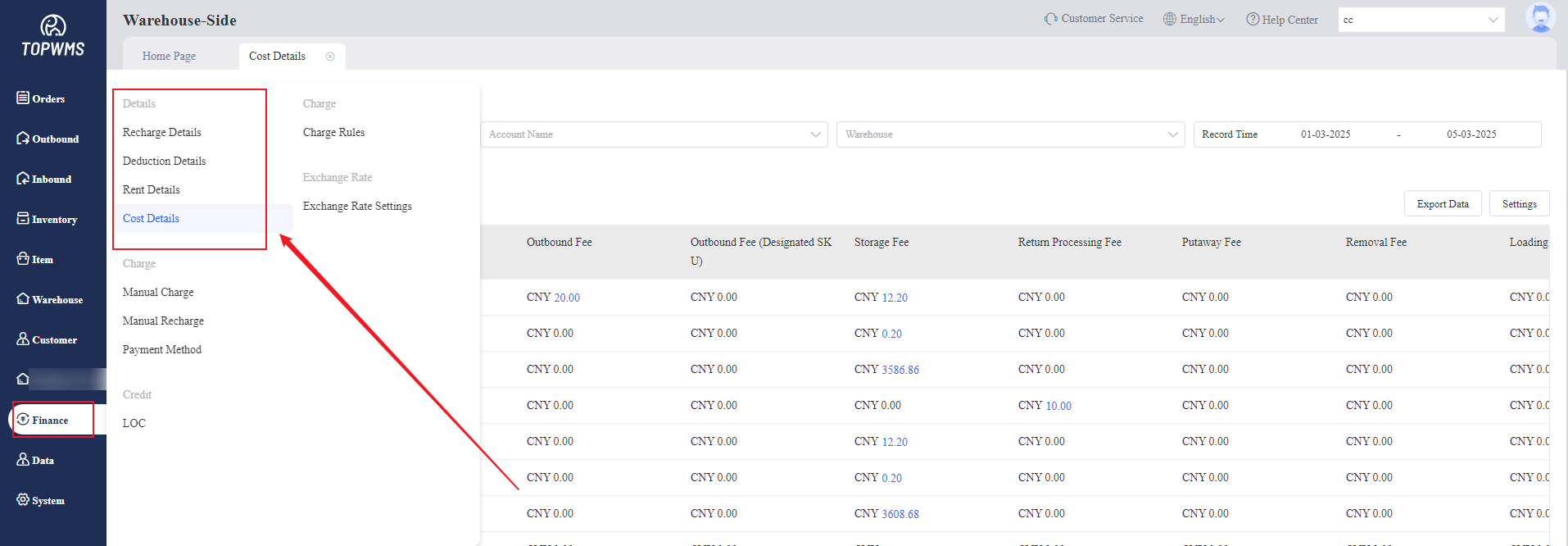
1. The warehouse-side can view relevant details in [Finance] - [Details], including Recharge Details, Deduction Details, Rent Details and Cost Details. The specific function description is as follows:
(1) Recharge Details: Used to view the warehouse recharge amount, filtering by date, bank card, customer, etc. are supported.
(2) Deduction Details: Used to view the all deduction of customers, filtering by date, customer, fee type, etc. are supported. Both Balance deduction and credit limit deduction can be viewed.
(3) Rent Details: Used to view the warehouse rental deductions of customers, filtering by date, customer, product, etc. are supported. Chargeable volume, stock, storage age, storage fees and other information can be viewed.
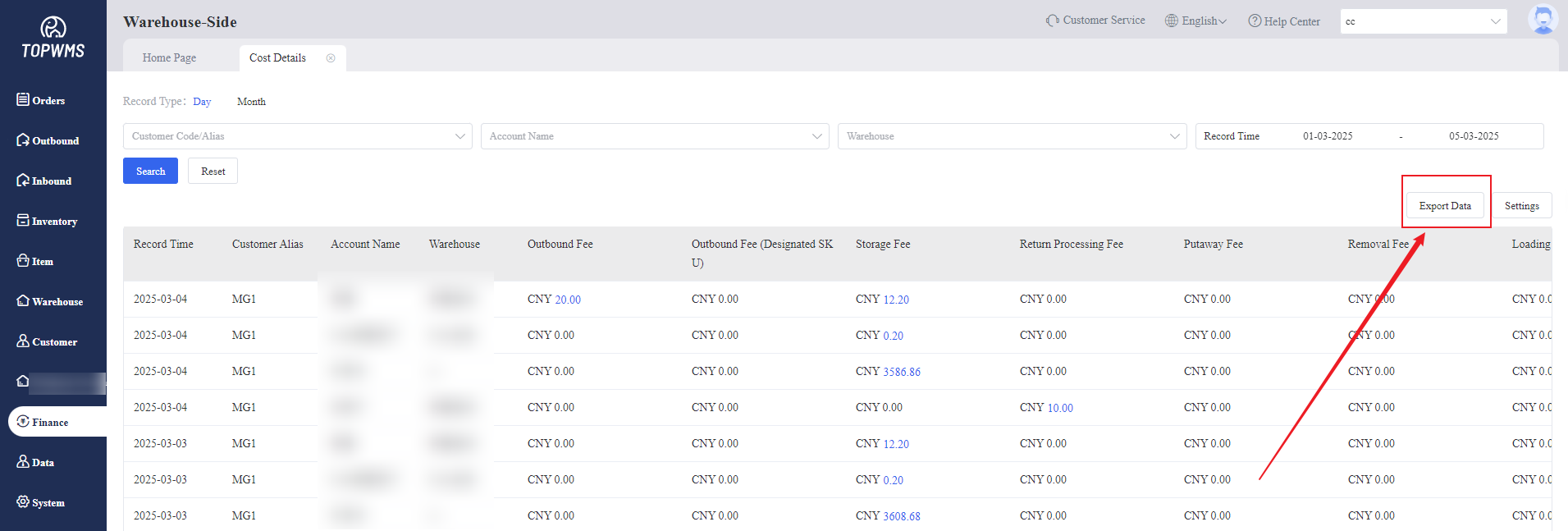
(4) Cost Details: Supports checking the deduction bills of customers in the warehouse on a daily or monthly basis. Warehouses and merchants can check bill information over a period of time through viewing cost details to ensure that the deduction amount is accurate.
Exporting the data of recharge details, deduction details, rent details and cost details are supported.
II. Tutorial Details
1. Recharge Details
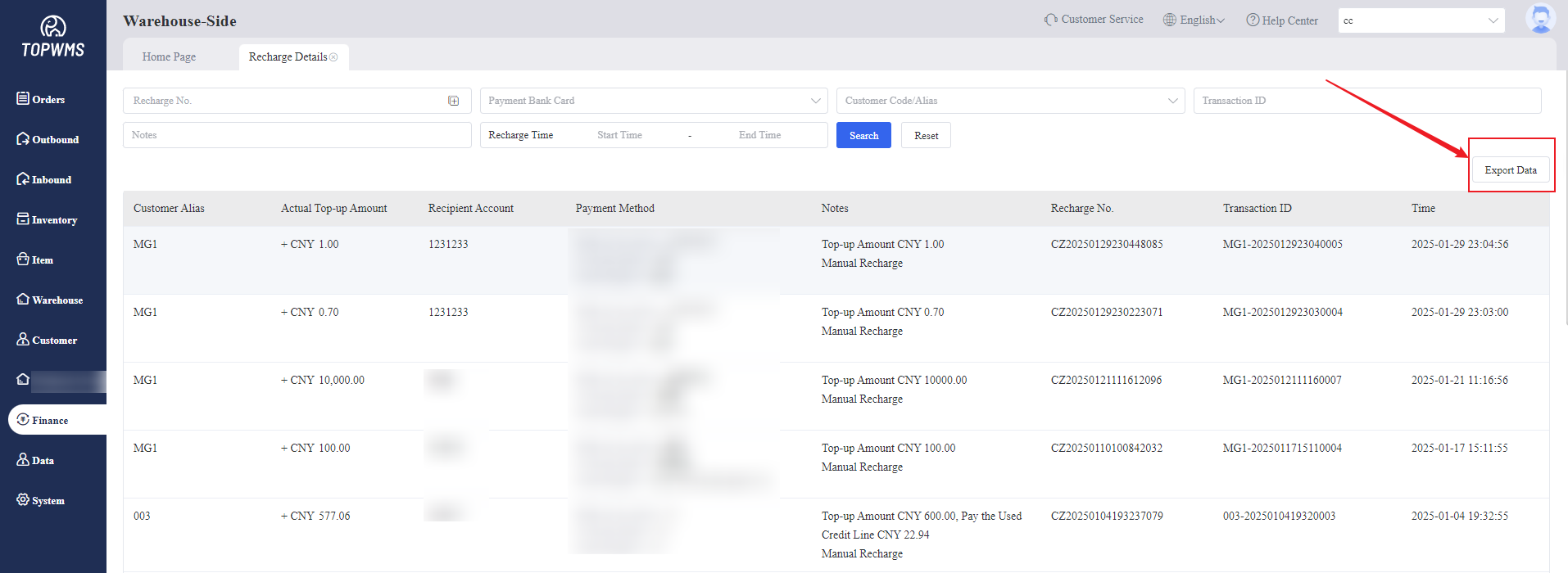
(1) Click [Finance] > [Recharge Details], all customer recharge details can be viewed in this page.
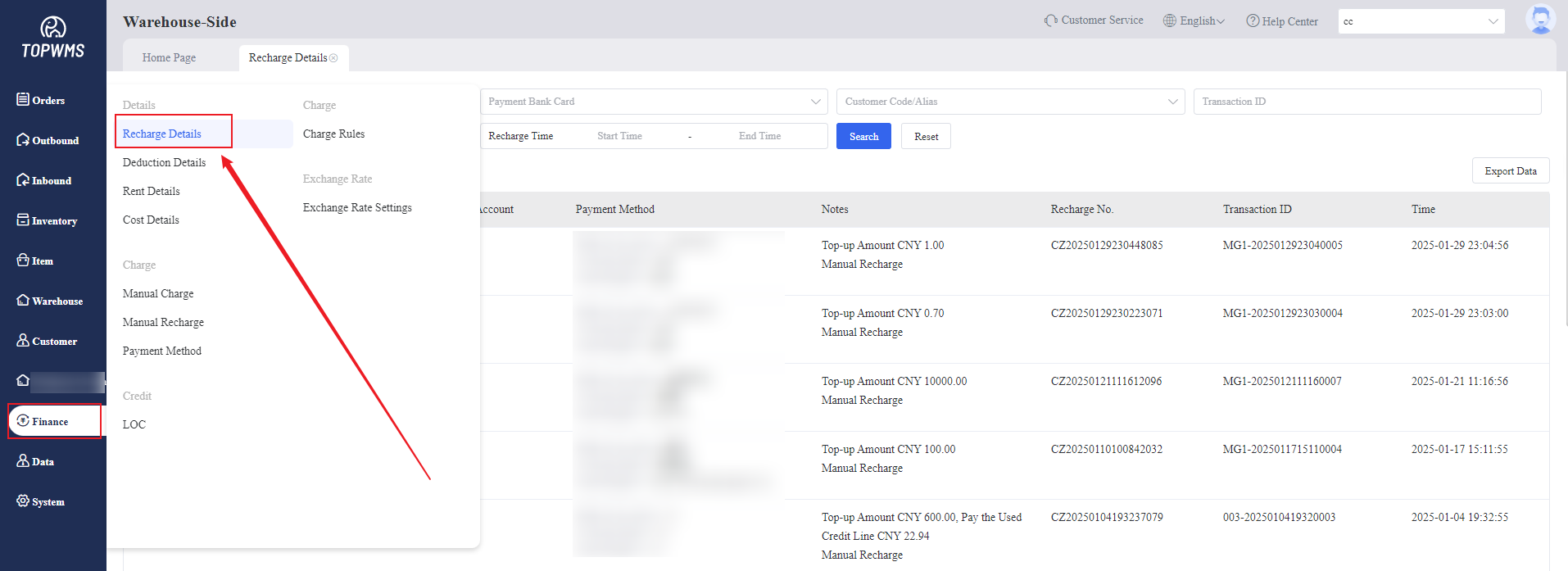
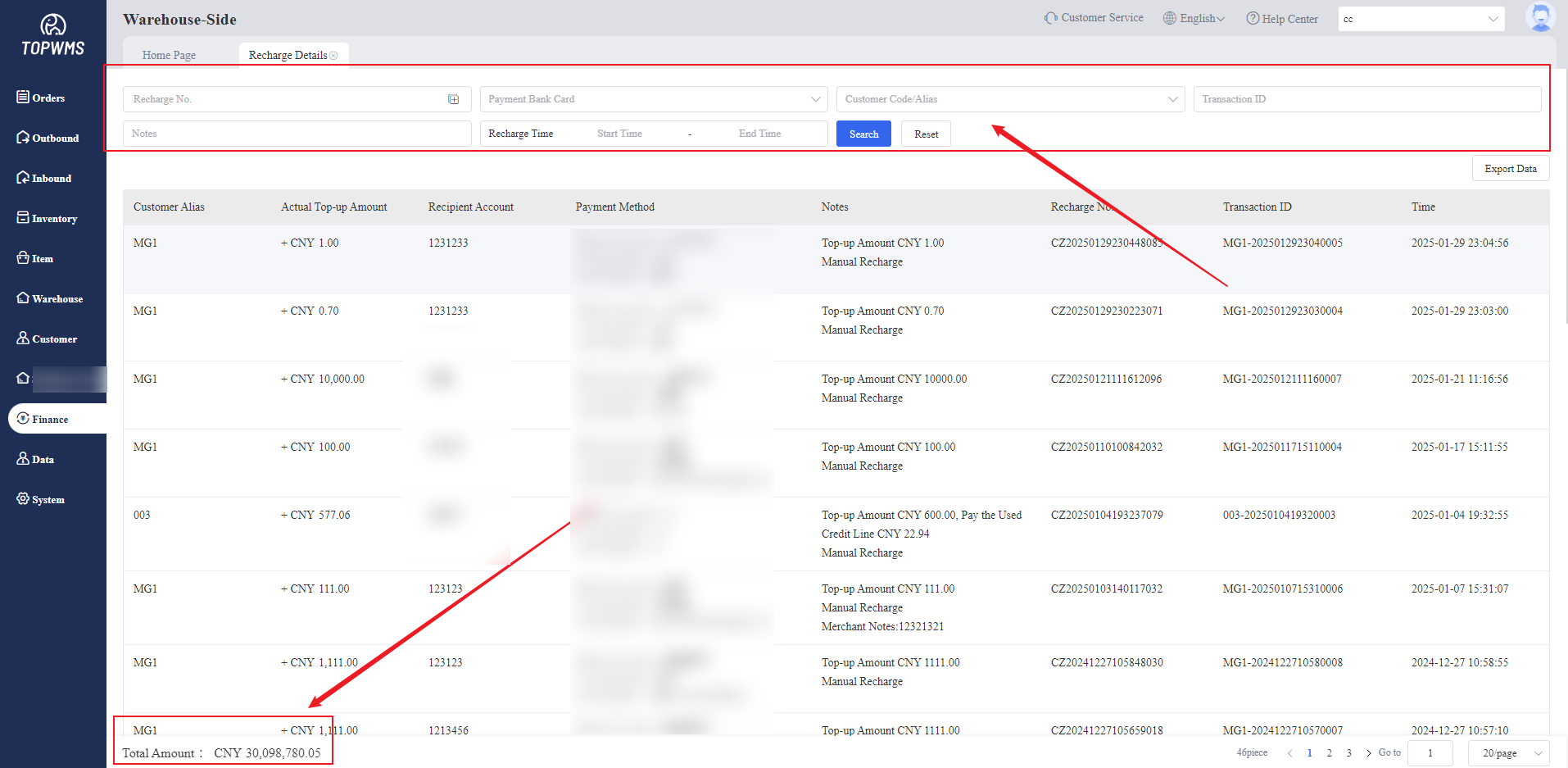
(2) The default is to display all records. If you need to view designated records, you can filter to view only the details you want to see.
Viewing recharge amount, customer, recharge account, receiving bank card, notes and other information are supported.
The total recharge amount is displayed in the lower left corner. The total recharge amount is displayed by default. If you view designated records by filtering, the amount that meet the conditions will be displayed.
(3) Exporting recharge details are supported.
2. Deduction Details
(1) Click [Finance] > [Deduction Details], the billing records of all customers and businesses, including all deduction scenarios can be viewed in this page.
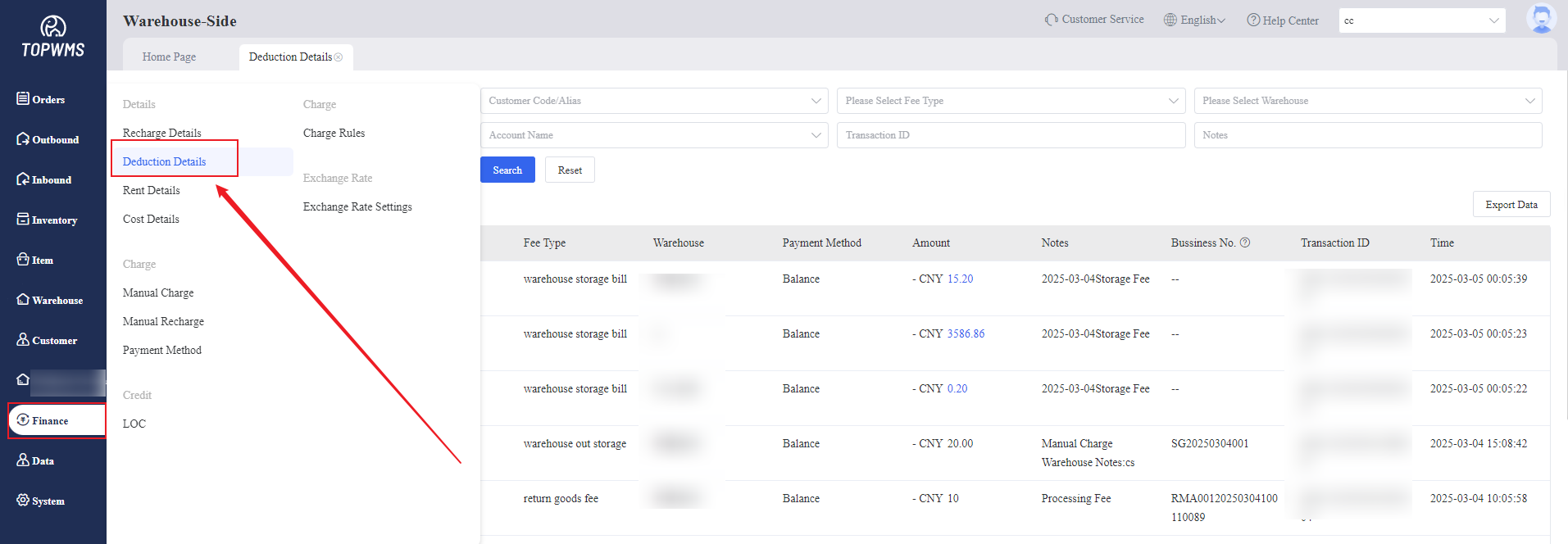
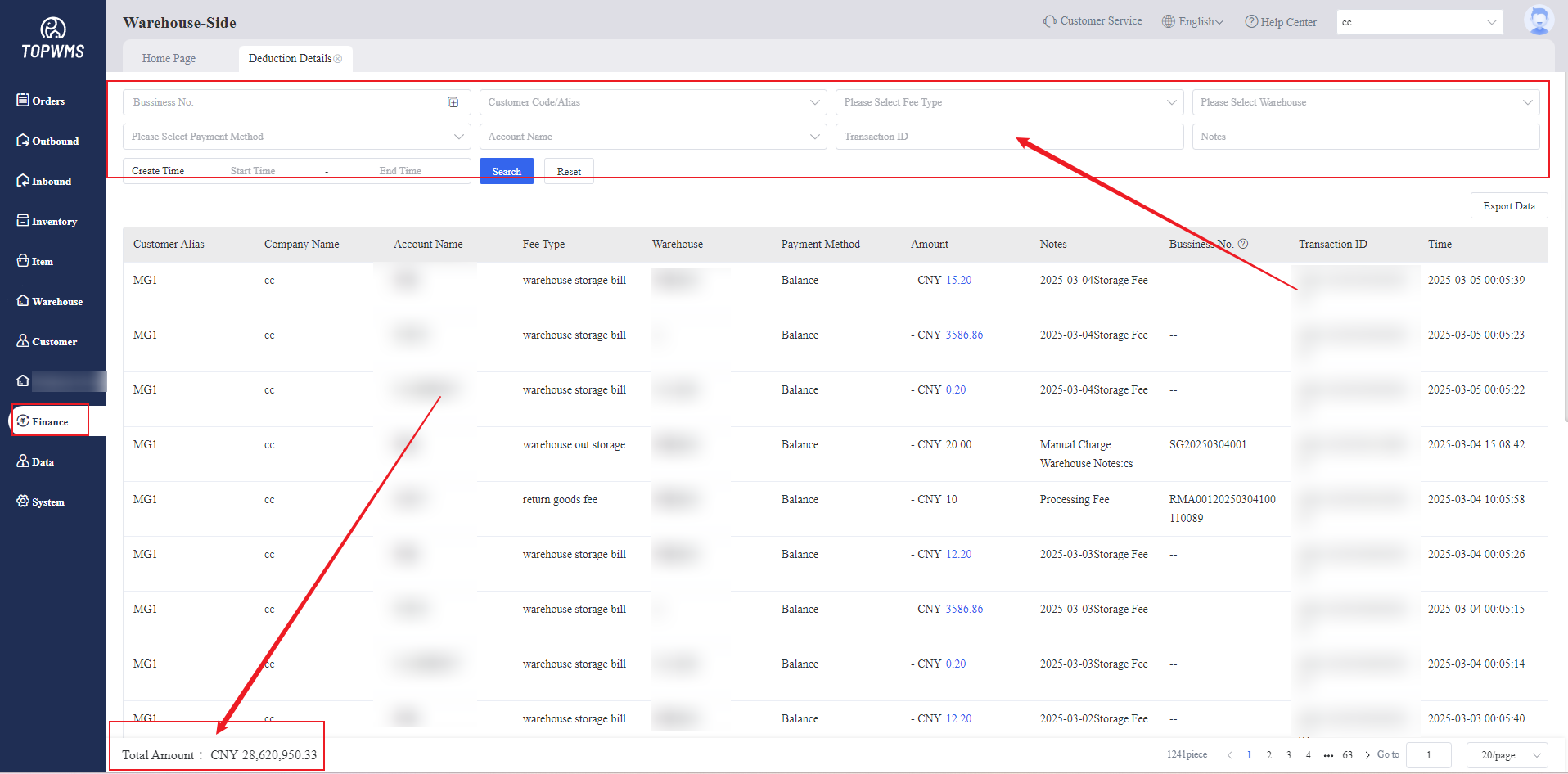
(2) The default is to display all records. If you need to view designated records, you can filter to view only the details you want to see.
Viewing fee type, customer, deduction amount, deduction account and other information are supported.
The total deduction amount is displayed in the lower left corner. The total deduction amount is displayed by default. If you view designated records by filtering, the amount that meet the conditions will be displayed.
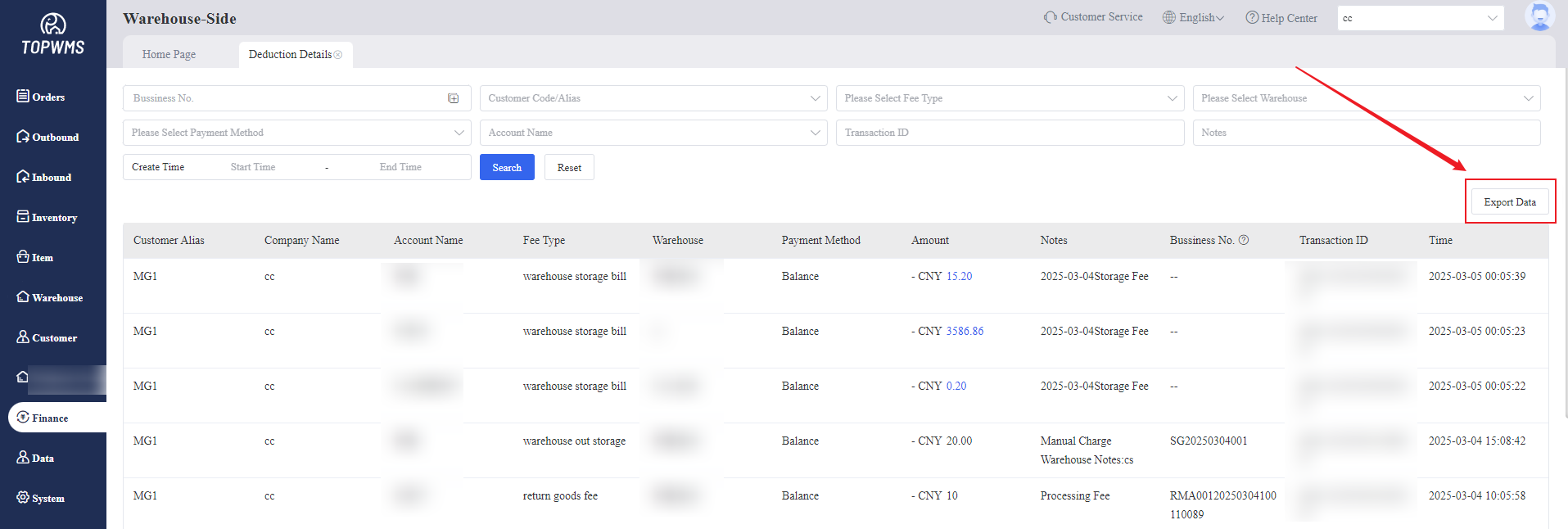
(3) Exporting deduction details are supported.
3. Rent Details
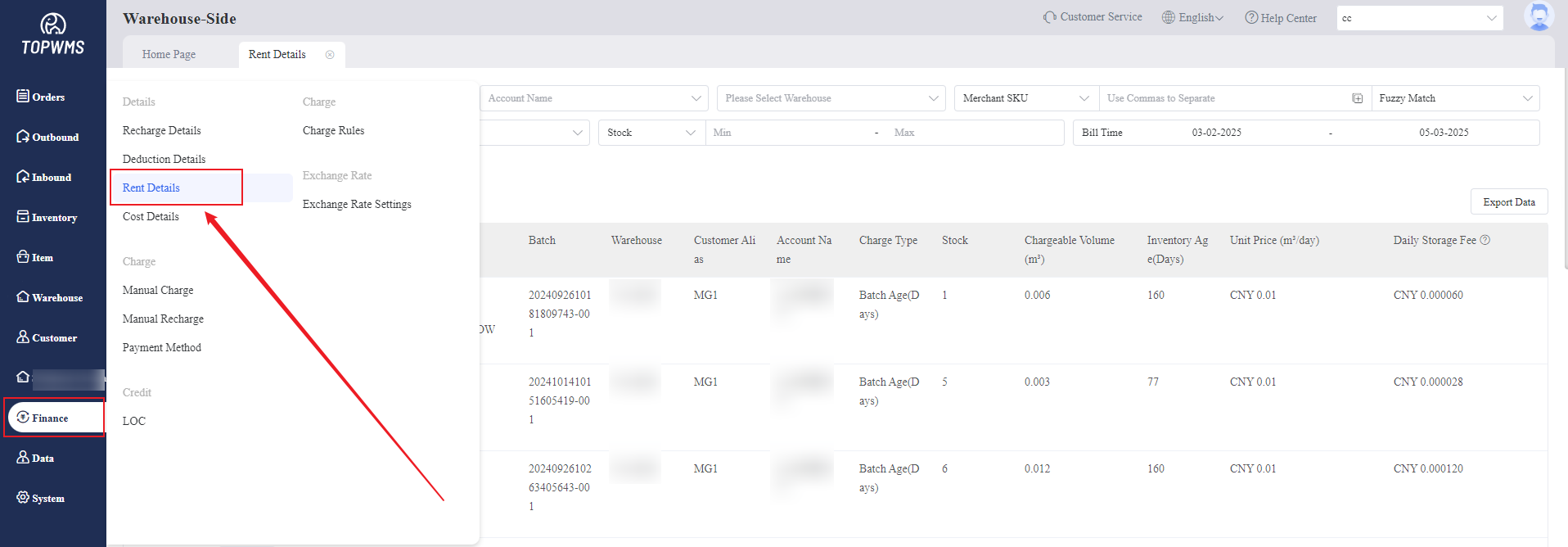
(1) Click [Finance] > [Rent Details], the storage fees of all merchants can be viewed in this page.
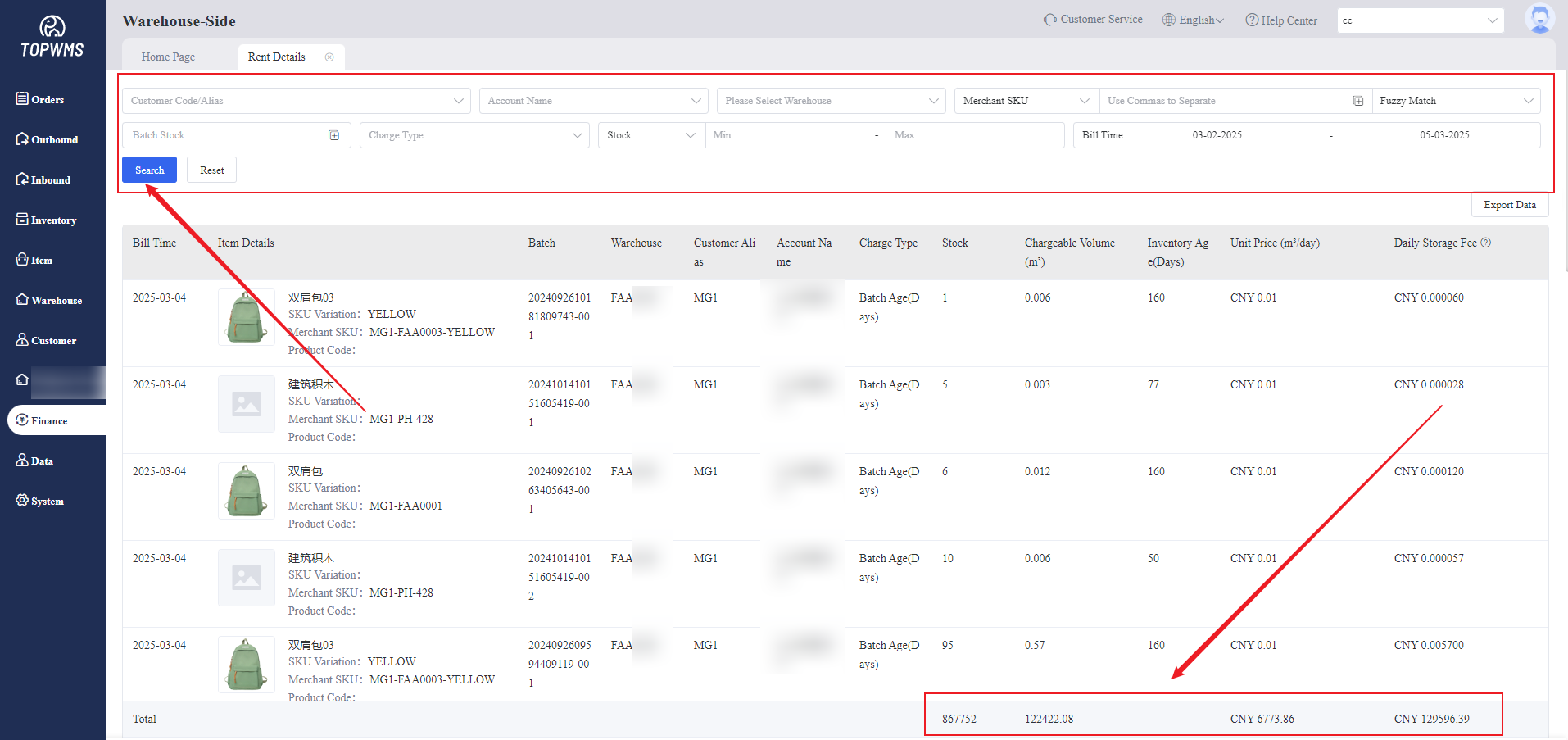
(2) The default is to display all records. If you need to view designated records, you can filter to view only the details you want to see.
Viewing customer, warehouse, stock storage age and other information are supported.
The sum of the quantities in each column is shown in the lower right corner.By default, all data are displayed. If you view designated records by filtering, the quantity that meet the conditions will be displayed.
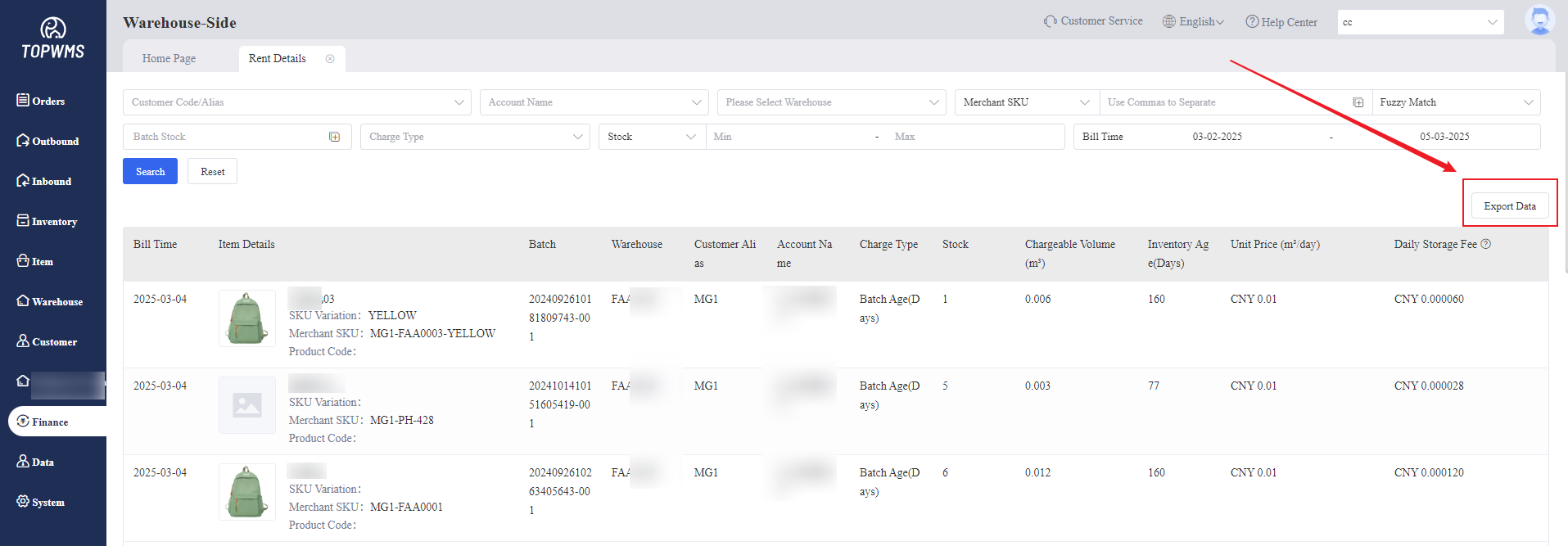
(3) Exporting rent details are supported.
4. Cost Details
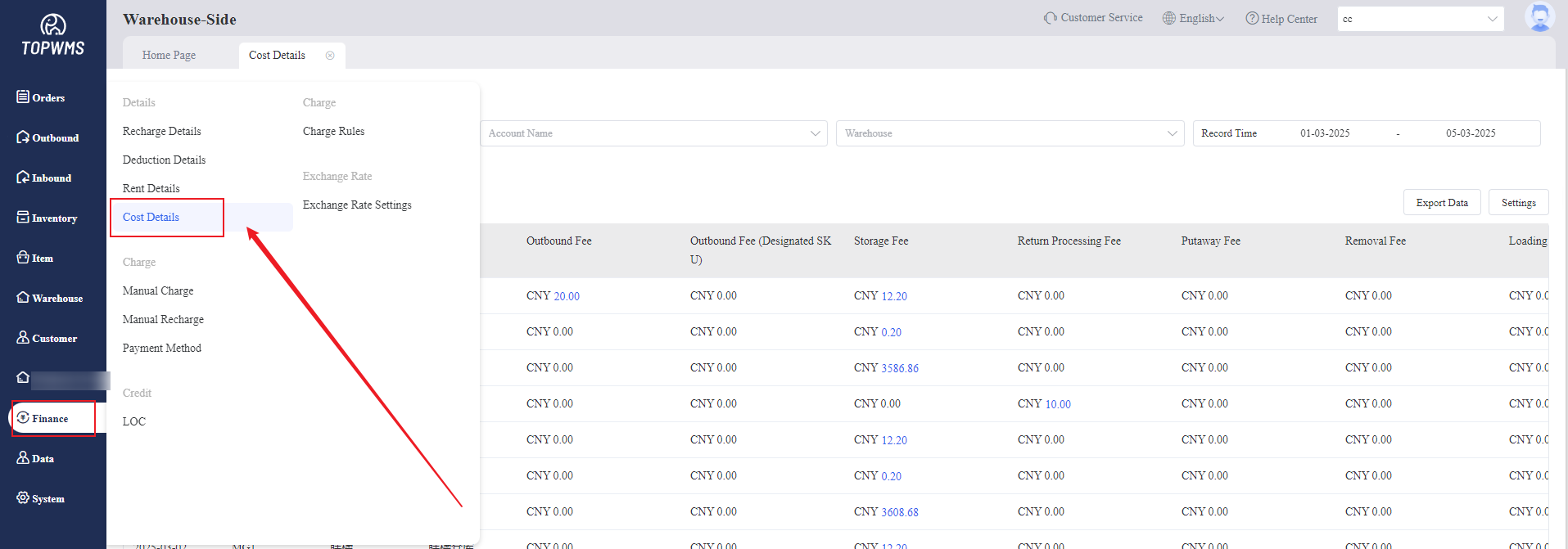
(1) Click [Finance] > [Cost Details], warehouses and merchants can check bill information over a period of time through viewing cost details to ensure that the deduction amount is accurate.
(2) Viewing by day and month are supported.
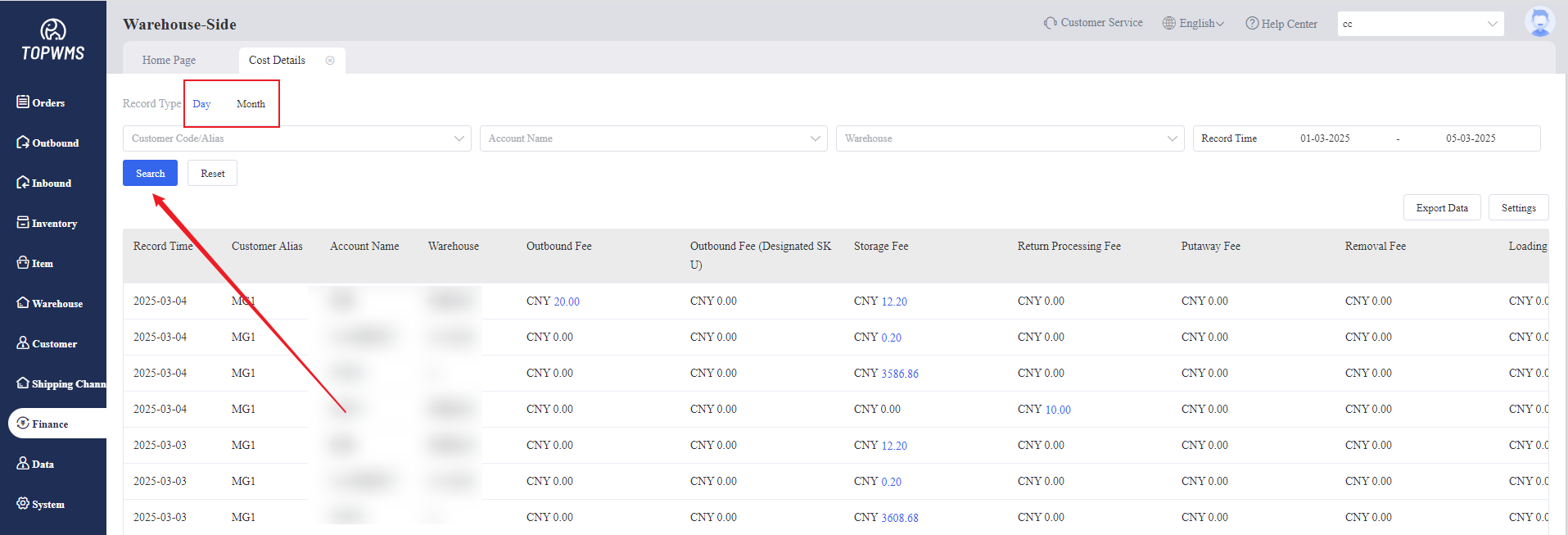
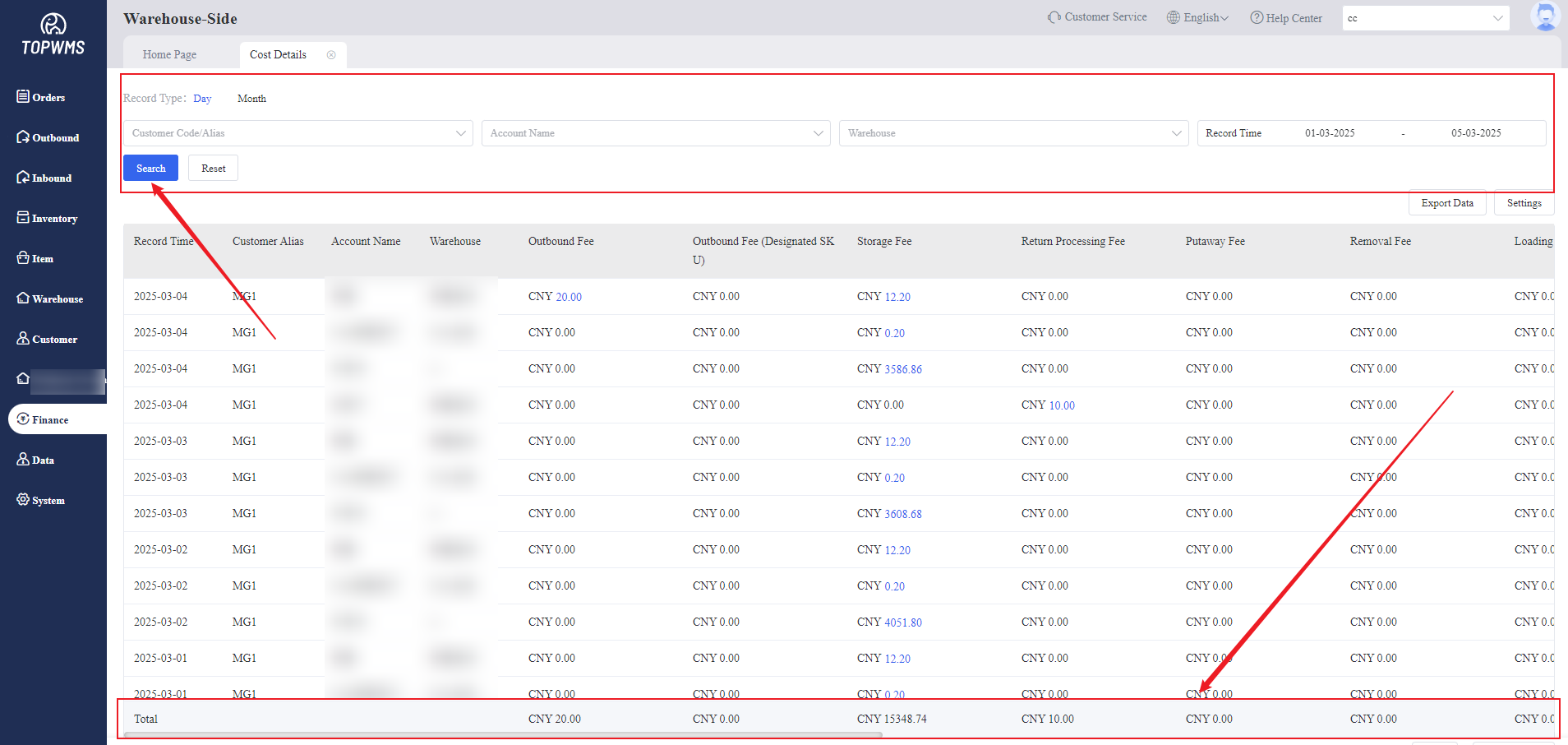
(3) The system will calculate the customer account expenses by day/month based on the selected time and search conditions. The total data can be seen at the bottom of the page; By default, the total data of all records is displayed.
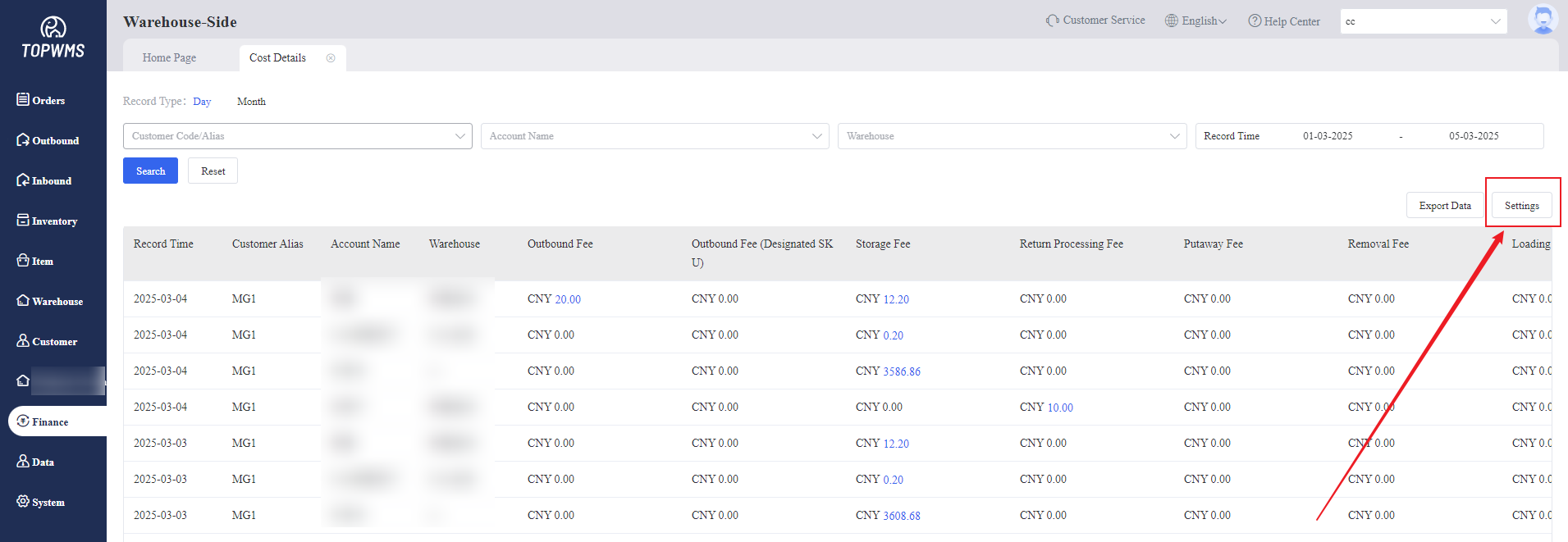
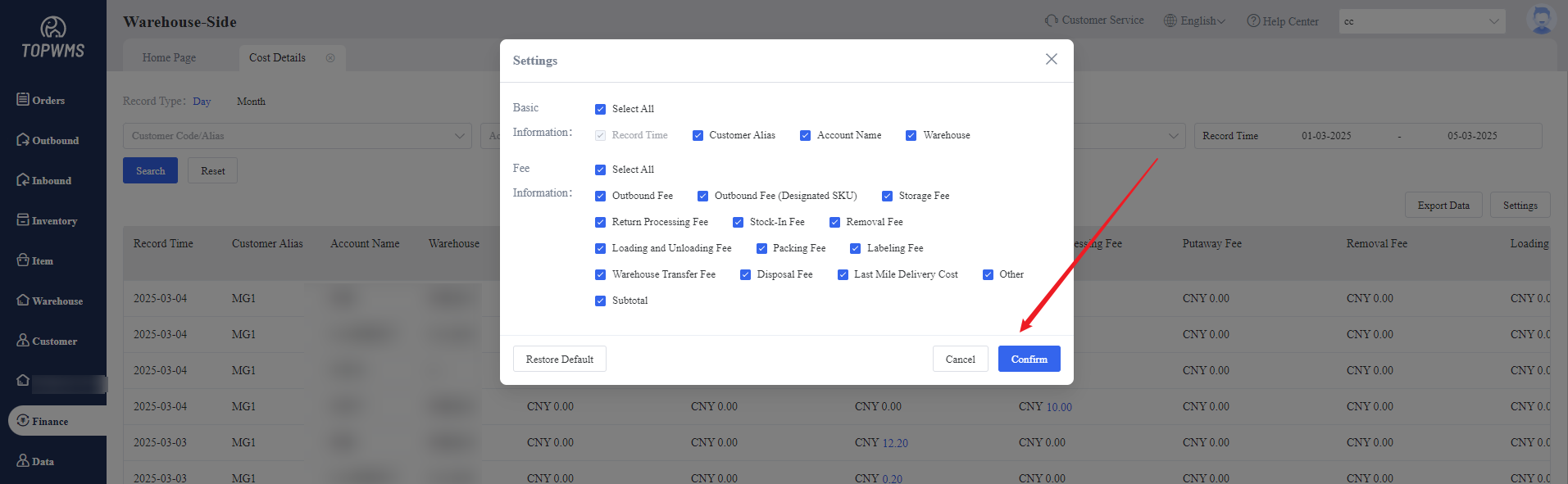
(4) If there is data that you do not need to view, you can click [Settings] to select the contents that you do not need to display in the pop-up window.
(5) Exporting Cost Details are supported.