I. Introduction
1. If you need to search for items by batch, you can enter the batch to search in [Batch Stock] ;
2. In this page, modifying the stock of items are supported and stock change details can be viewed, which is convenient for subsequent review and verification.
II. Tutorial Details
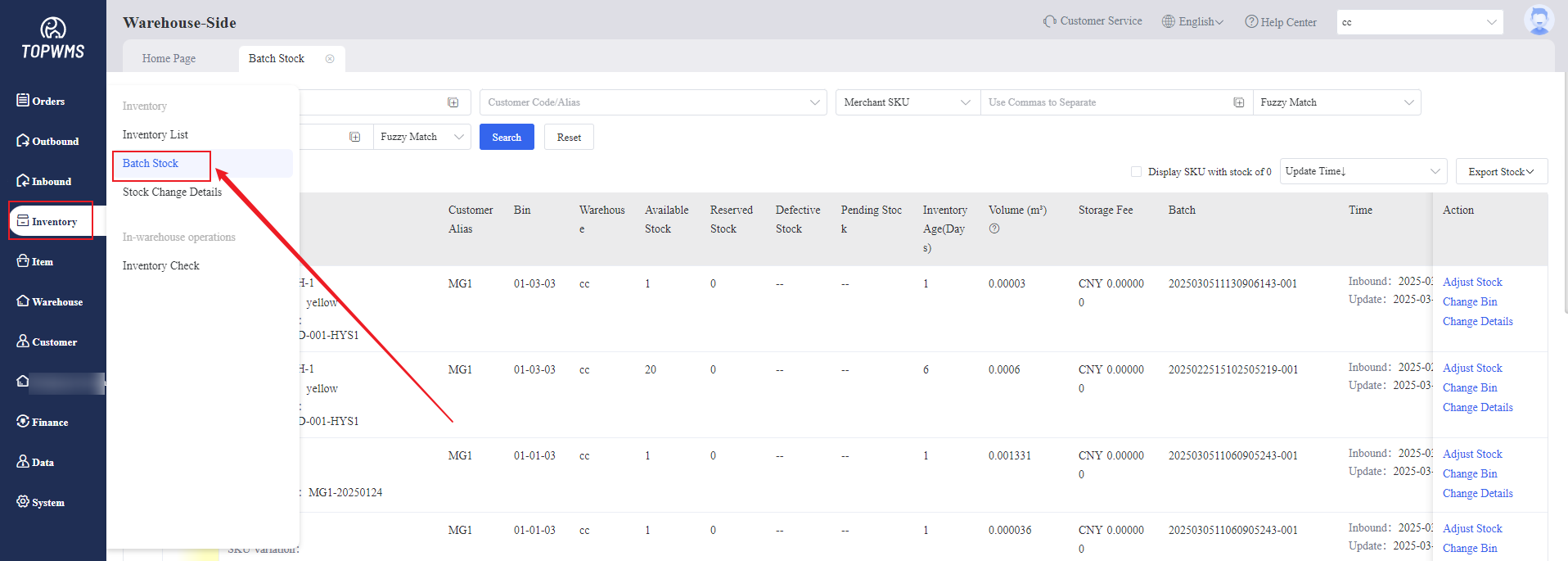
1. Click [Inventory] > [Batch Stock]
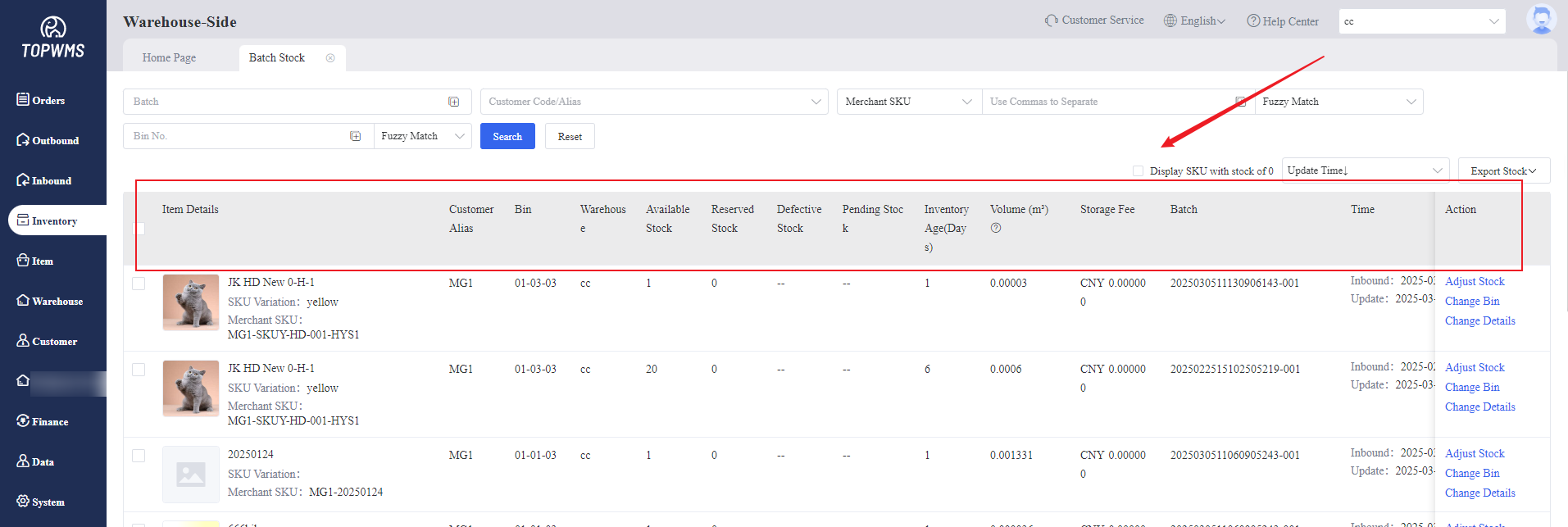
Items with the same Merchant SKU, same bin location and same stock-in time are defined as the same batch. You can search for items in the same batch by searching for batch, customer, or Merchant SKU.
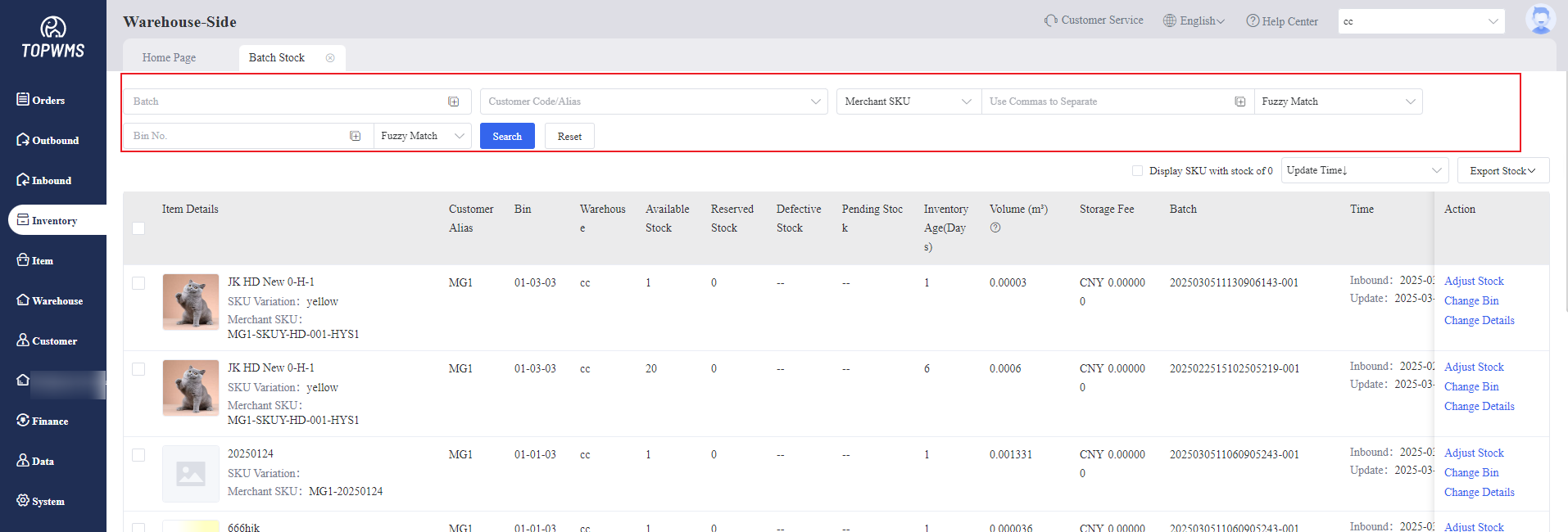
2. Bin Location, available stock,storage age and stock-in time and other information of items can be viewed in this page.
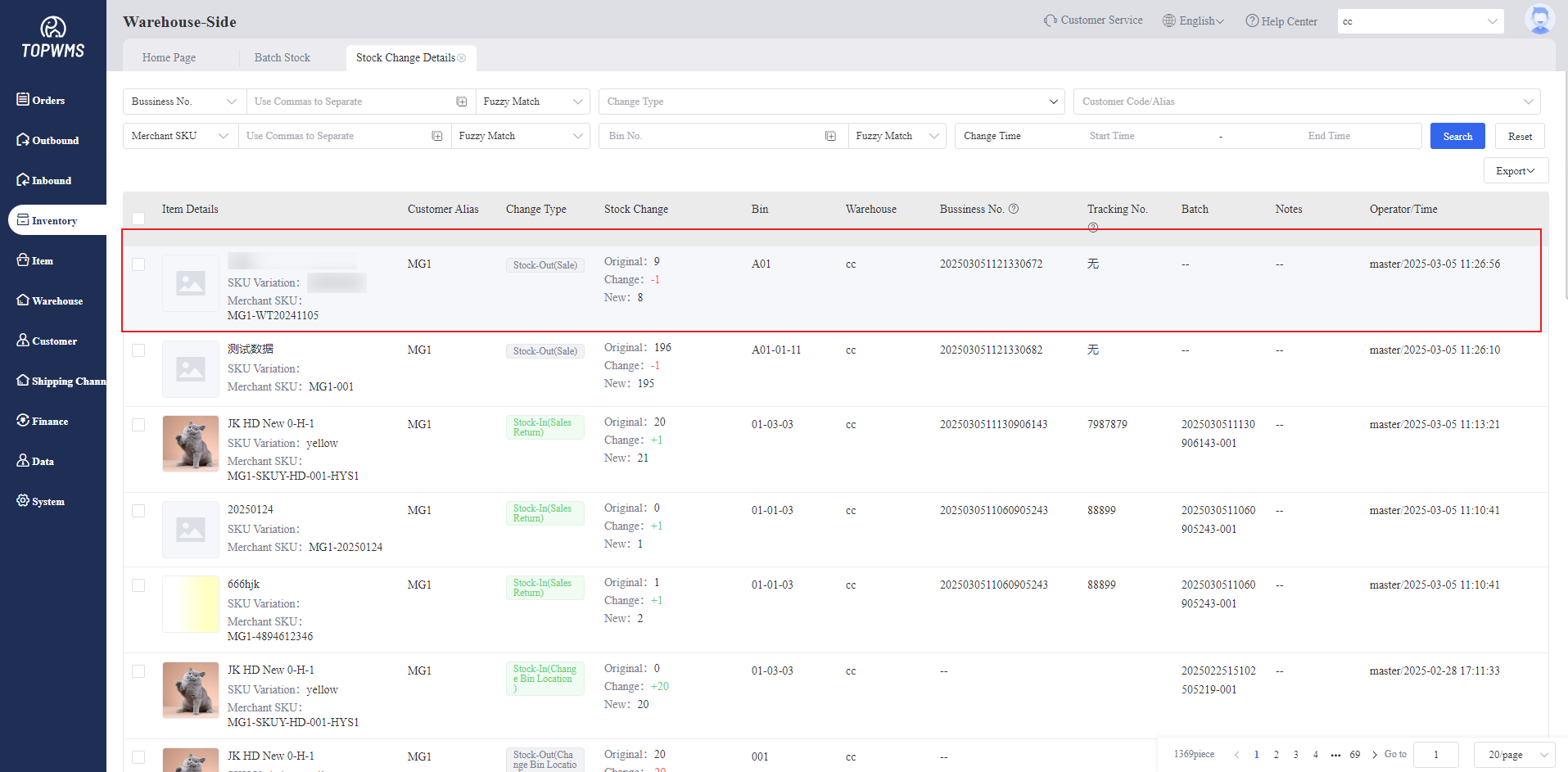
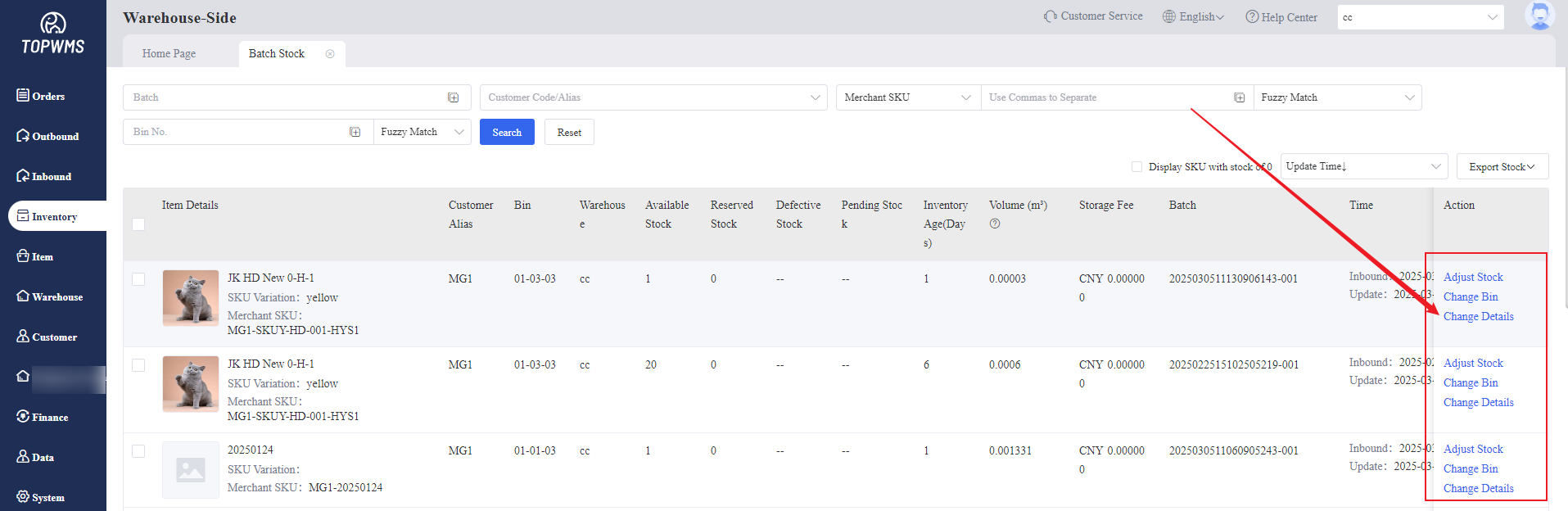
3. Click the corresponding button on the right side of the page; When items are stocked-out, stocked-in, or stock is increased or decreased for other reasons, it will be automatically included in the change details. All change records can be viewed in the [Change Details].
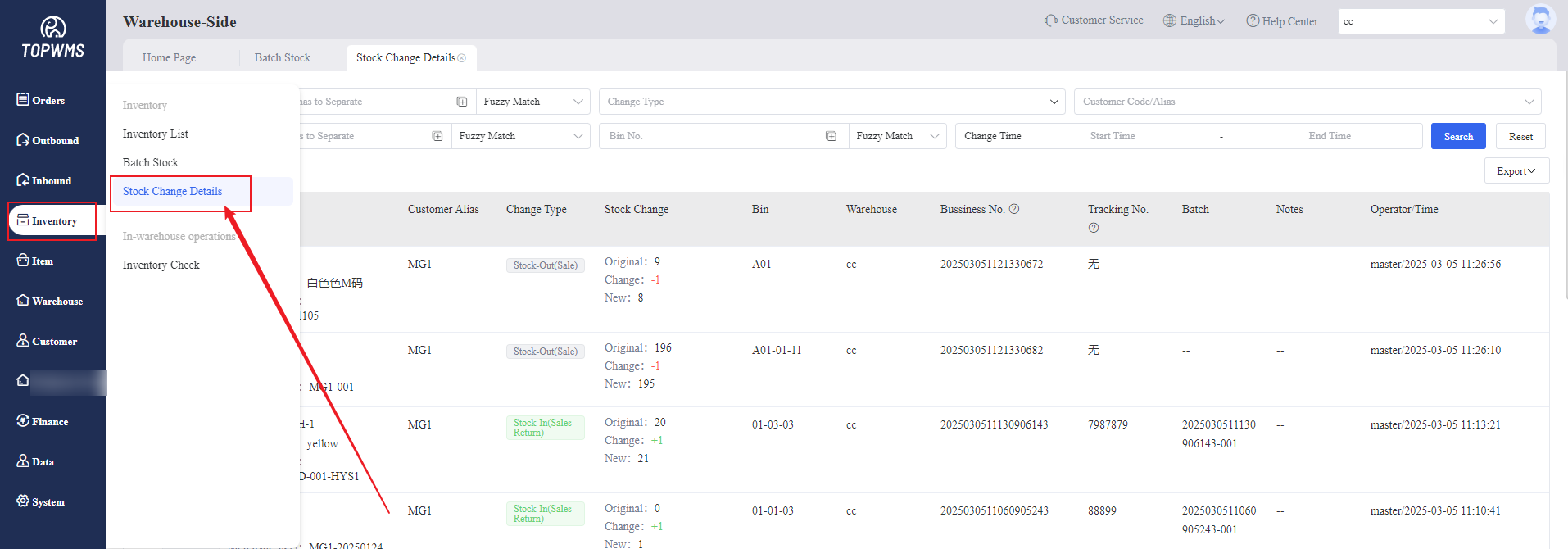
4. You can also go to [Inventory] > [Stock Change Details] to view each stock change detail.