
I. Introduction
1. Warehouse need to set various charges for customers in advance, such as Outbound Fee, Storage Fee, Return Fee, Putaway Fee
2. Different charge rules and charge types can be set based on different situations. The corresponding Fee will be automatically charged if the situation meet the charge rule set.
3. It also supports setting different charge rules based on three effective ranges: customers,customer groups and all customers.
II. Tutorial Details
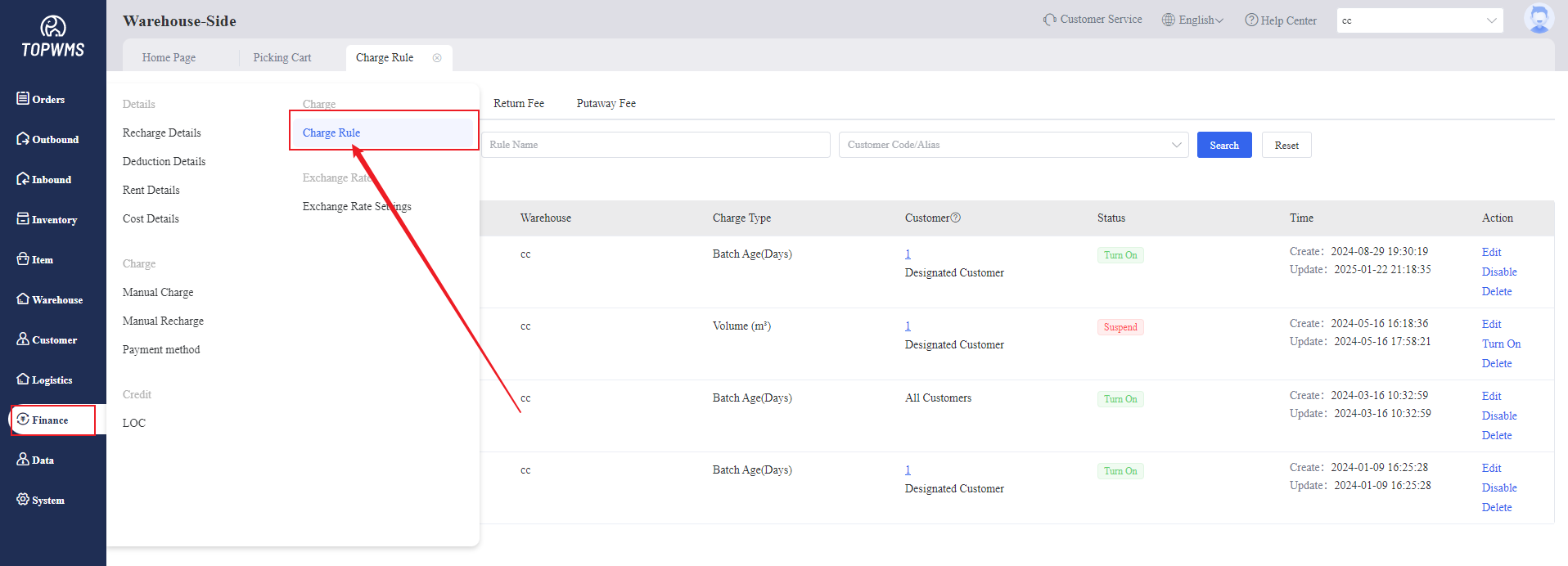
1. Click [Finance] > [Charge Rules]
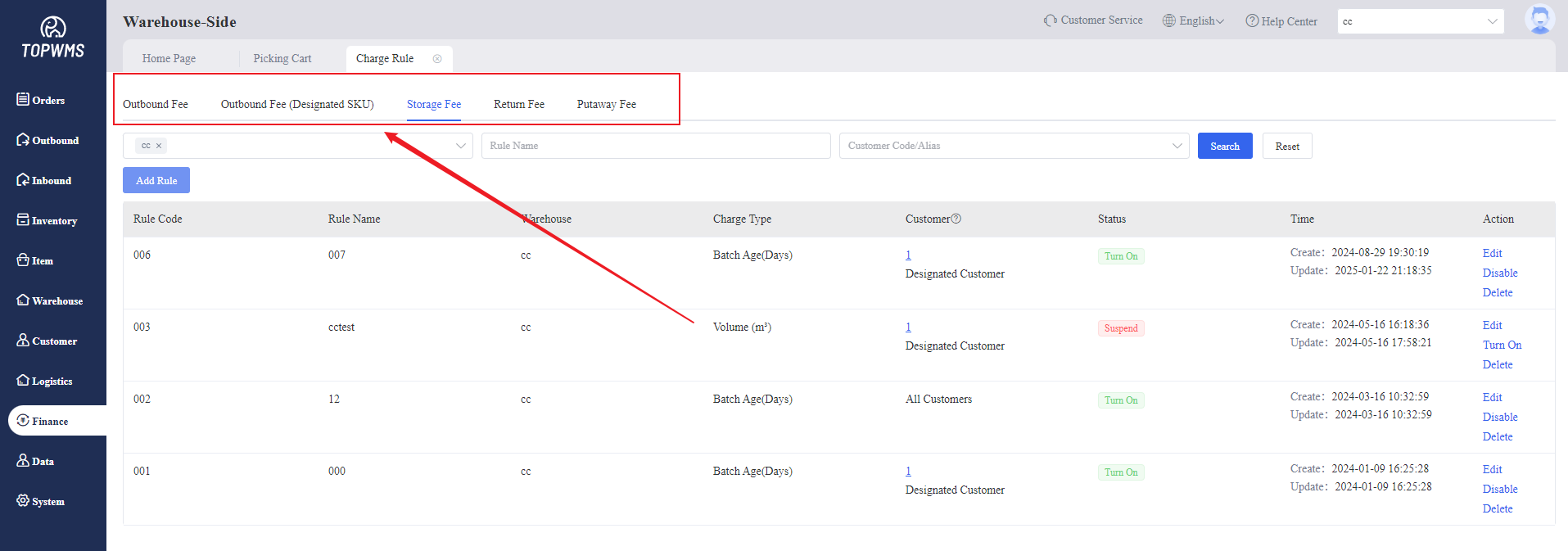
Outbound Fee, Storage Fee,Return Fee and Putaway Fee can be set.
The outbound fee for the designated SKU also can be set according to your needs.
2. Create Rules
(1) Outbound Fee
① Select [Outbound Fee] > Click [Add Rule]
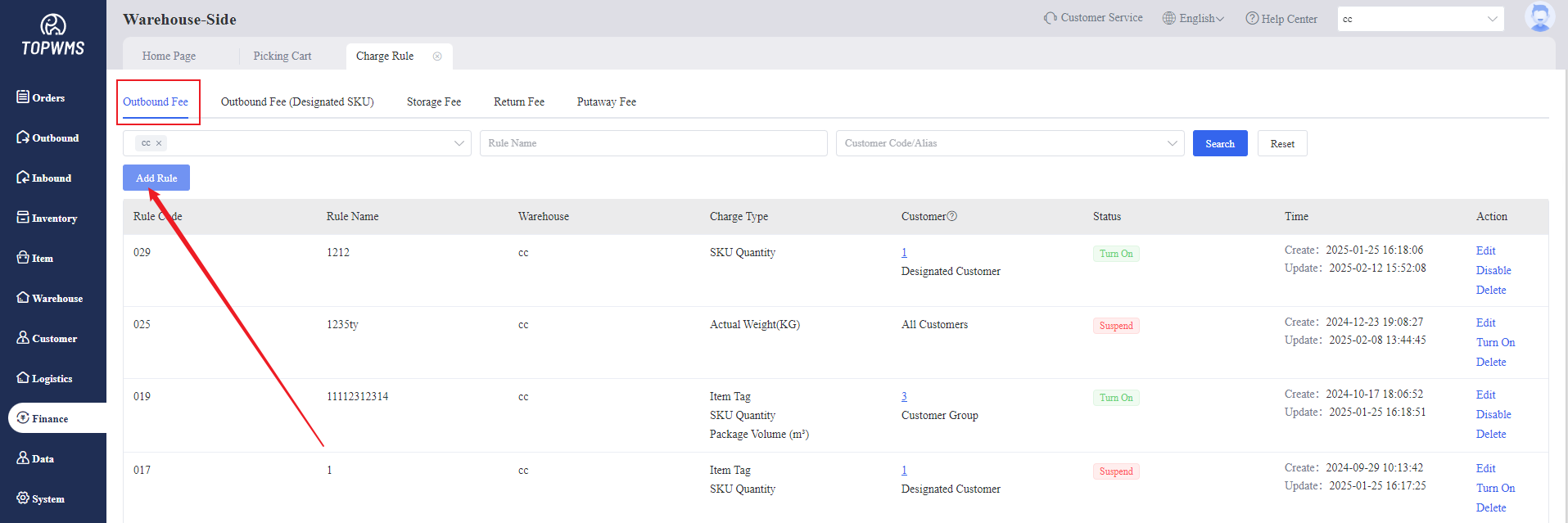
Customizing the charge rule in the pop-up window and then click [Save]
(2) Outbound Fee (Designated SKU)
① When the order only contains designated Merchant SKUs, you can set a separate charging standard.
② Precondition: The order only contains the designated merchant sku set in the charge rules.
If the order has one or more Merchant SKUs, and some Merchant SKUs are not set in the charge rules, they will be calculated directly according to the general outbound rules.
③ Selecting the charge type according to your needs in the pop-up window.
(3) Storage Fee
① Select [Storage Fee] > Click [Add Rule]
② Setting the corresponding conditions and fees, multiple conditions are supported to set. Then click [Save]
③ Rent-free Type
Rent-free(First Batch): Only the first batch of items entering the warehouse are free of rent. The second batch and subsequent items are no longer free of rent.
Rent-free(Each Batch): each batch of items entering the warehouse are free of rent.
Inbound Type Including: Stock-In(Restock), Stock-In(Return), Import Initial Stock
④Minimum Charge Based on 1m³: For each charge condition interval, if the sum of the volumes of items in the interval is less than 1 cubic meter, it will be charged directly as 1 cubic meter.
(4) Return Fee
① Select [Return Fee] > Click [Add Rule]
② Applicable warehouses, customers and charge type can be set in the pop-up window. Setting multiple charge types are supported.
(5) Putaway Fee
After merchant submitting the restock order, warehouse will charge the putaway fee when items received and put on the rocks; If the items that have been shipped out but returned and need to be put back on the racked, the warehouse will also charge a putaway fee.
Select [Putaway Fee] > Click [Add Rule]
Setting the rule and choose warehouses and customers to which this rule applies.
