I. Introduction
1. After the merchant submits a recharge application on the merchant-side, it needs to be reviewed by the warehouse. The recharge can be completed only after the review is passed.
2. How to submit a recharge application on the merchant-side, please refer to this tutorial:
II. Tutorial Details
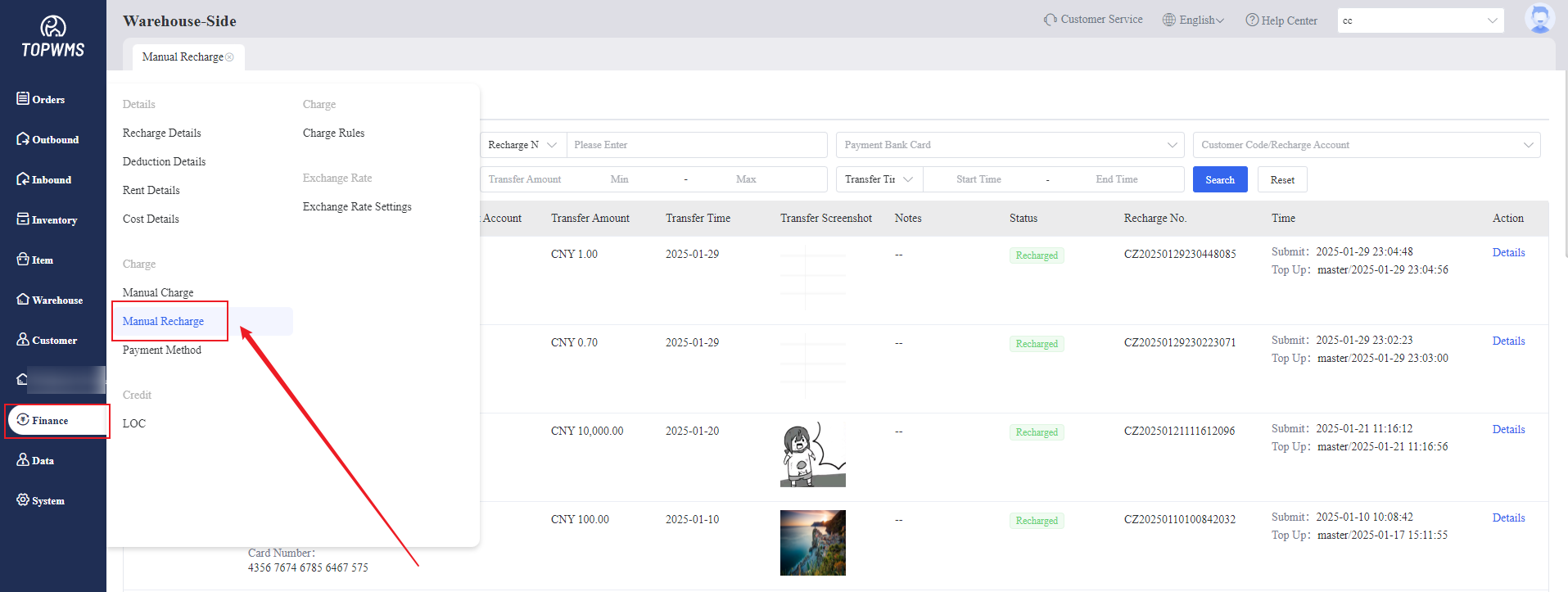
1. Click [Finance] > [Manual Recharge]
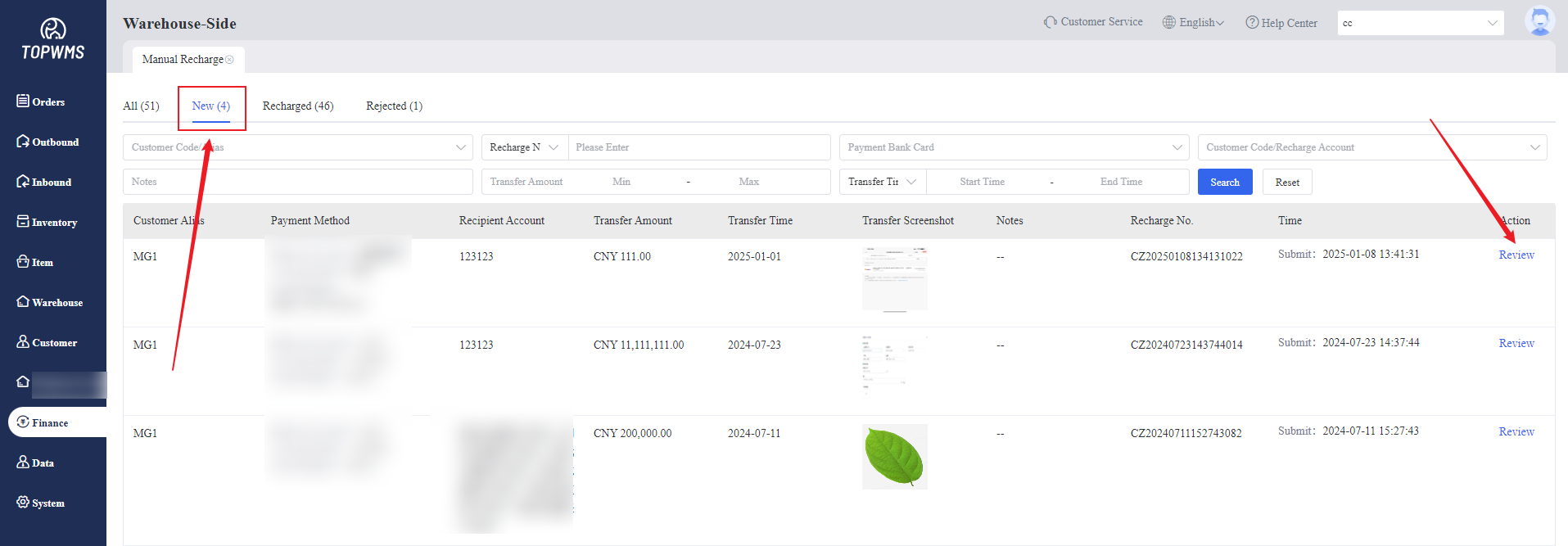
2. The recharge application submitted by the merchant will be displayed on the [Manual Recharge] - [New].
Click [Review] after confirming that relevant information are correct.
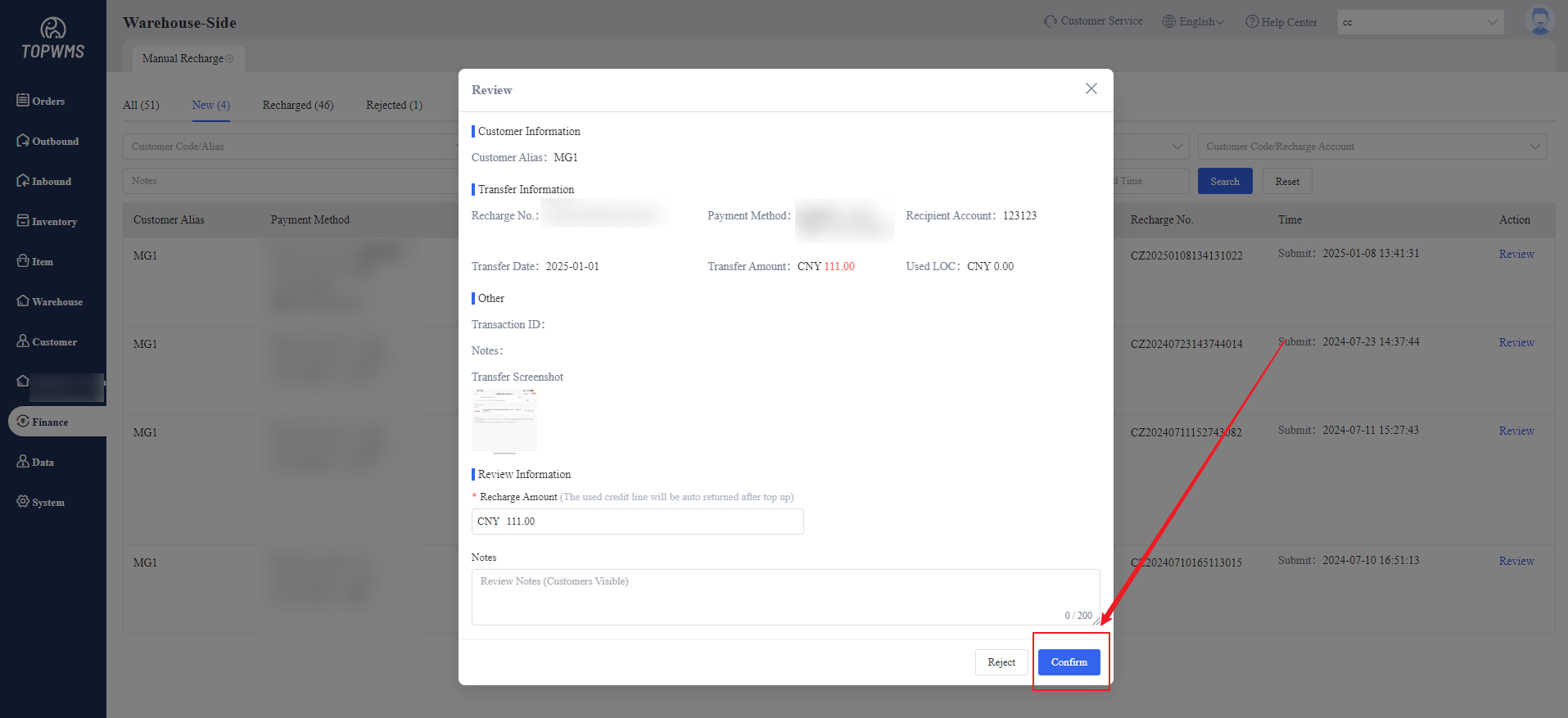
3. Checking the information again in the pop-up window and review notes are supported to filled in.
If the merchant has used the credit limit before, the recharge amount will be used to return the used credit limit first. After checking, click [Confirm].
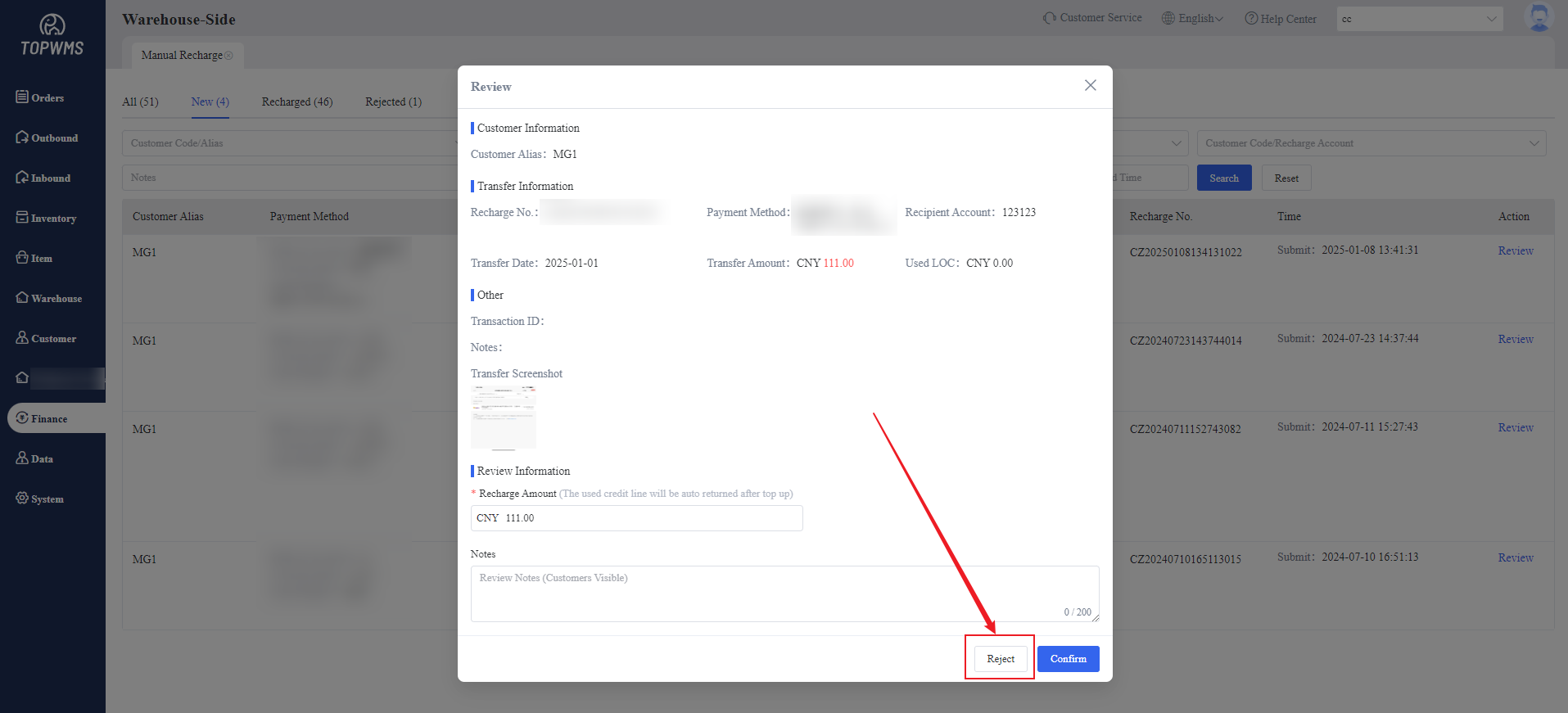
If there is a problem with the recharge application, the rejection of the application can also be supported. Click - [Reject]
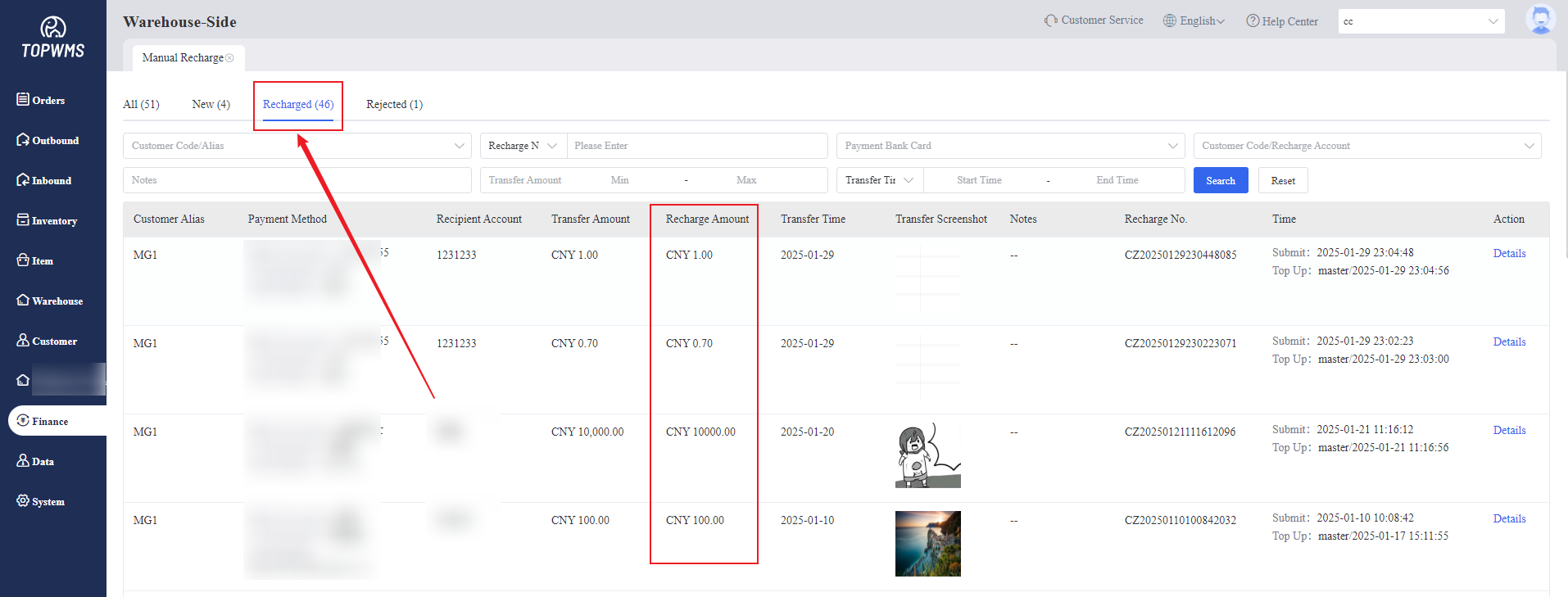
4. After the recharge is successful, it will be moved to "Recharged", and the amount in the merchant-side will change;
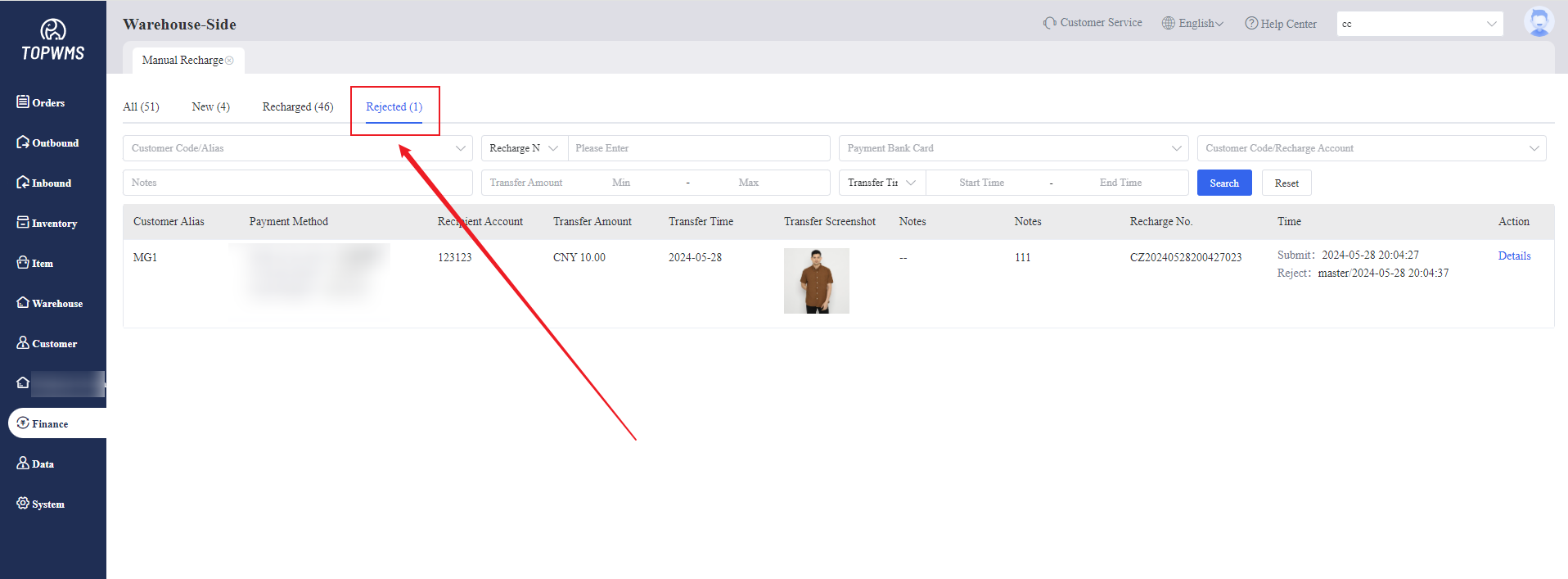
If the application is rejected, it will be moved to "Rejected". The merchant can view the rejection status and re-edit and submit again.