I. Introduction
1. In special circumstances, if the merchant has not submitted a return order, but the warehouse has received the return package, the return order can be directly created in the warehouse-side.
2. There are two situations when creating a return order directly on the warehouse side.
One is when the owner and the returned items can be clearly identified, then the return order can be directly scanned and created in warehouse-side;
The other is when the warehouse does not know who the owner is, and can only create a return claim order first, and then the merchant will claim it on the merchant-side, and when claiming, the merchant needs to fill in the relevant information and then resubmit the return order.
3. This tutorial explains situation one.
II. Tutorial Details
The return situation is: The merchant has not created a return order. After the return package arrives at the warehouse and is scanned, the owner and the returned items can be identified.
1. The process:
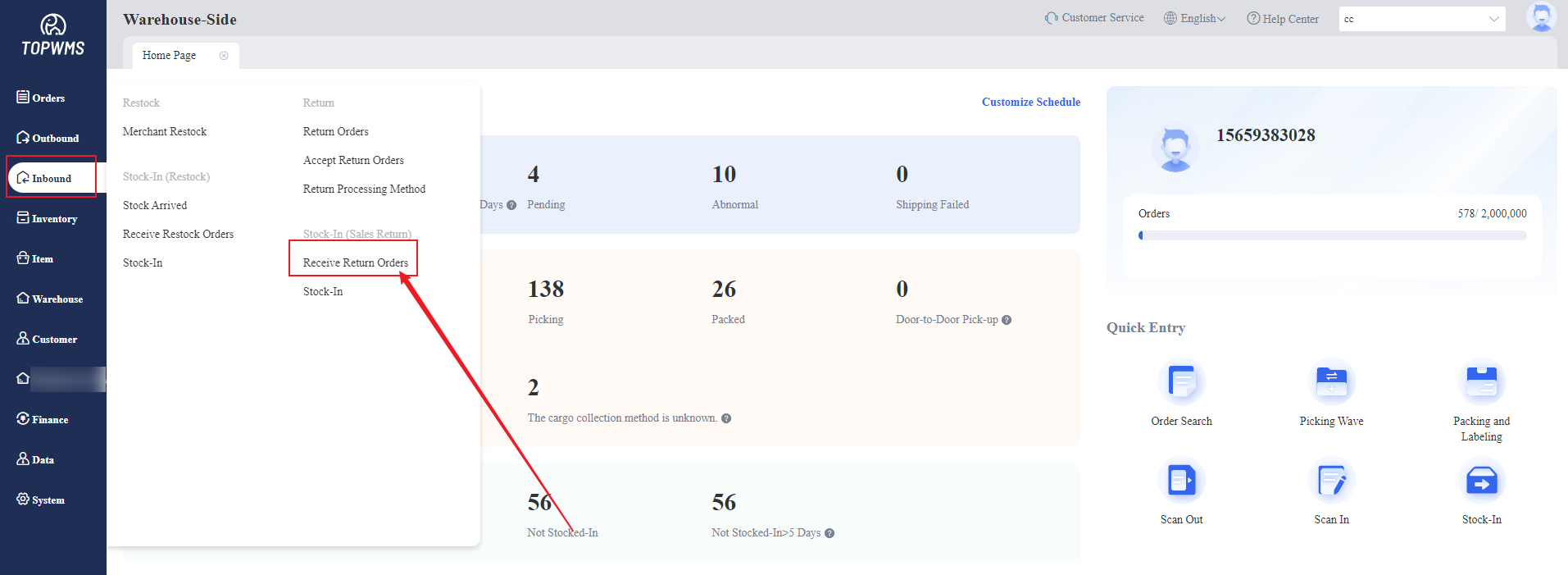
Click [Inbound] > [Receive Return Order]
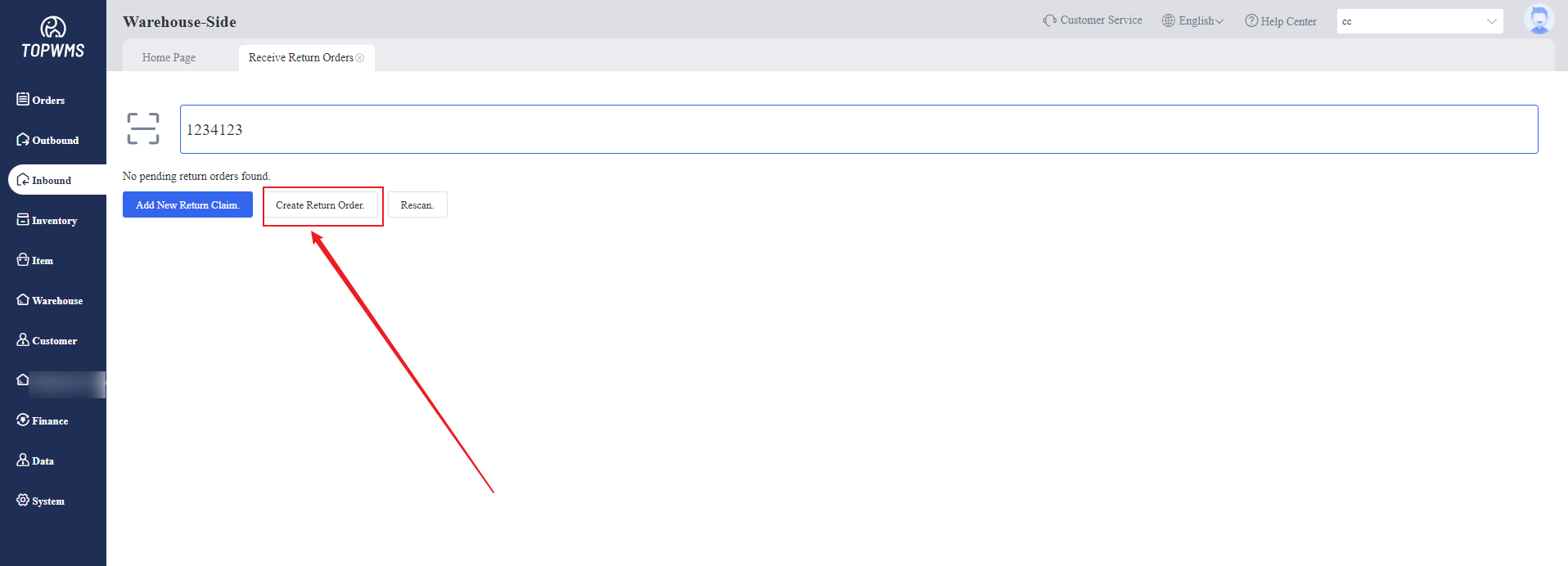
2. Since the merchant has not submitted a return order, the return order cannot be found after scanning. At this time, 3 buttons will appear. Click [Create Return Order]
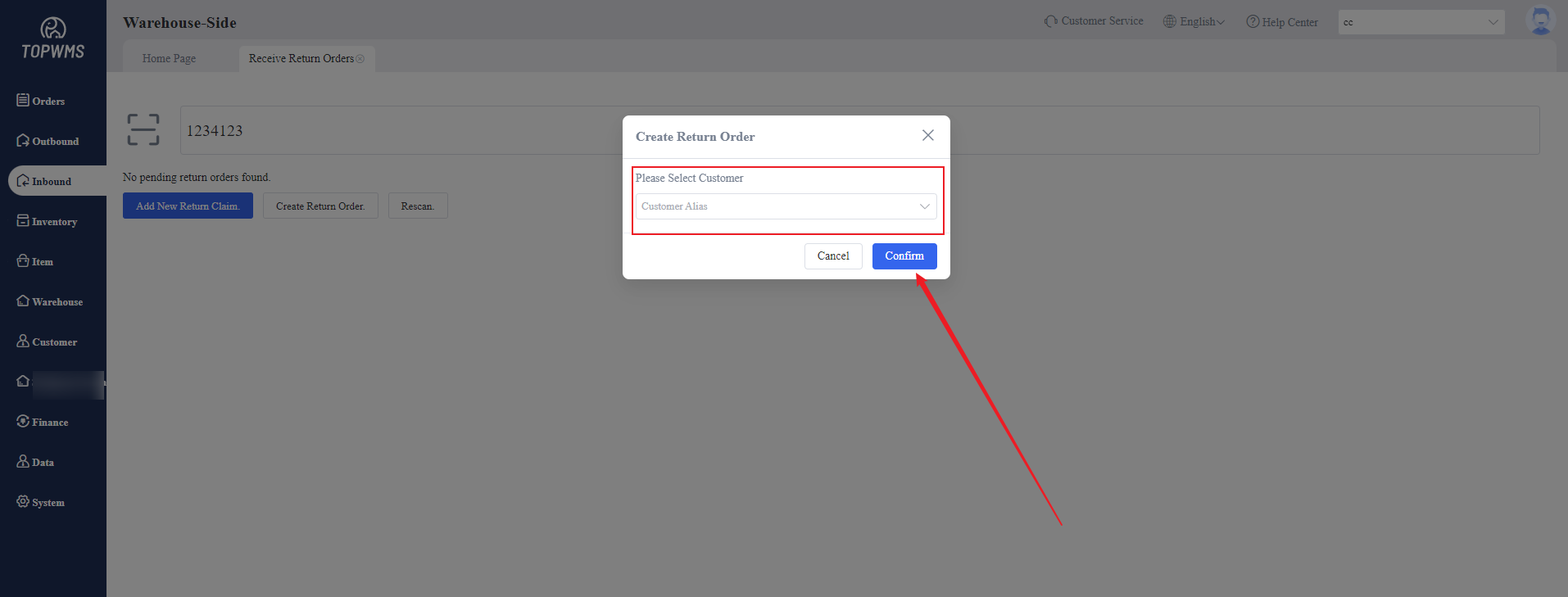
3. You need to choose customer first in the pop-up window.
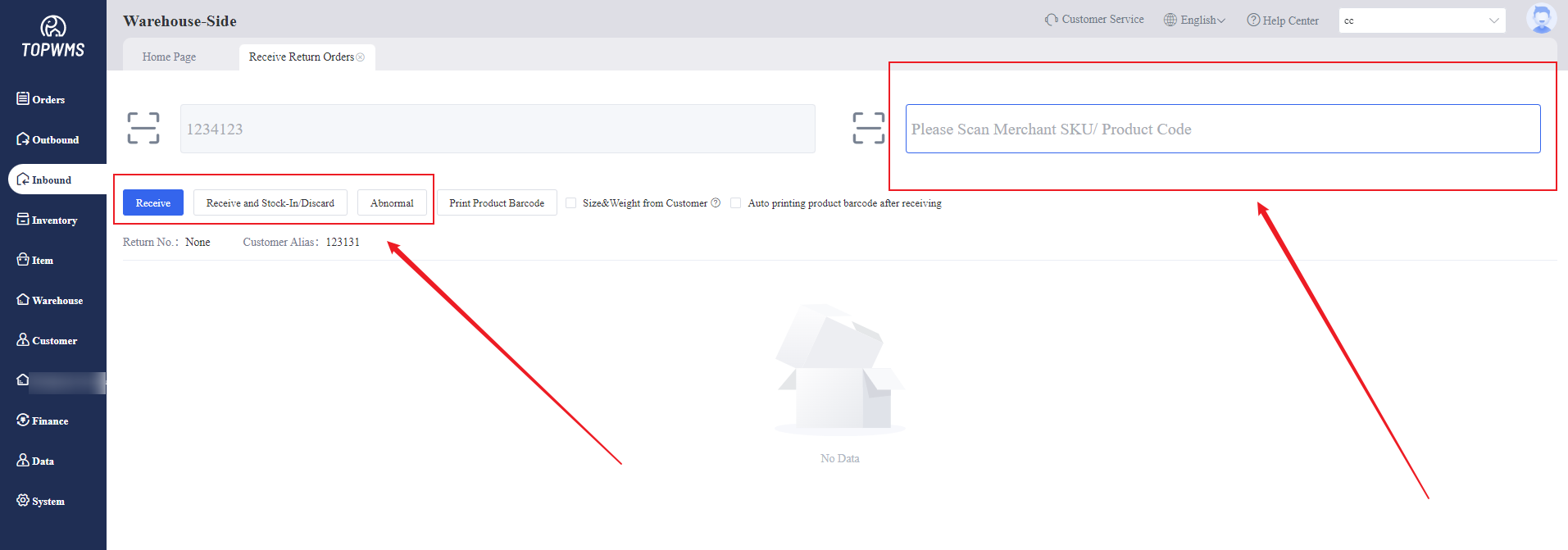
4. Continue to scan the SKU product code, check the item information and quantity, and then you can stock the items in, discard them or move them to 'Abnormal' status.