I. Introduction
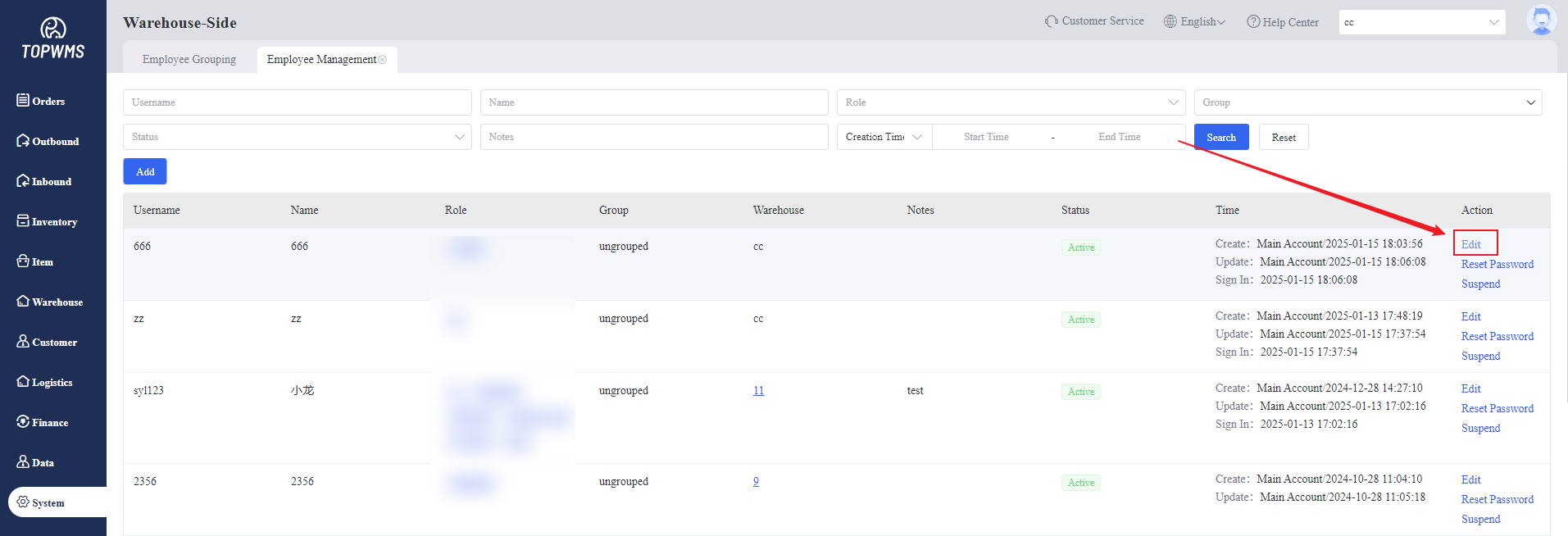
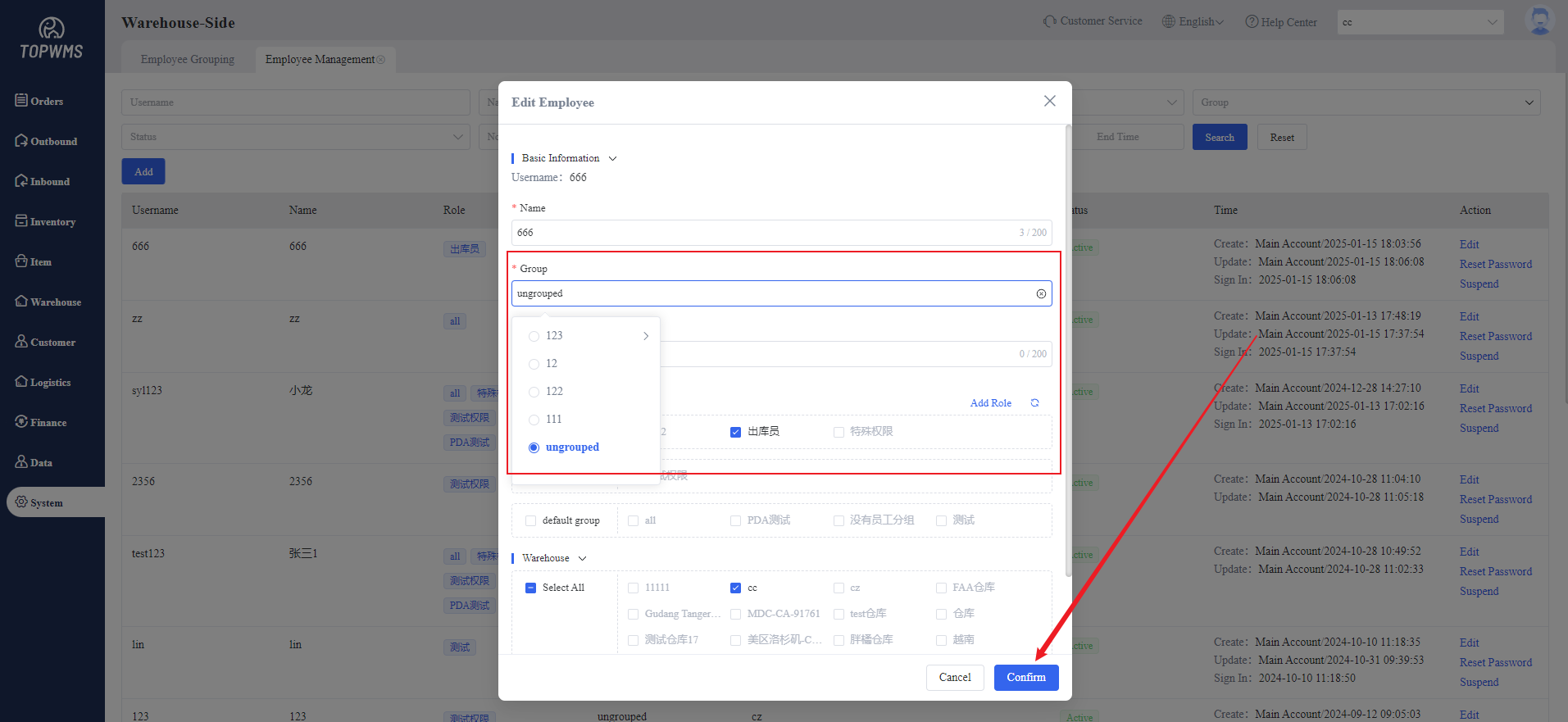
1. Creating groups in advance, and then when creating employees (sub-accounts), you can directly select the group set. If groups are not created in advance, you can add employees to the group later. Deleting employees in the group are supported.
2. How to create employee,please refer to this tutorial: Warehouse Sub-account Settings
II. Tutorial Details
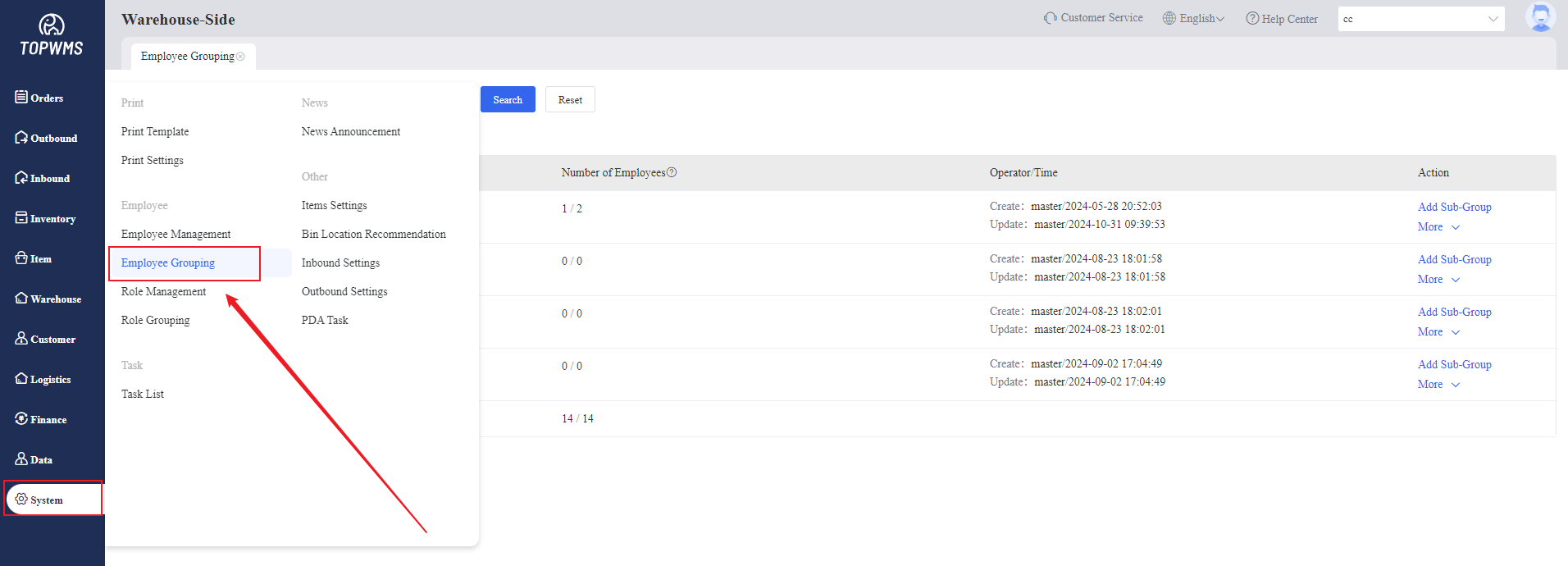
1. Click [System] > [Employee Grouping]
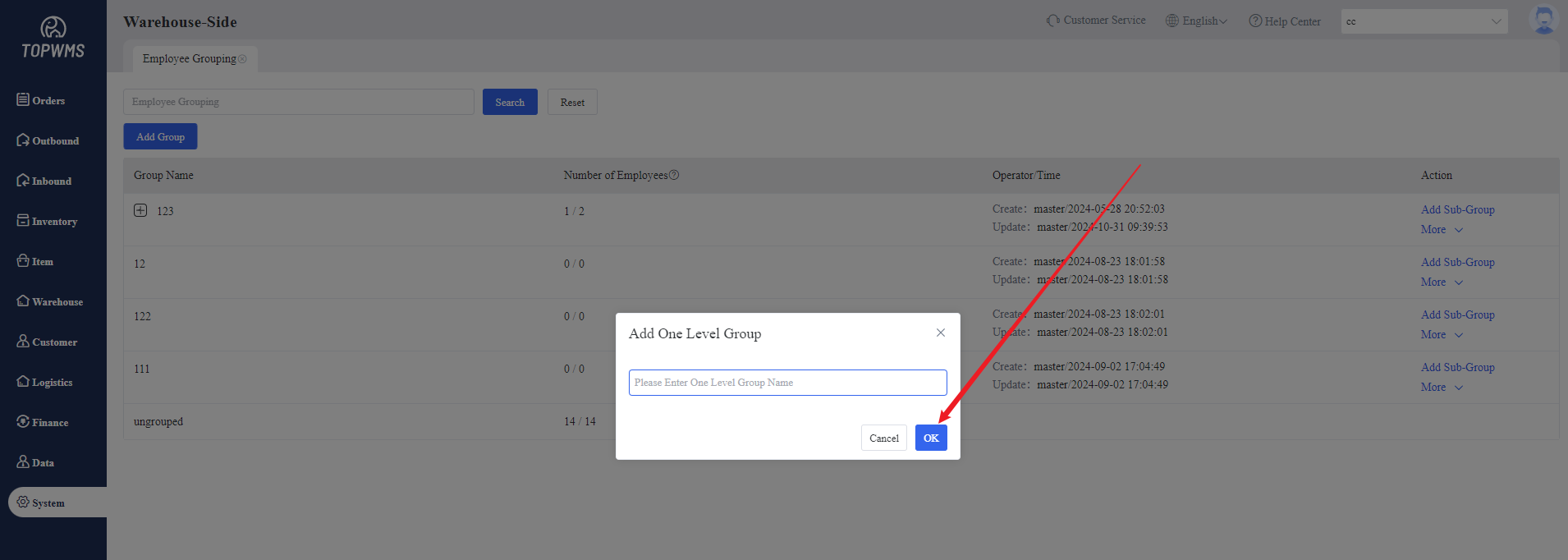
2. Click [Add Group] > Customize the Name of Group > Click [Confirm]
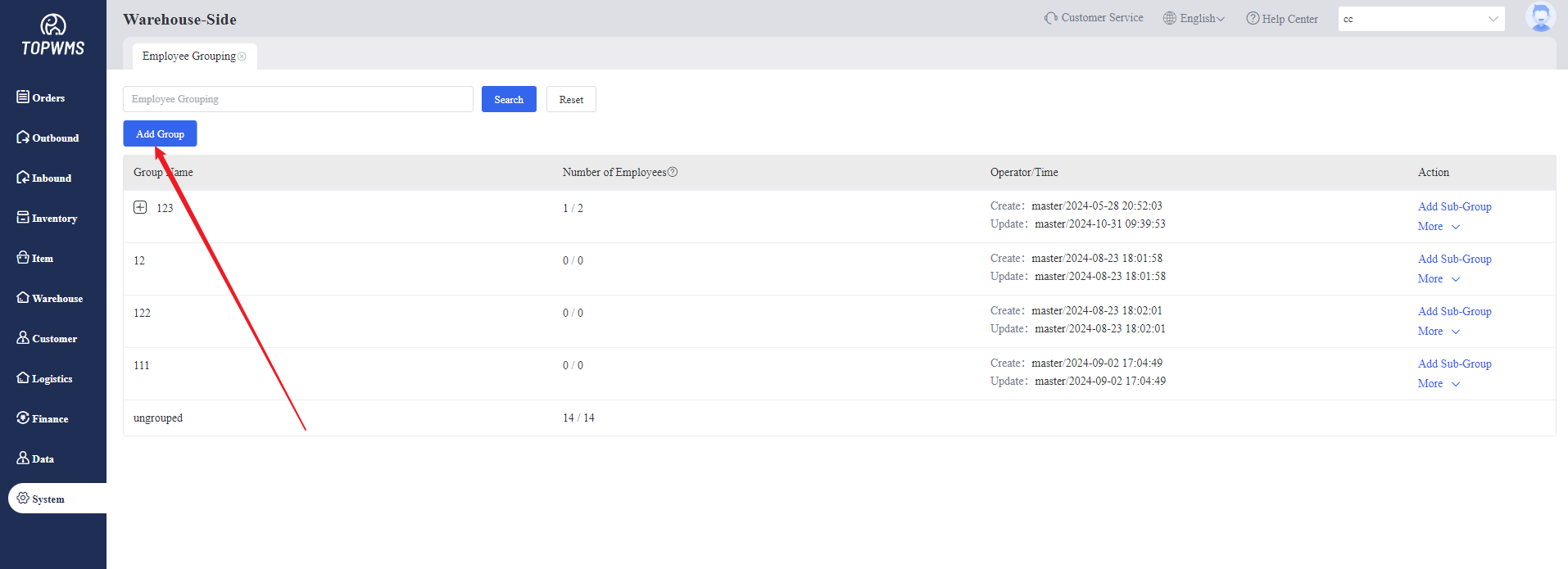
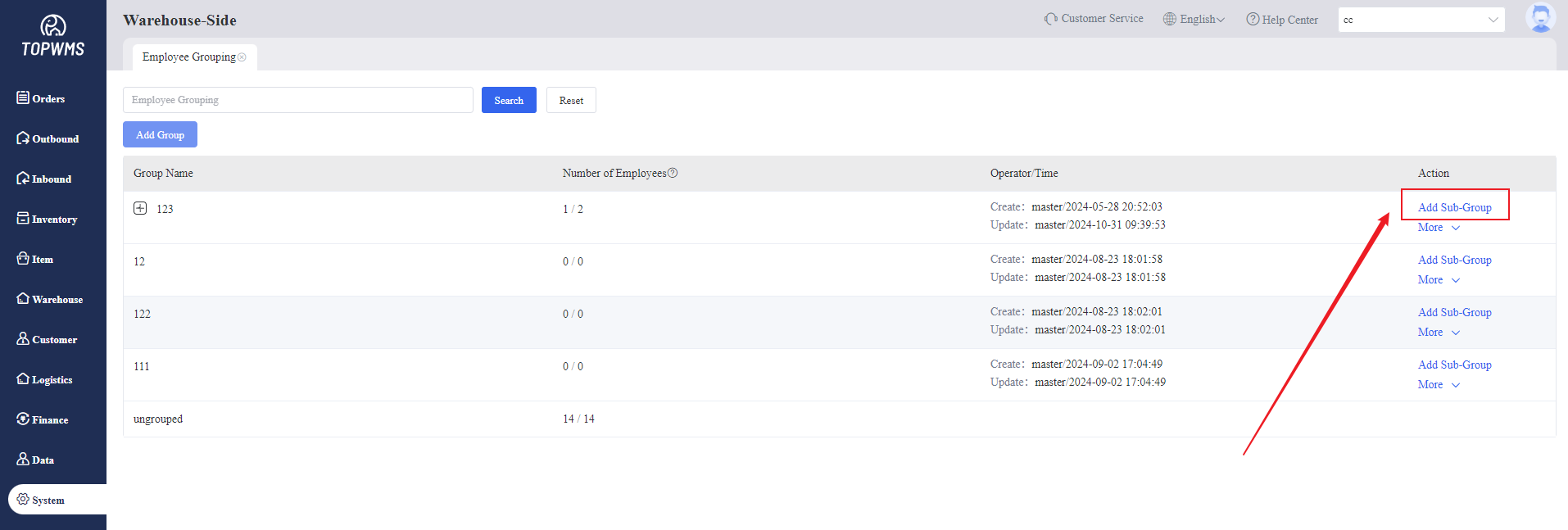
3. After creation, you can continue to add sub-groups under the group.
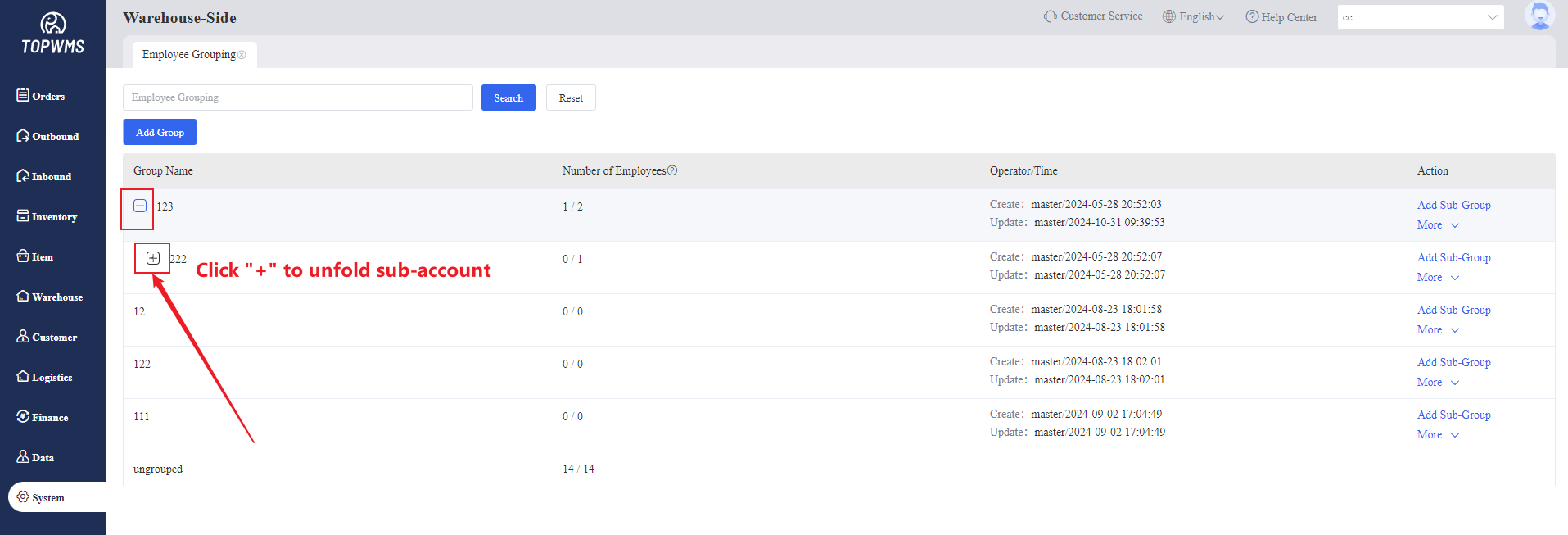
4. If you need to unfold the sub-group to view, you can click the "+" on the left side of the group name.
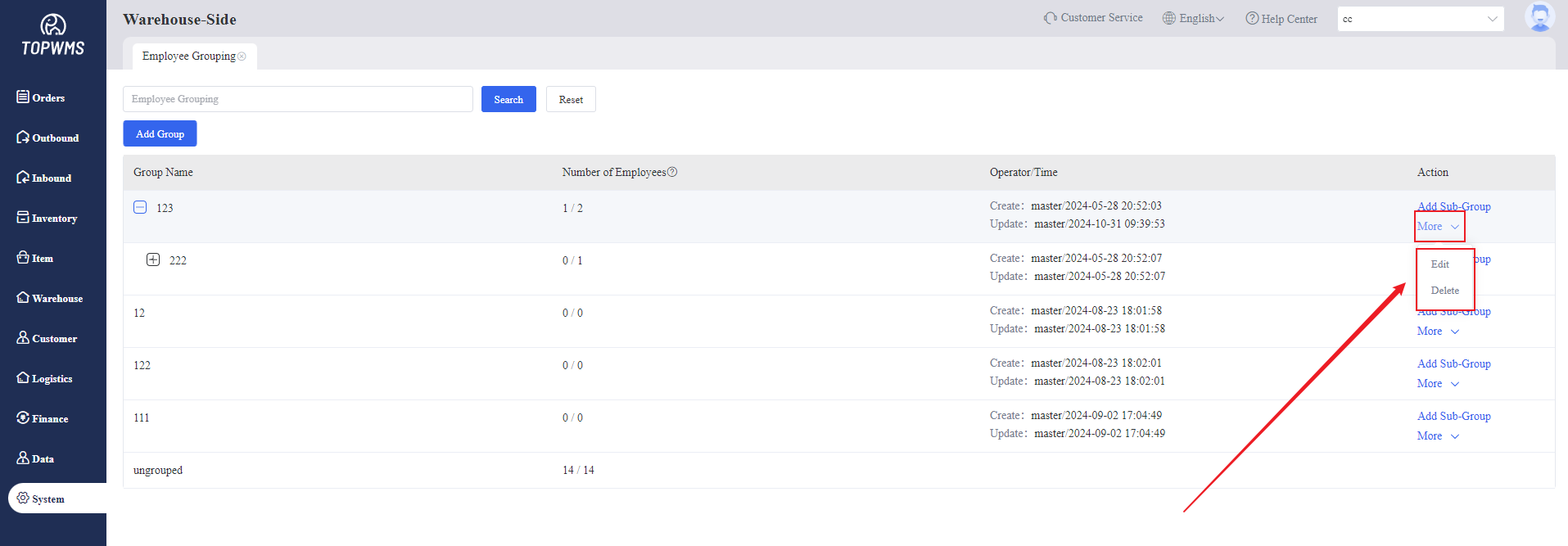
5. Secondary editing of group information and deletion of groups are supported.
6. Enter [Employee Management] > Click [Edit] > Adding groups for employees