
Set Printer
Updated on: 27-08-2025 17:50:35
I. Introduction
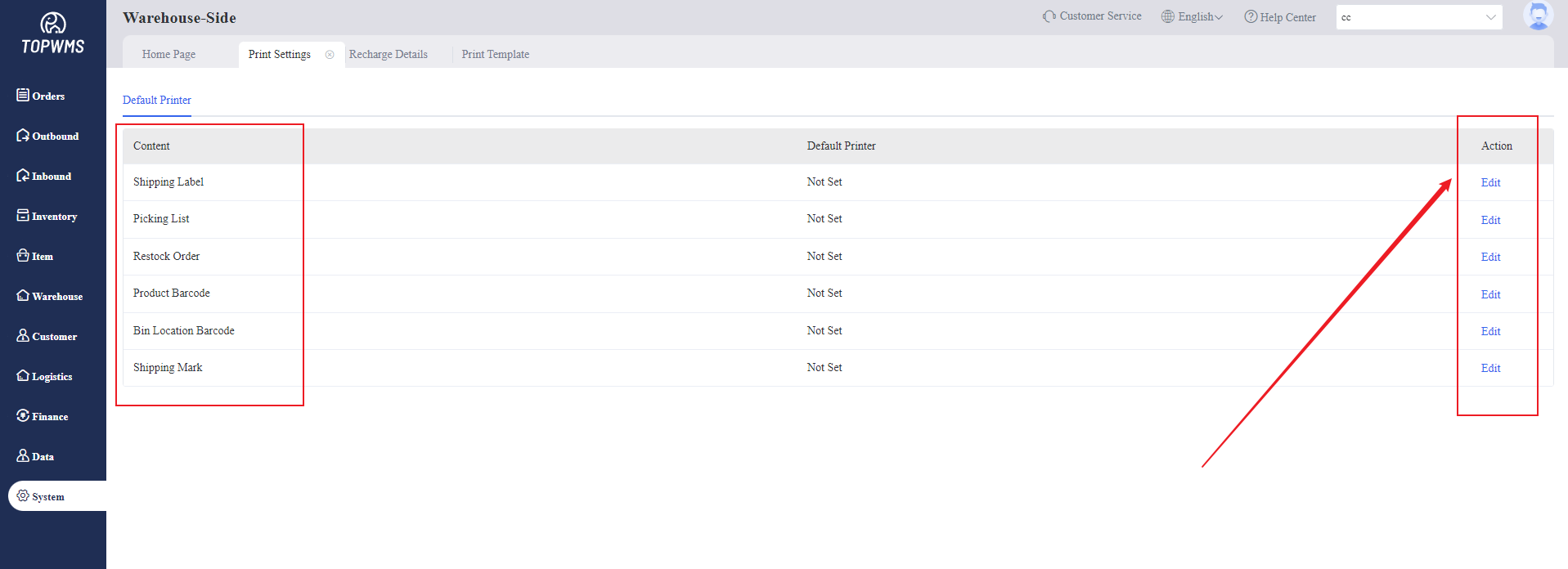
This function is used in warehouses to set the corresponding default printer when printing Shipping Label, Picking List, Product Code, Bin Barcode, Restock Order, Shipping Mark, etc., improving printing efficiency.
II. Tutorial Details
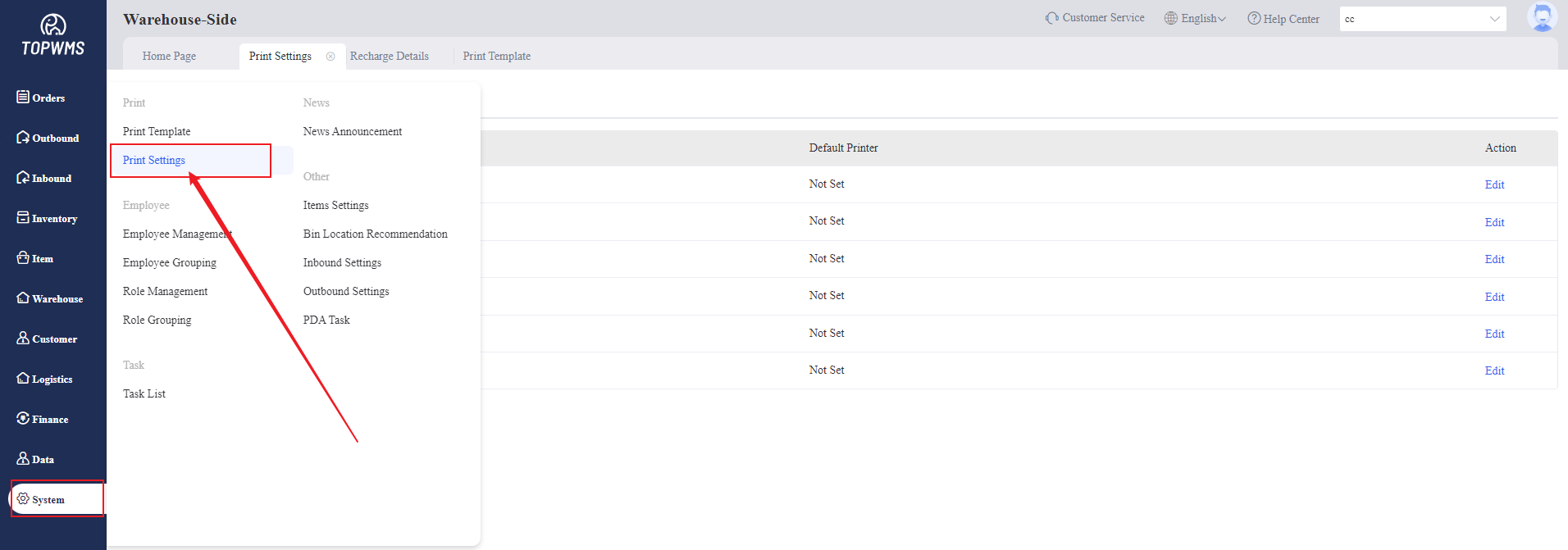
1. Enter Warehouse-Side > Click [System] > [Printer Settings]
2. Setting the printer (The printer configuration will be different according to the computer) in this page
For example, printer configuration: the default printer settings for each computer are different, and printing will be based on the printer settings on the computer.
Was the content helpful to you?
