I. Introduction
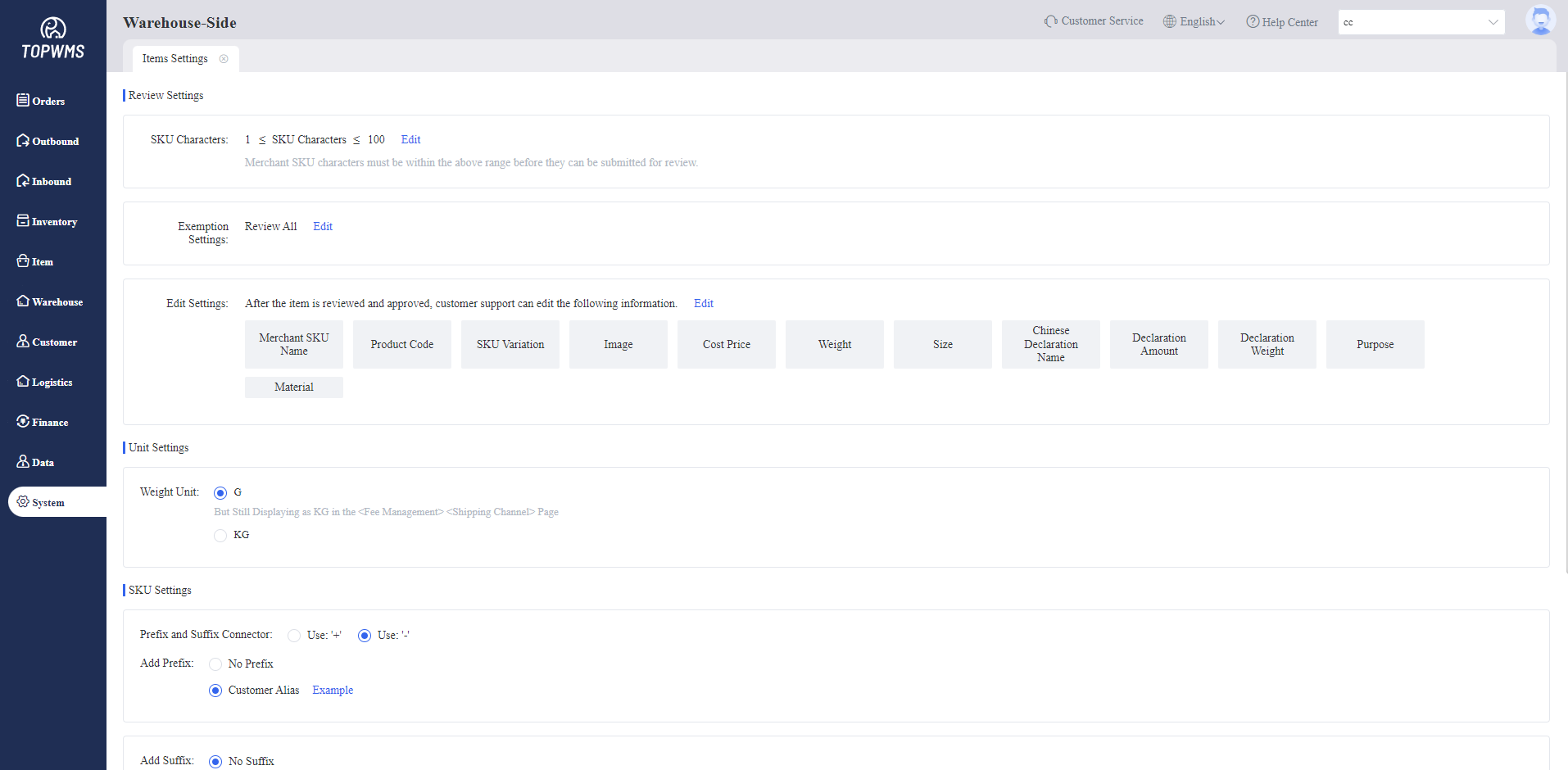
1. Warehouse-Side can use the [Item Settings] function to set the rule of Merchant SKU and Weight Unit.
2. Before merchants submit restocking applications, merchants need to create products first and then submit them to the warehouse for review. Only after the review is passed the restocking applications be submitted.
In this process, the warehouse can set Product Review Exemption in the [Item Settings] to improve efficiency.
II. Tutorial Details
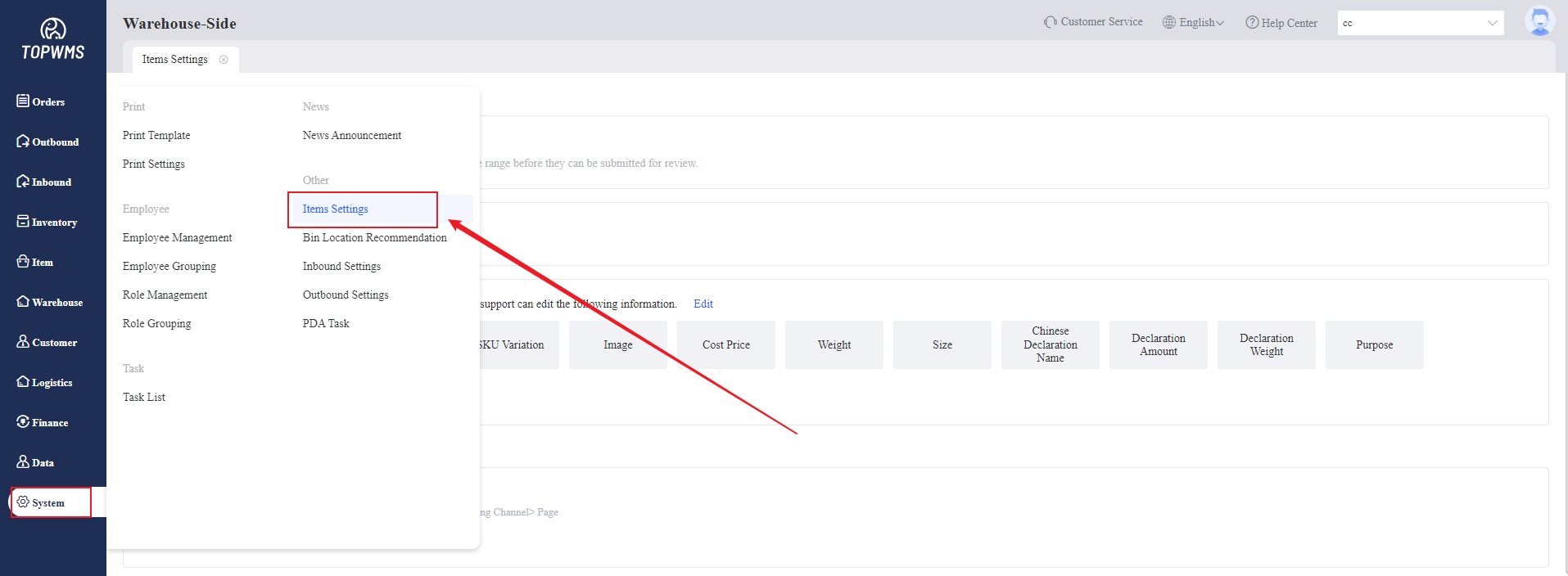
1. Click [System] > [Item Settings]
2. Editing the rule of item settings in this page
(1) Review Settings:
Before merchants submit restocking applications, merchants need to create products first and then submit them to the warehouse for review. Only after the review is passed the restocking applications be submitted.the warehouse can set Product Review Exemption in the [Item Settings] to improve efficiency.
① SKU Characters: Only the character count of Merchant SKUs within the character limit can be submitted for review.
② Exemption Settings: Set review exemption rules. Items that meet the set rules can be exempted from review.
③ Edit Settings: Set the permission to edit the information of items after the items are approved.
(2) Unit Settings:
① Weight Unit: G and KG can be chosen.
(3) SKU Settings:
① Add Suffix and Prefix: The Merchant SKU displayed on the warehouse-side can automatically add prefixes and suffixes according to the settings.
② Merchant-Side SKU Display: The Merchant SKU of approved items will displayed as the set display rule in the Merchant-Side.