I. Introduction
1. Generally speaking, merchants can recharge in the merchant-side, and the balance will be deducted when fees are incurred.
2. If the warehouse needs to charge merchants additional fees, the [Manual Charge] function can be used.
II. Tutorial Details
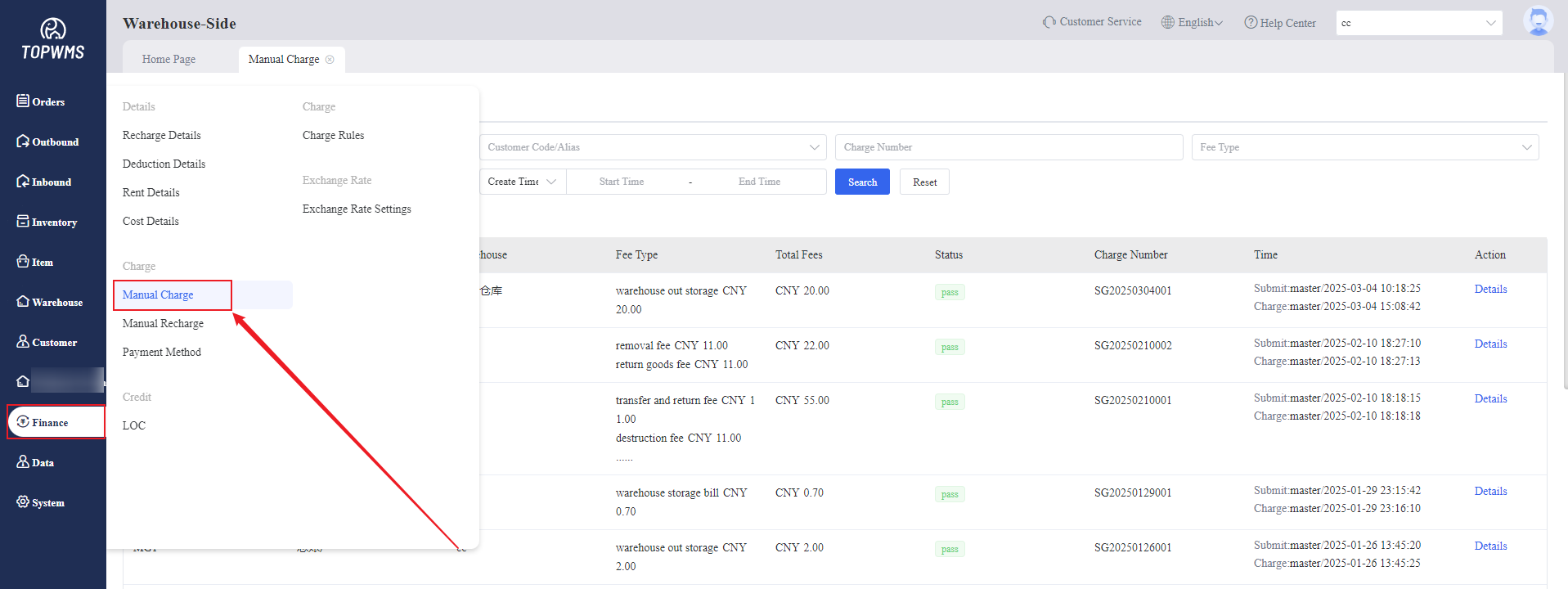
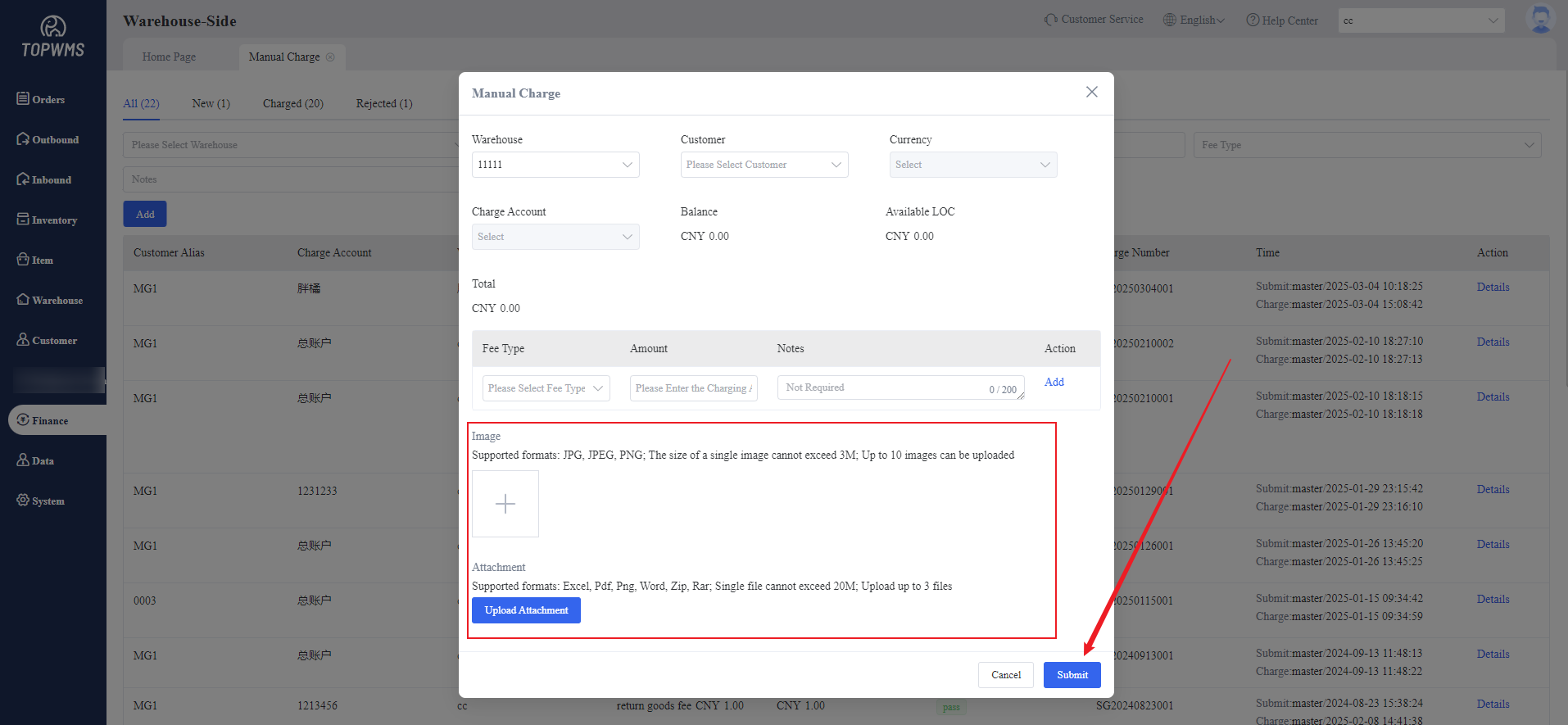
(1) When the warehouse needs to charge customers additional fees, go to [Finance] > [Charge] > [Manual Charge] and click [Add].
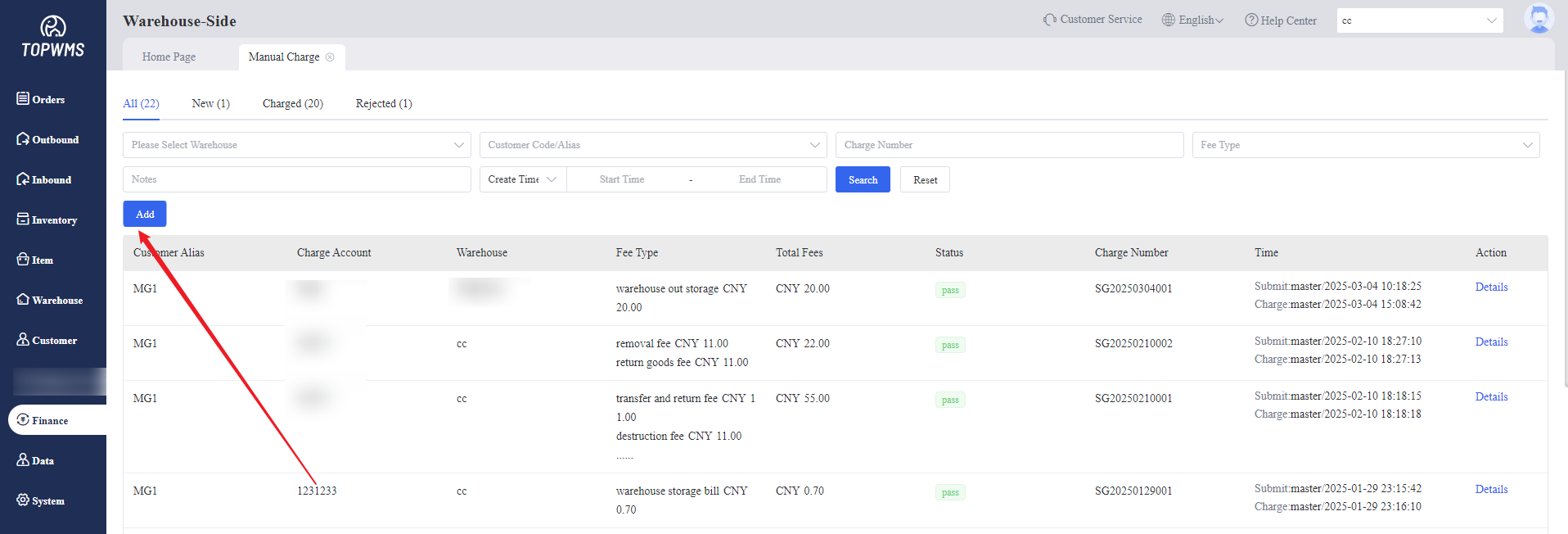
(2) Set the details of charge in the pop-up window. Uploading transfer pictures and attachments are also supported. After filling in, click [Submit].
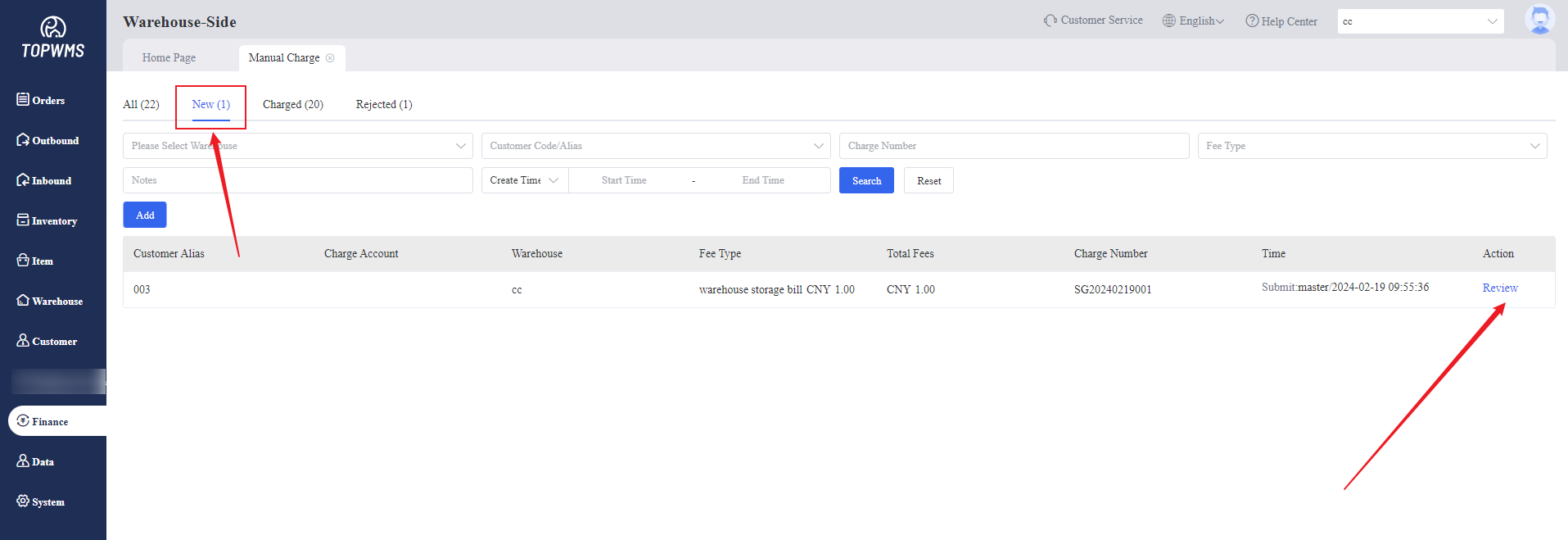
(3) After creating a charge order, it will be moved to the "New" status.
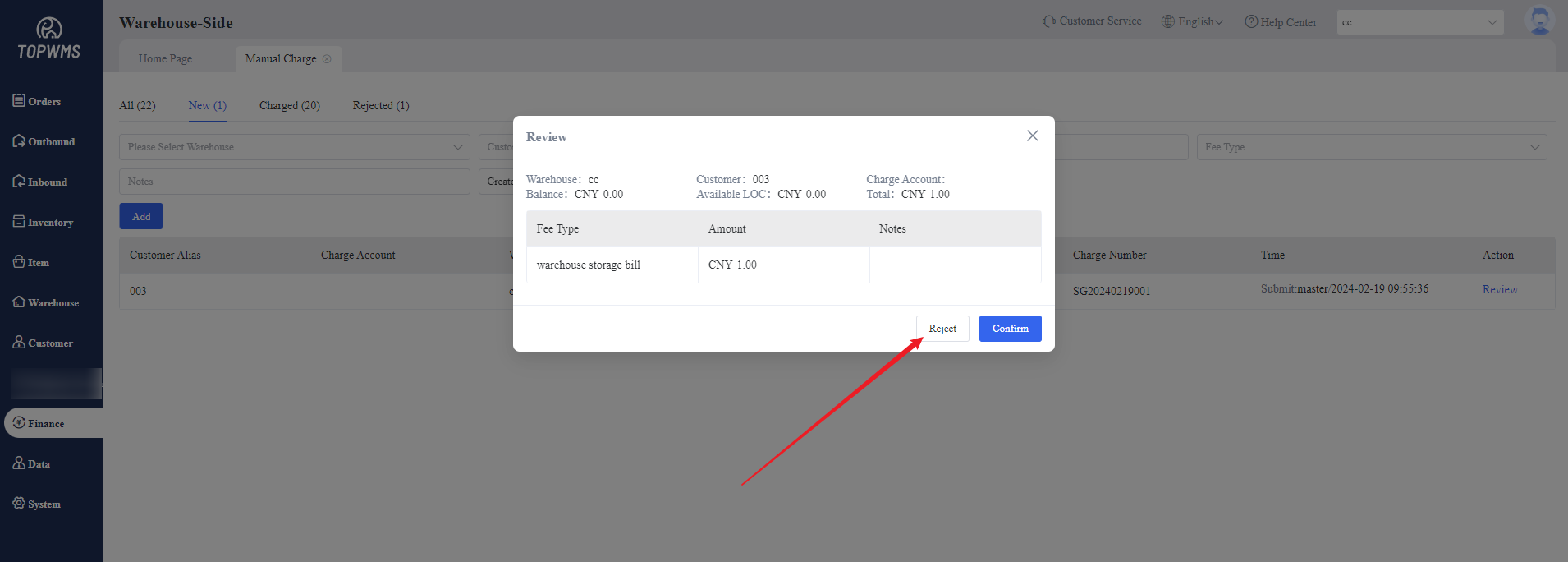
Then person in charge need to click [Review] on the “New” page and click [Confirm] in the pop-up window if there is no problem, which means the deduction is successful. The order will be moved to “Charged”.
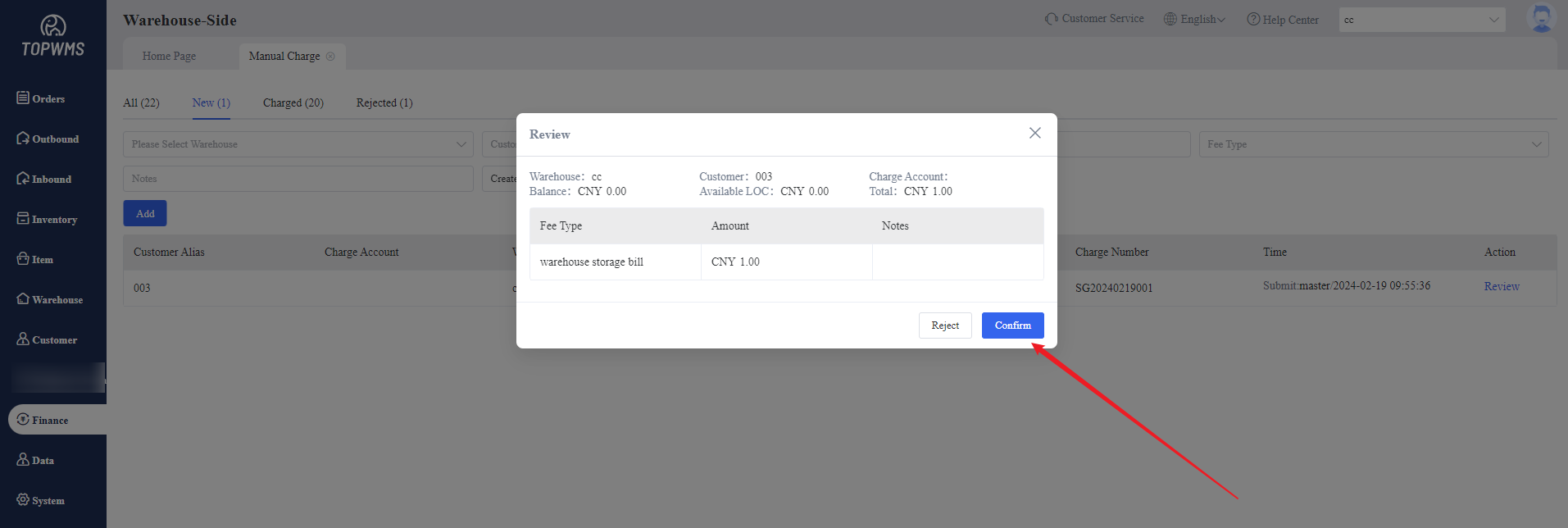
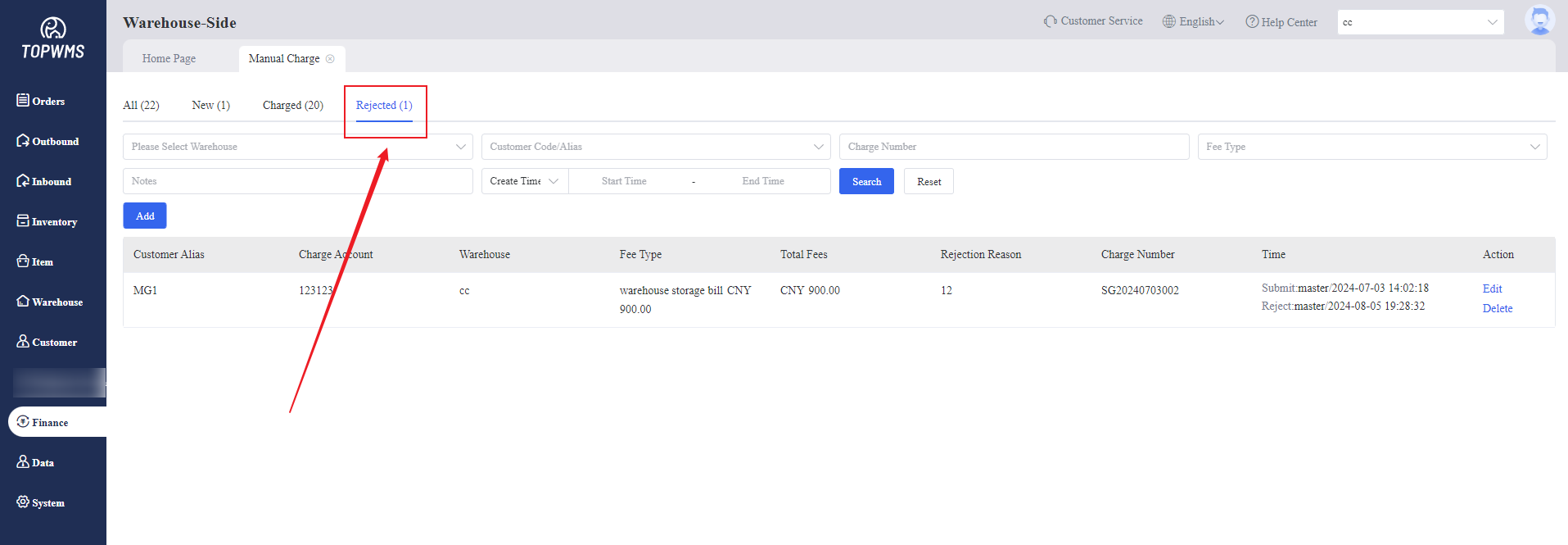
If there is a problem with the charge order, you can click [Reject] and the order will be moved to the "Rejected" status.