I. Introduction
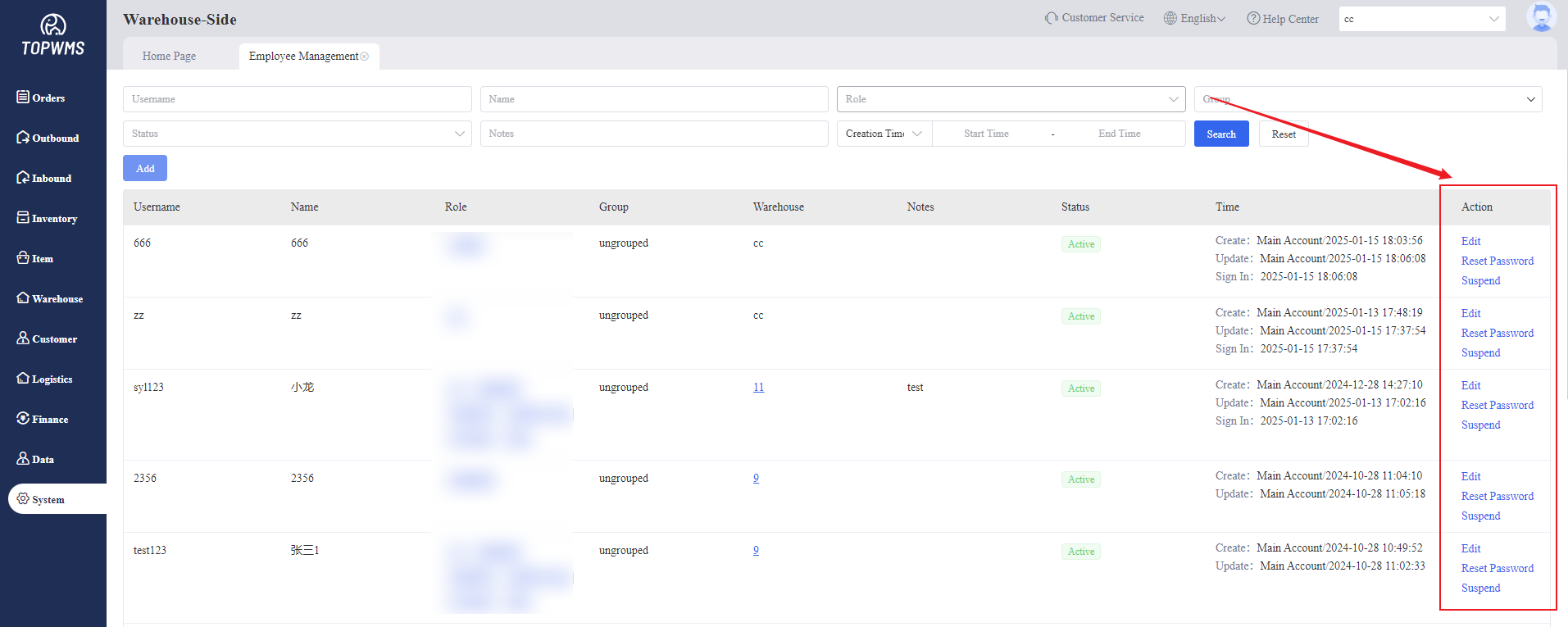
1. The warehouse needs to create sub-accounts for employees in charge of different businesses to use. You can enter the [Employee Management] to create employees;
For employees with different roles in the company, it supports the creation of sub-accounts under the main account. The main account can open the operation permissions of the sub-account separately to protect data security.
2. Employees use the system through sub-accounts, and the main account can query the corresponding operation records through the [Action Log]
3. Different employees can be assigned different roles (sub-accounts can have different permissions enabled or disabled by the main account), and can be assigned to manage different warehouses, subordinate employees, and customers.
4. Employees and roles can be grouped for easy management.
II. Tutorial Details
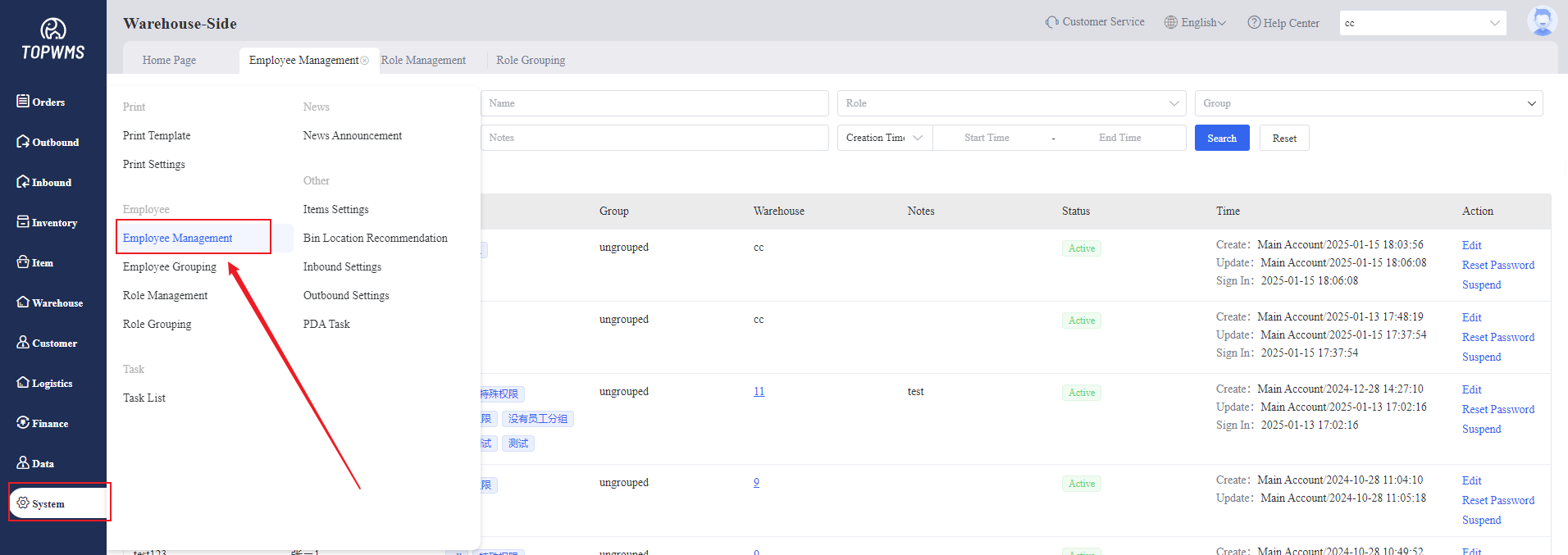
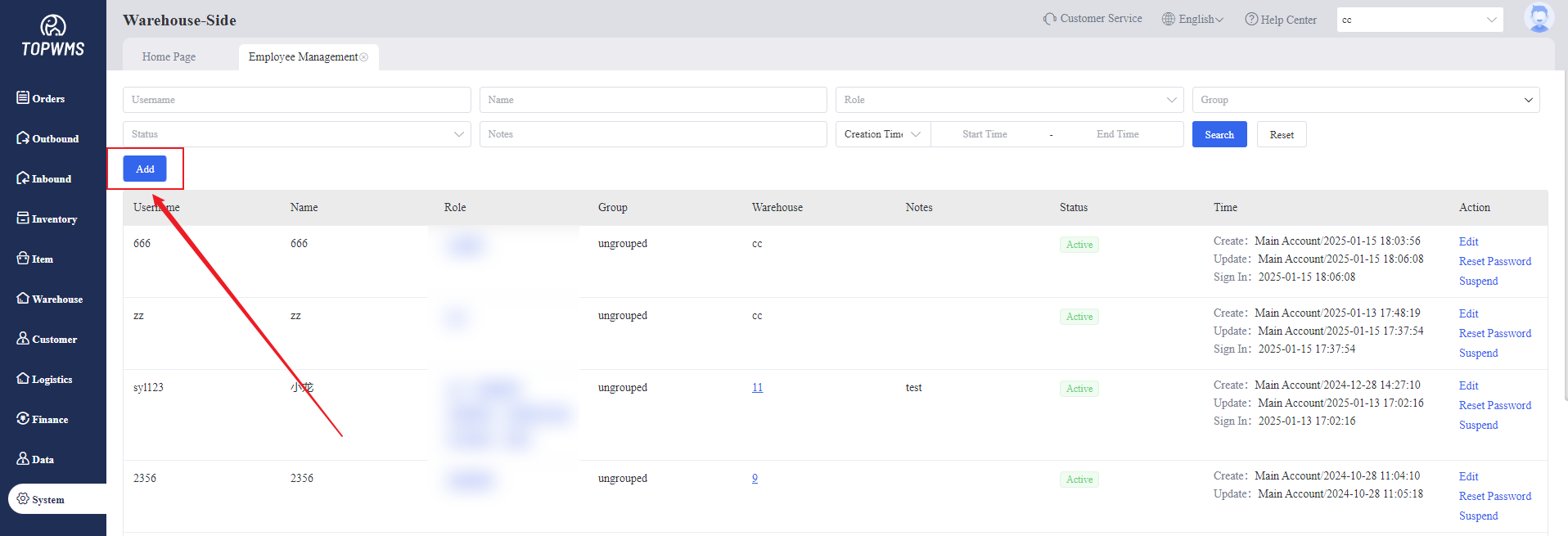
1. Click [System] > [Employee] - [Employee Management] > Click [Add]
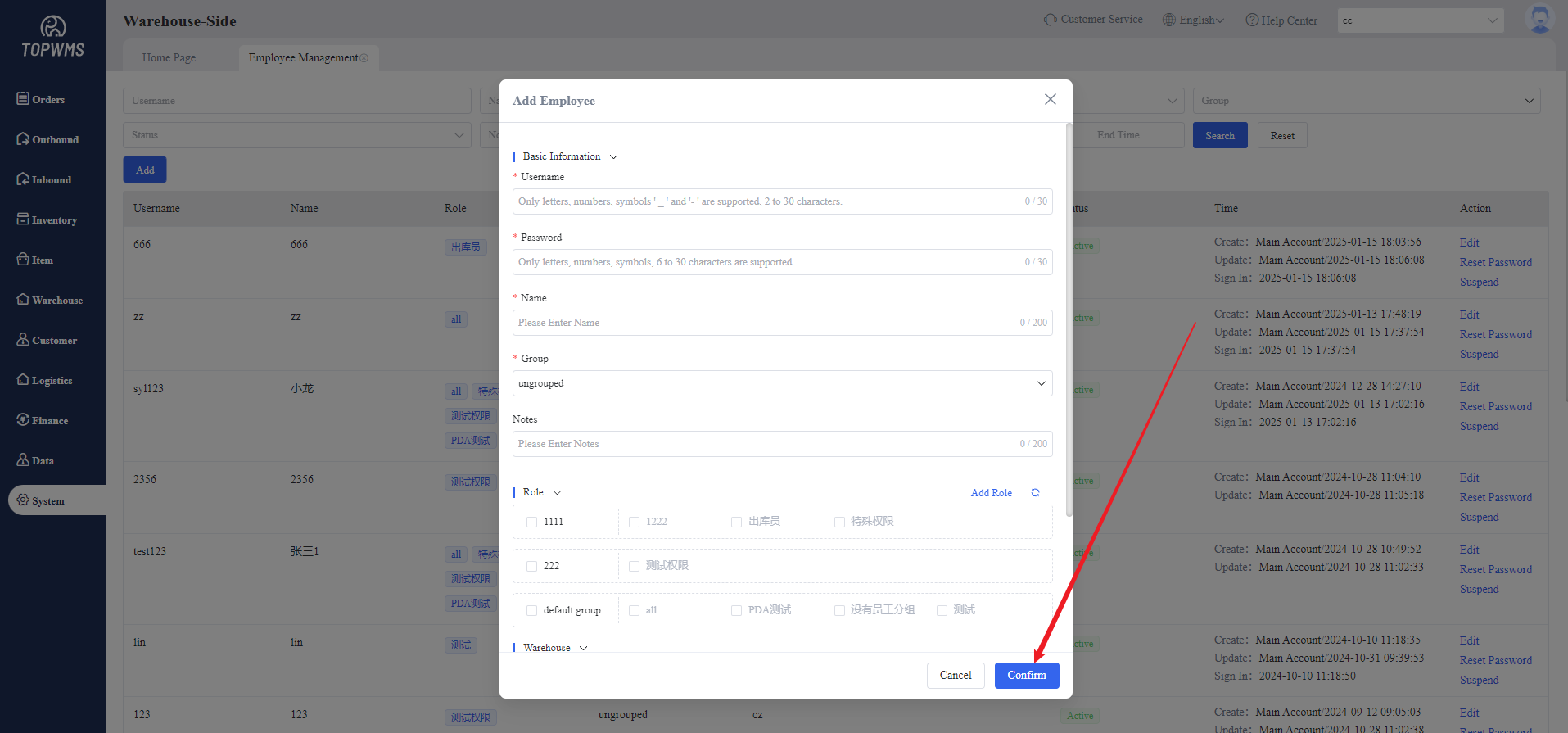
2. Set the basic information of employee in the pop-up window
(1) Username and Password: Customize the login account and password of the sub-account
(2) Name: Customize names to identify different employees
(3) Group: Create groups and add employees to the corresponding
(4) Notes: Optional, add notes for this employee
(5) Role: First, need to create a role in the [Role Management] and assign permissions to the role. Then when selecting a role, the employee will have the permissions that the role can use. The tutorial on creating a role : Role Settings
(6) Warehouse: After setting the warehouse, the employee can view the information of the corresponding warehouse. The information of the unchecked warehouse cannot be viewed.
(7) Subordinate Employee: The subordinate employees managed by this employee can be set.
(8) Customers: Customers that employees are responsible for can be set and assign them by customer group. It should be noted that customer permissions are only effective for the "Items, Customers, Finance and Data" page; but all data can be viewed on other pages.
3. After creating a sub-account, you can view the sub-account information in the [Employee Management] page. Secondary editing, password reset and account deactivation can be supported.