
Warehouse Bank Card Settings
Updated on: 27-08-2025 17:50:35
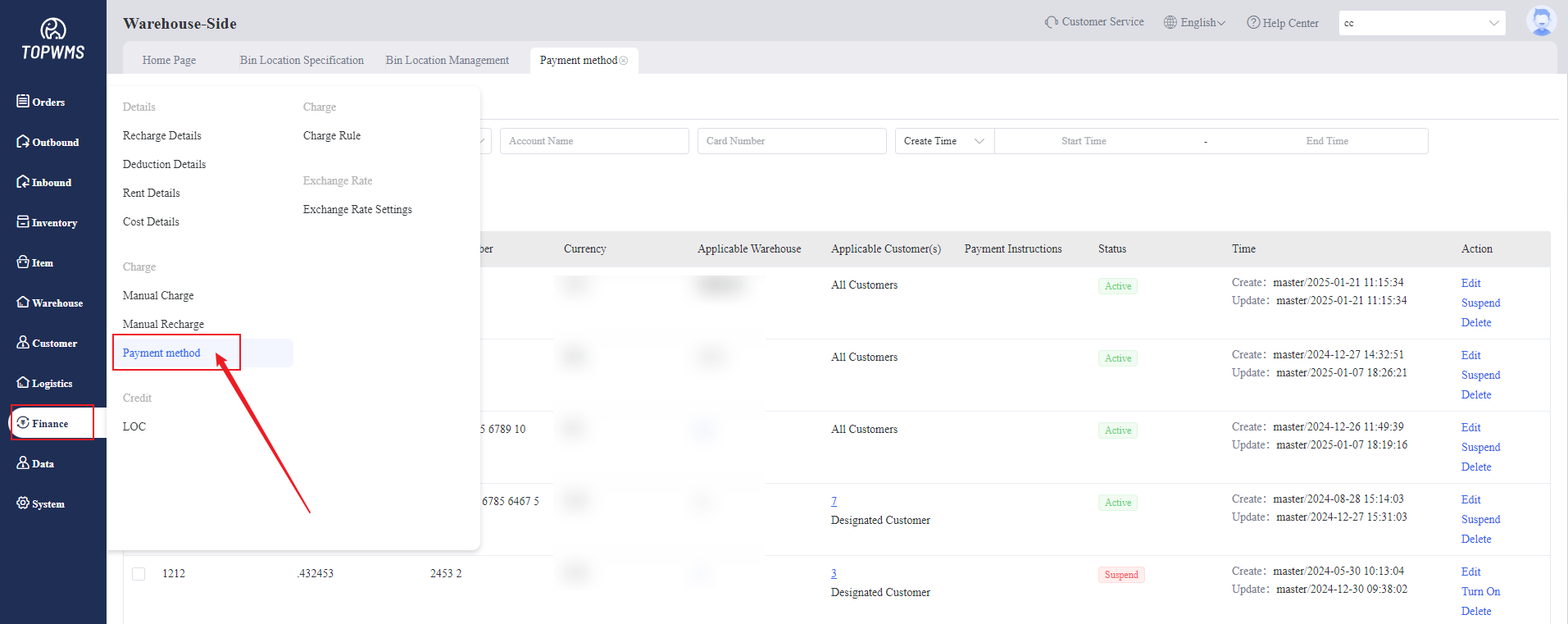
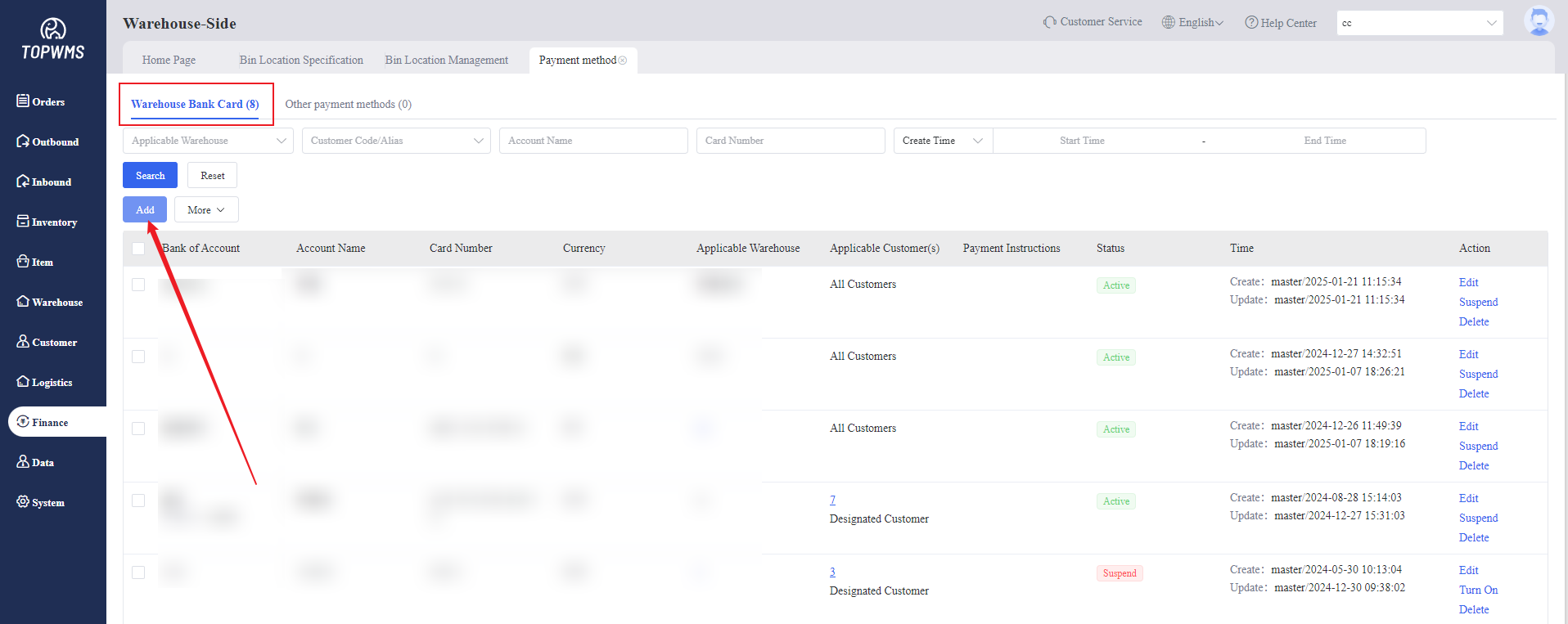
1. Click Finance > Click Payment Method > Click Warehouse Bank Card > Click Add
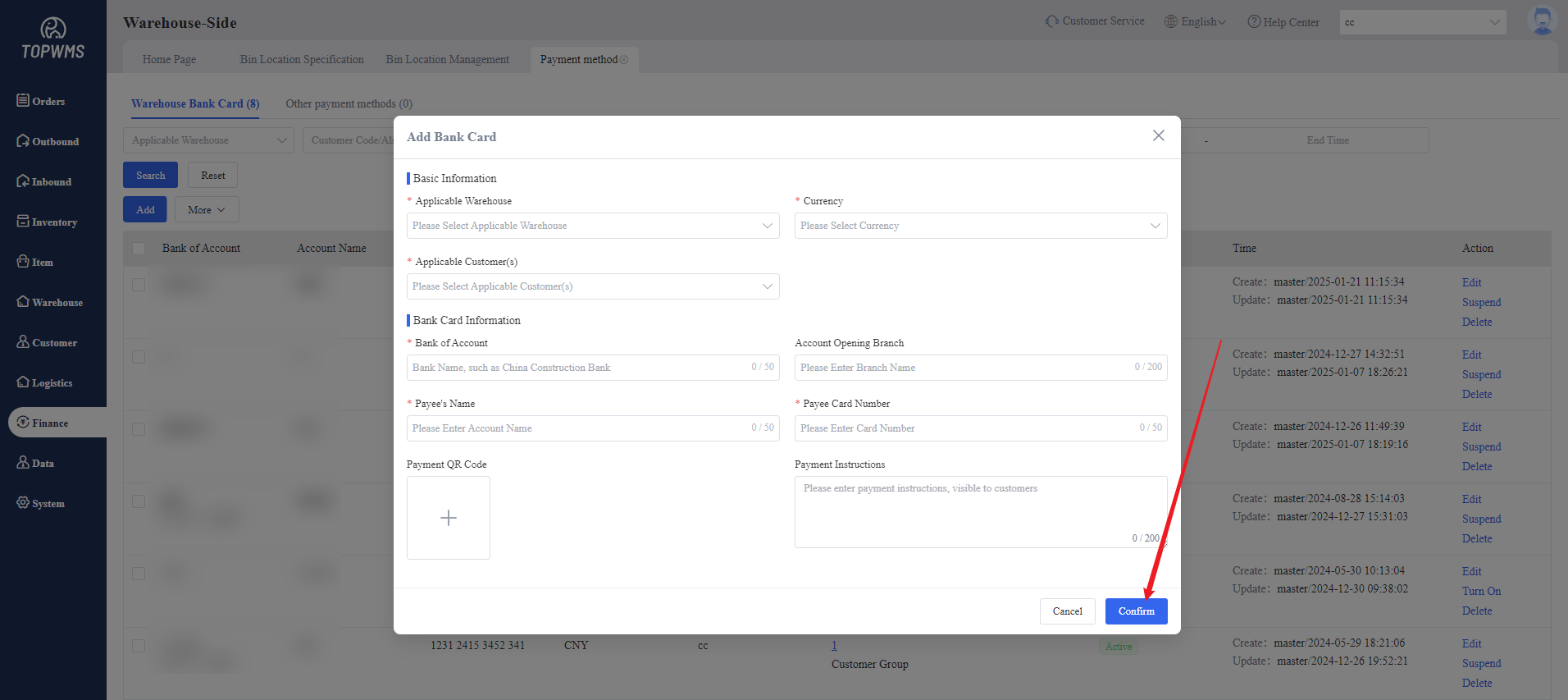
2. Filling in warehouse information and bank card information and click Confirm, Merchants can transfer funds to the corresponding bank card based on this information.
Note: The bank card here is only for merchants to view when transferring funds, and the actual funds will not be transferred to the system.
Was the content helpful to you?
