I. Introduction
1. When it is time to get off work and the items have not been picked up yet, you can use the [Shift Change] function. The shift changer can check the orders that need to be picked in the [Shift Change] page.
2. Supports printing of picking lists. At this time, the items that have been stocked out are automatically excluded and the picking list contains the items that have not been stocked out is printed.
3. The following operations can also be performed in this page: Directly Packed, One-click Stcok-Out and Move to ‘Abnormal’, which are suitable for various special situations.
II. Tutorial Details
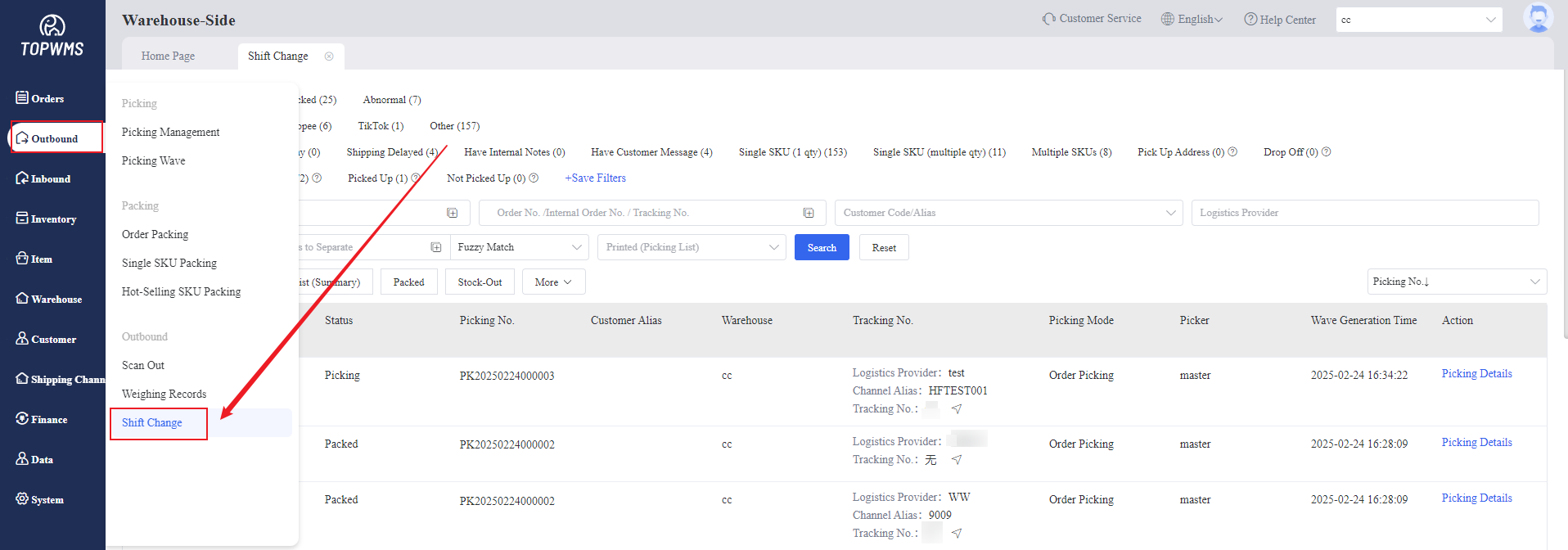
1. Click [Outbound] > [Shift Change] to view the status of picking task
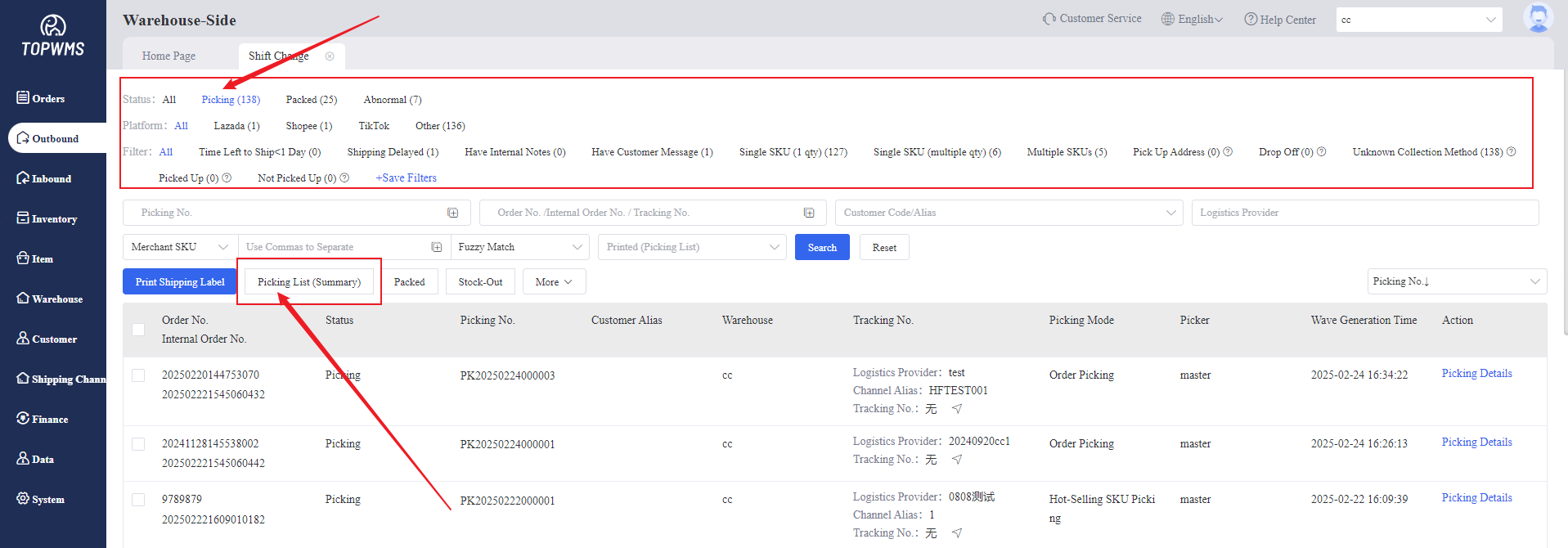
2. Click [Status- Picking] > Check the orders >Click [Print Picking List]
The items that have been stocked out are automatically excluded and the picking list contains the items that have not been stocked out is printed.
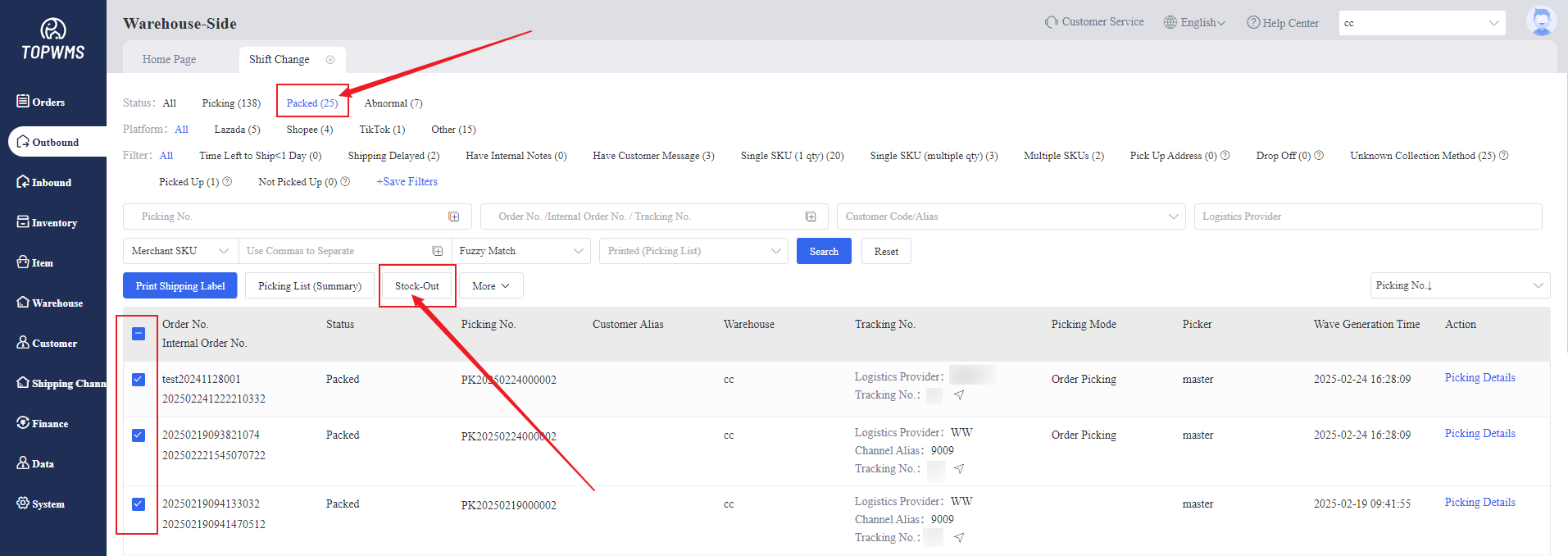
3. If items have been stocked out, but status of them are still "Packed", you can click [Stock-Out] to manually stock them out.
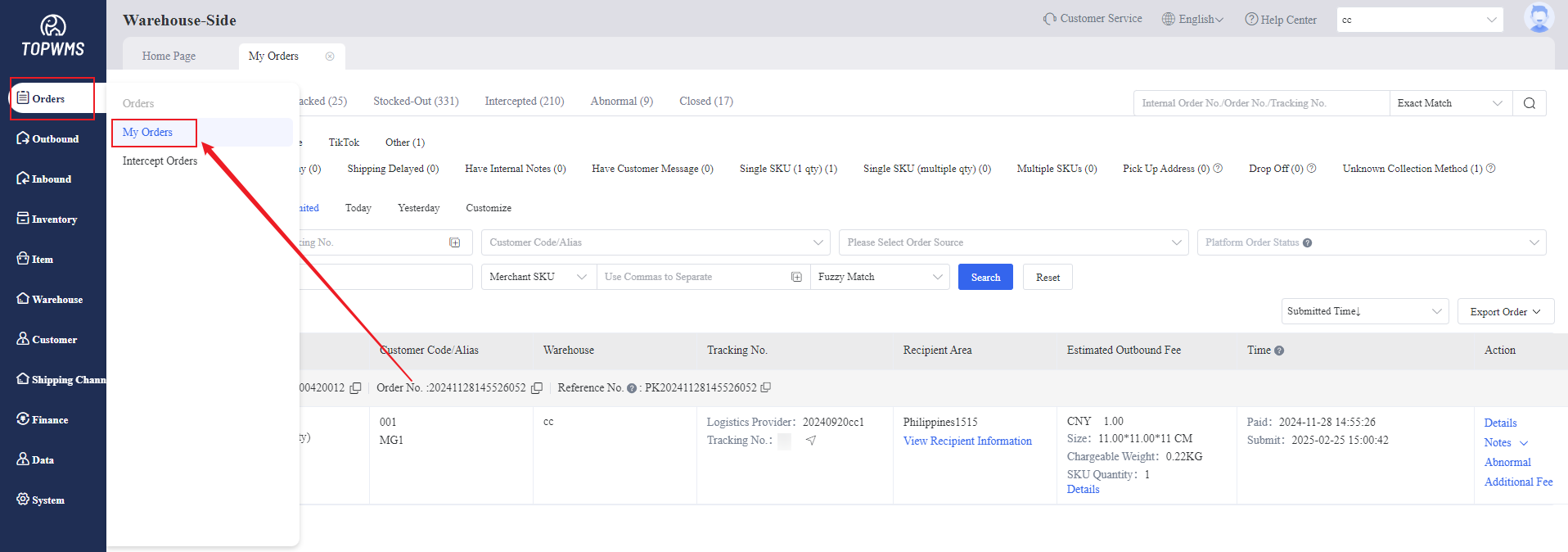
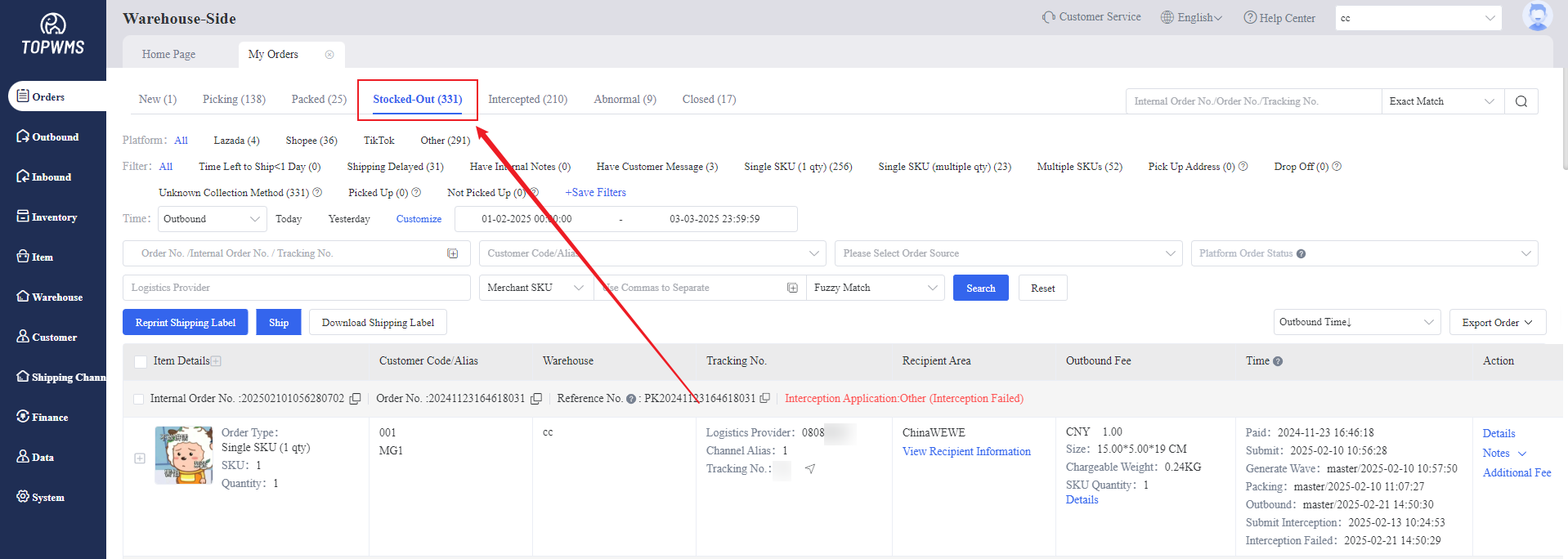
4. You can go to [Orders] > [My Orders] > [Stocked-Out] to view the orders that have been shipped.