I. Introduction
1. This function is applicable to the warehouse when the goods are stocked out. The warehouse can customize the outbound rules, such as selecting the outbound process, whether weighing is required, interception conditions, etc.
II. Tutorial Details
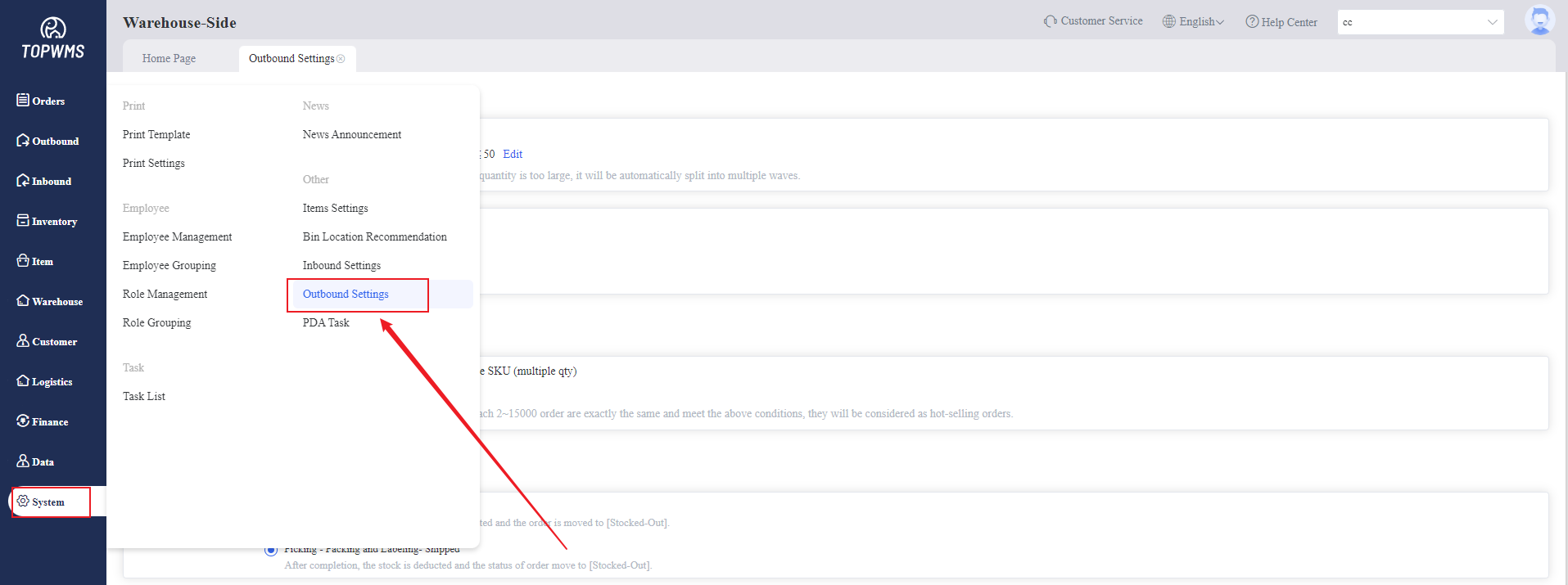
1. Click [System] > [Outbound Settings]
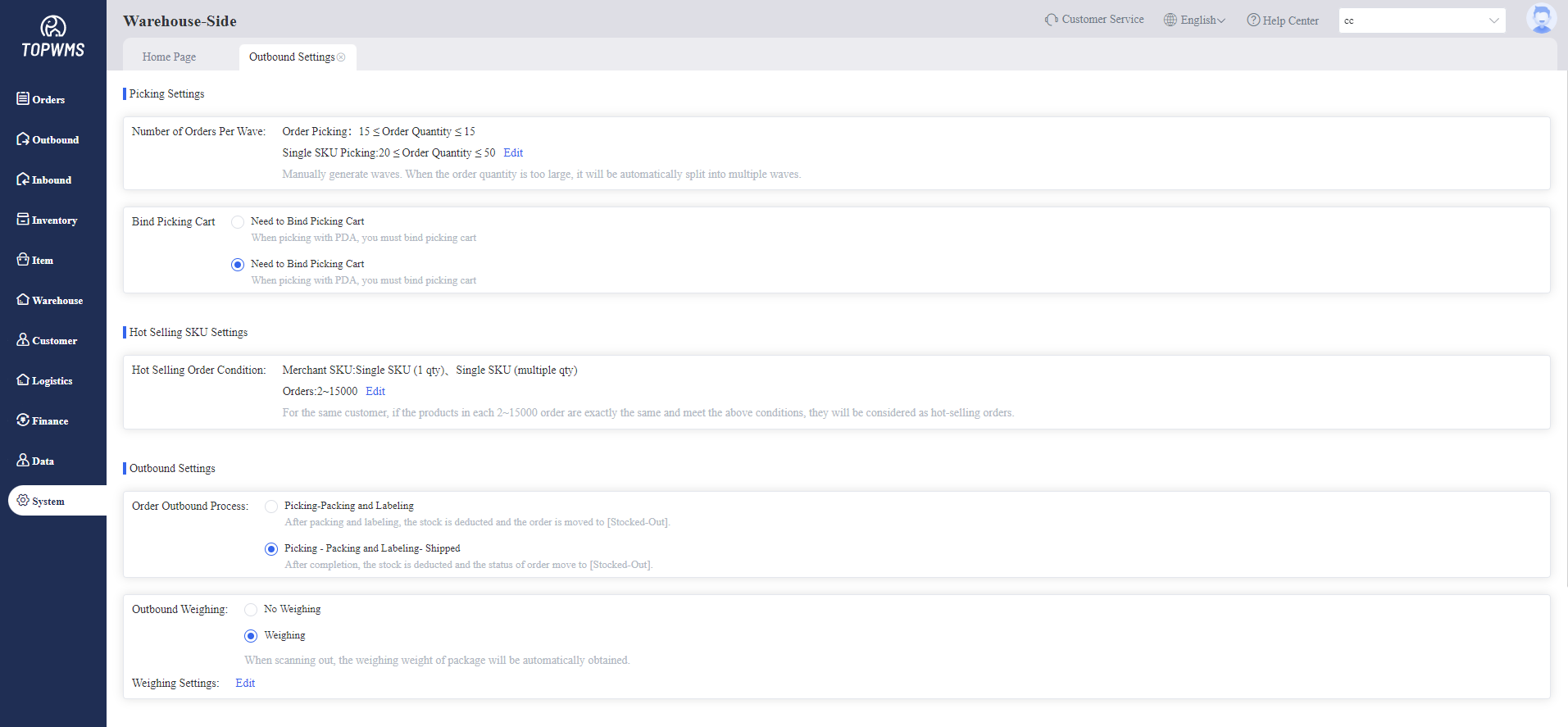
2. Picking Settings
(1) Wave Cap: Set the upper limit of the number of orders to be processed in each picking wave. If the number of selected orders exceeds the upper limit of a single wave, it will be split into multiple waves.
(2) Bind Picking Cart: When picking goods with a PDA, set whether to bind a picking cart based on the actual situation.
3. Hot Selling SKU Settings:
(1) Hot Selling Order Condition: Set the condition of hot order according to the actual situation. When the conditions are met, the order will be automatically classified as a hot selling order.
4. Outbound Process Settings:
(1) Order Outbound Process:
① Picking - Picking and Labeling: After picking, packing and labeling are completed, the picking process is completed, then the stock and outbound fees are deducted.
② Picking - Picking and Labeling: After completing the picking, packing and labeling, you also need to scan the shipping label,then the stock and outbound fees are deducted.
③ Weighing: Setting whether to weigh the package when it is stocked-out. If you enable weighing, you can connect an electronic scale and enter the actual package weight when packing.
5. Interception Settings:
Supports setting that when an order in the picking or packed state is intercepted by the merchant-side, the warehouse-side automatically approve or rejects the interception.
Manual interception is also supported. Go to the [Orders -Intercept Orders] page to manually approve or reject the interception application.