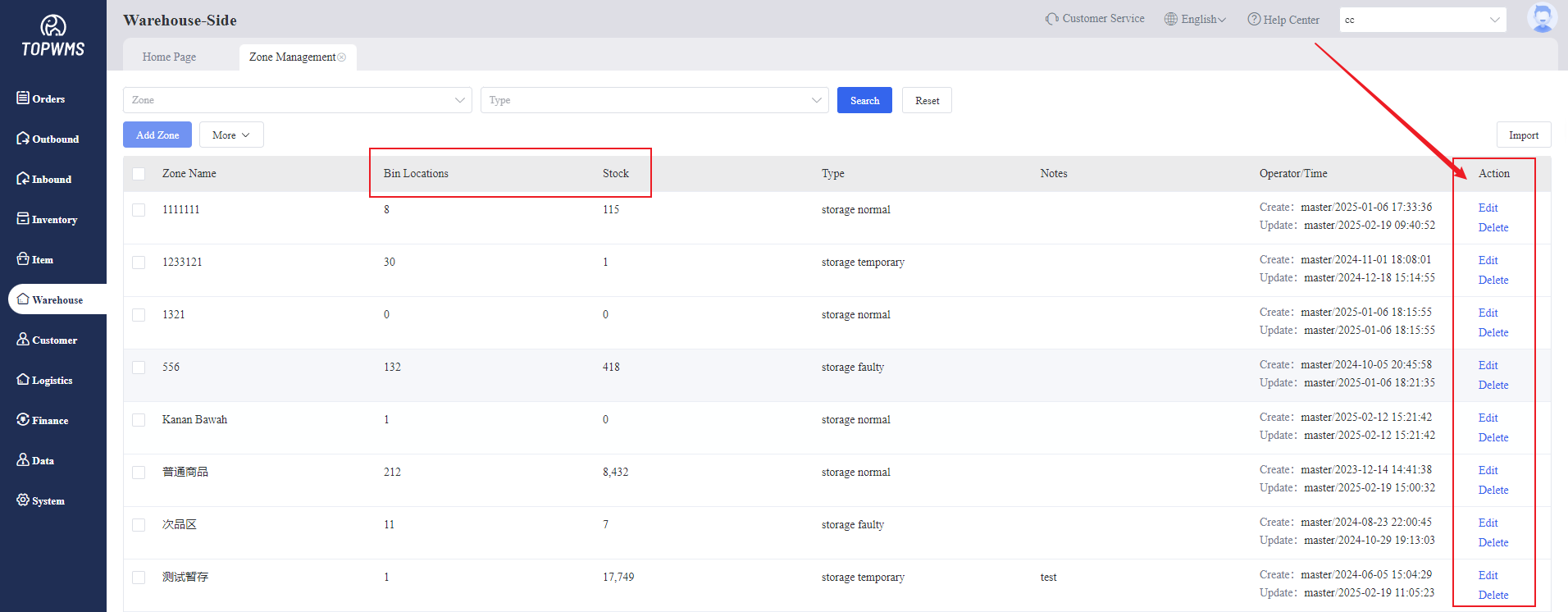
1. Different types of packages can be placed in different zones.
Set Warehouse Zone, Click Warehouse > Click Zone Management > Click Add Zone
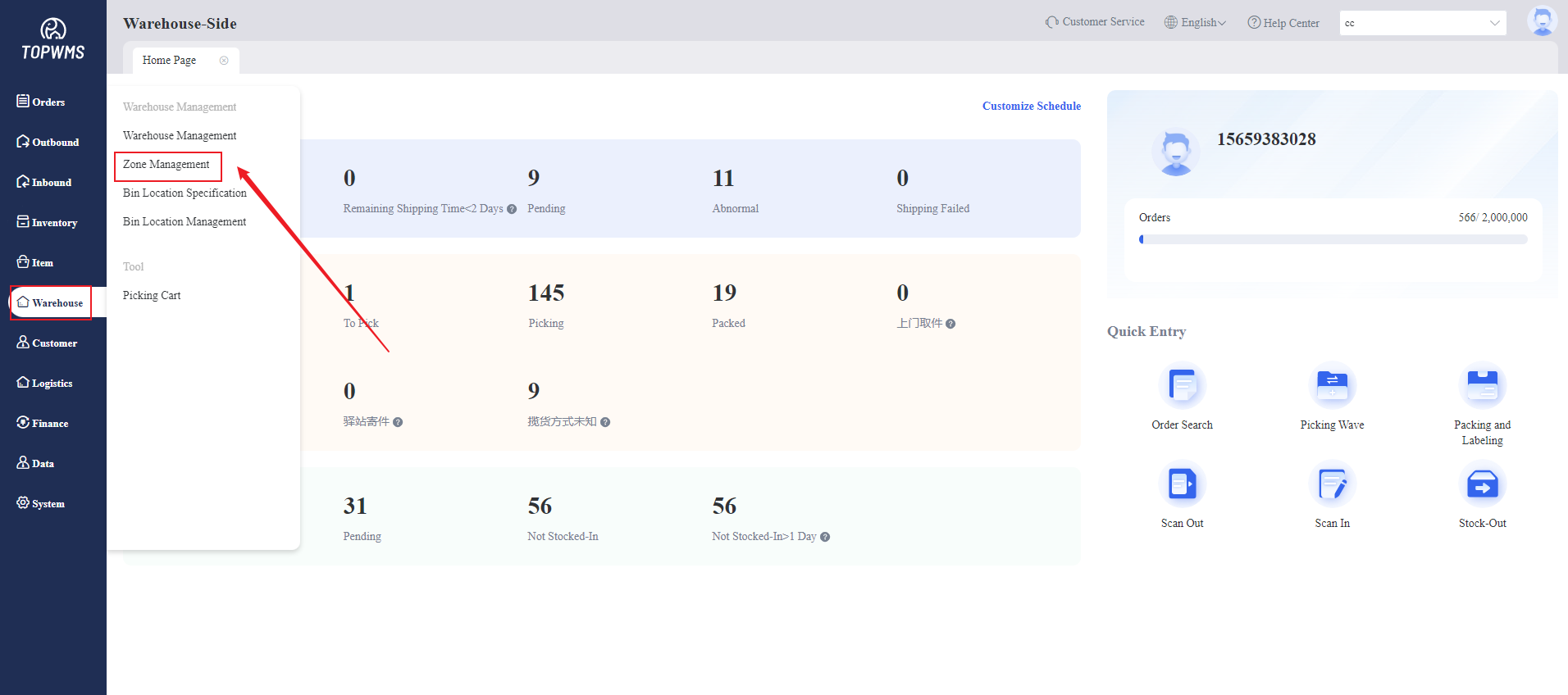
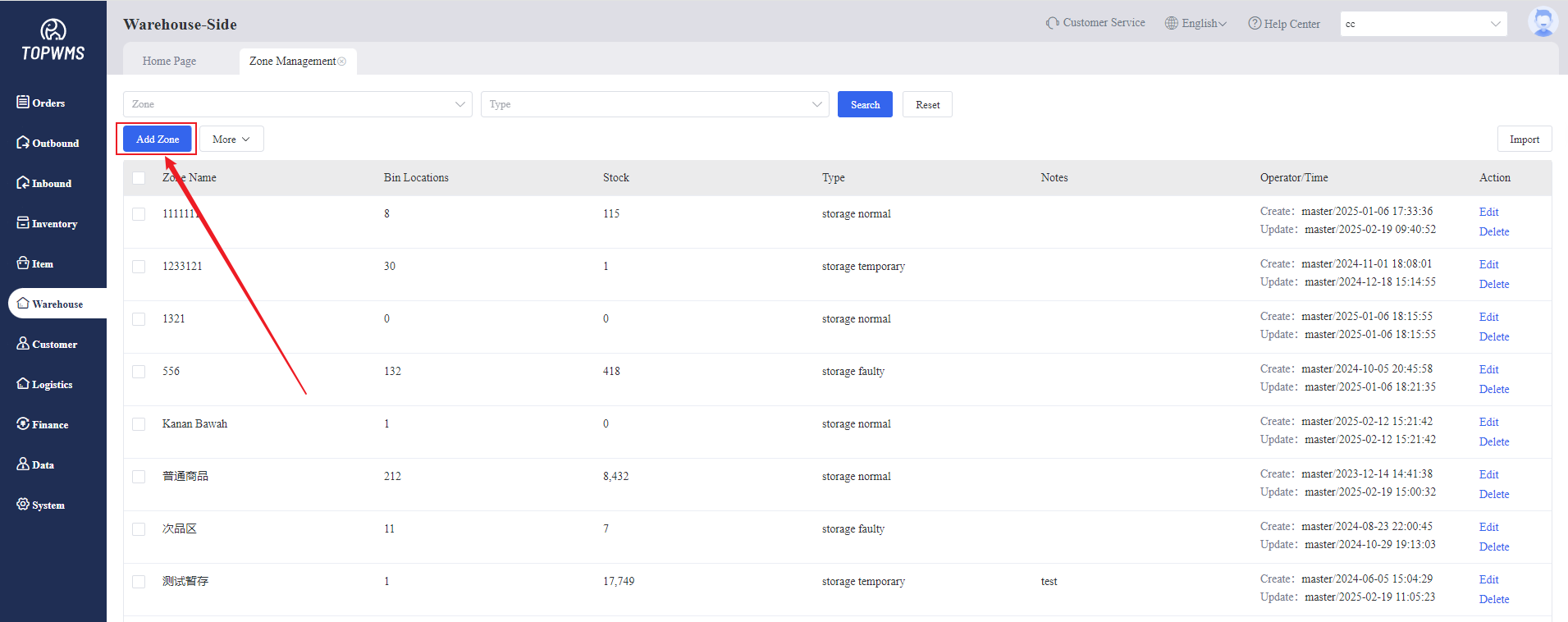
2. You need to customize Zone Name and select Zone Type, there are four types:
Quality Goods Zone: Items that can be sold normally
Return Zone: Items returned by buyers and are considered Quality Goods.
Defective Zone: items stored in the defective zone cannot be sold, the Stock Type is: Defective
Temporary Storage Zone: items stored in the temporary zone and cannot be sold, the Stock Type is: Pending
After setting the corresponding zone according to the actual situation, click Confirm to generate the zone. When processing the package later, you can move it to the corresponding zone according to the item status.
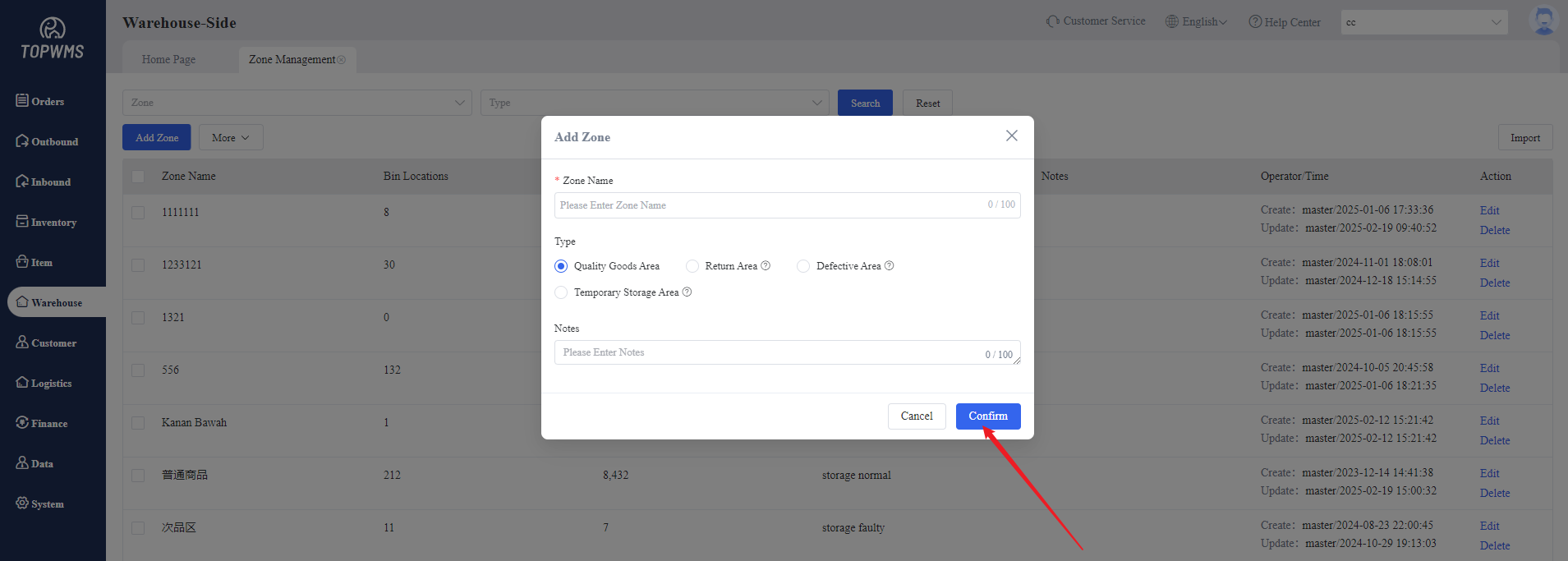
3. The number of bin locations and stock in each zone can be viewed in the interface, and secondary editing and deletion of zones are supported.