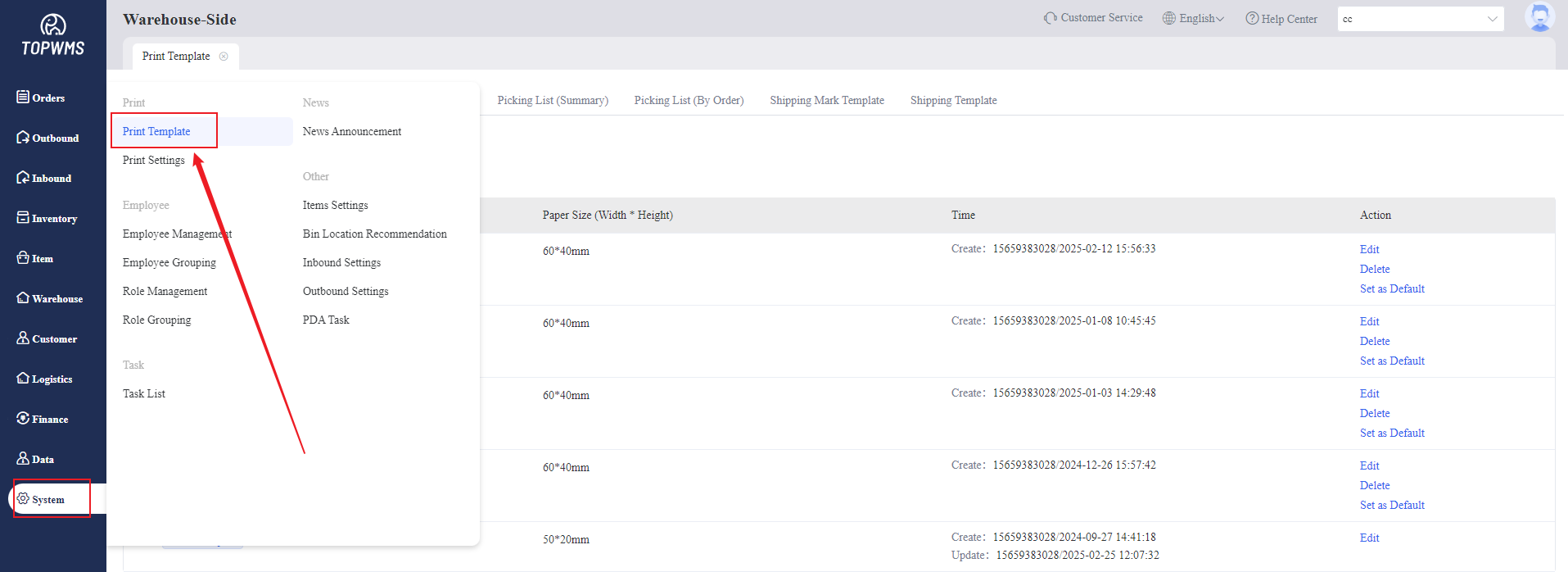
1. Click [System] > [Print Template]
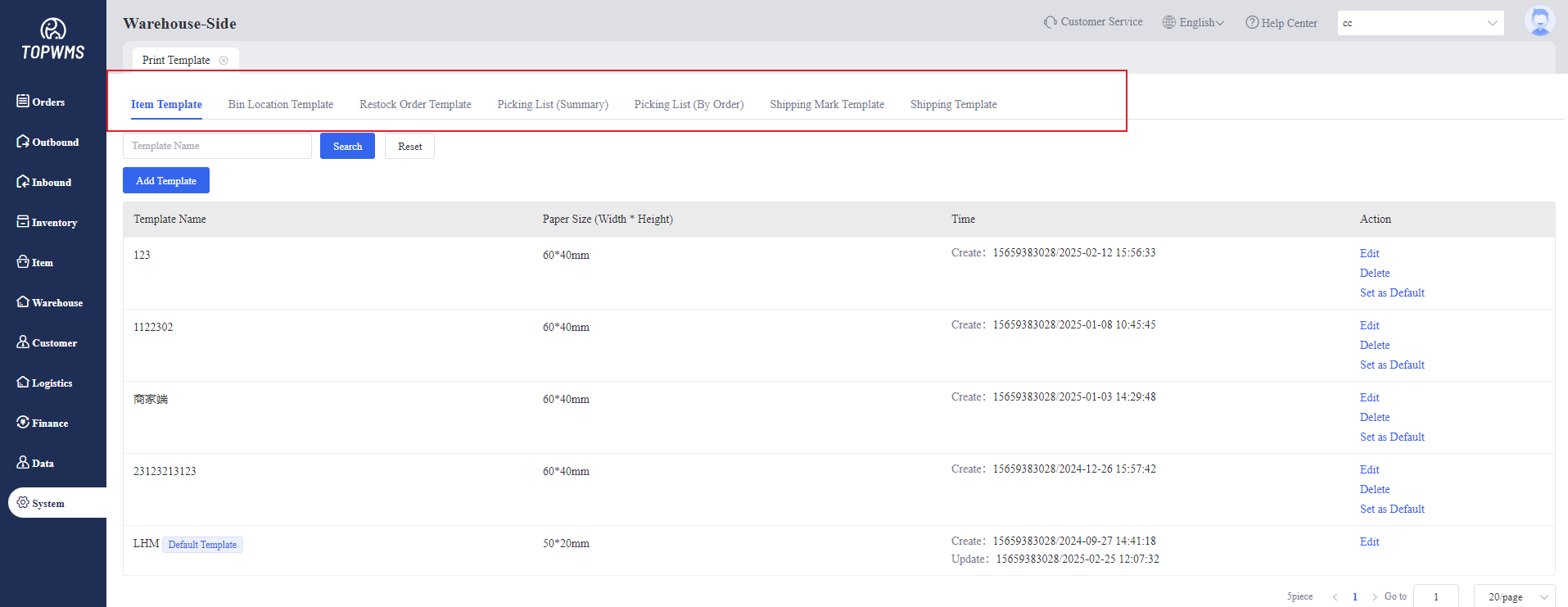
2. Click [Add Template]
Item Template, Bin Location Template, Restock Order Template, Picking List Template (Summary) , Picking List Template (By Order), Shipping Mark Template, Shipping Template can be customized
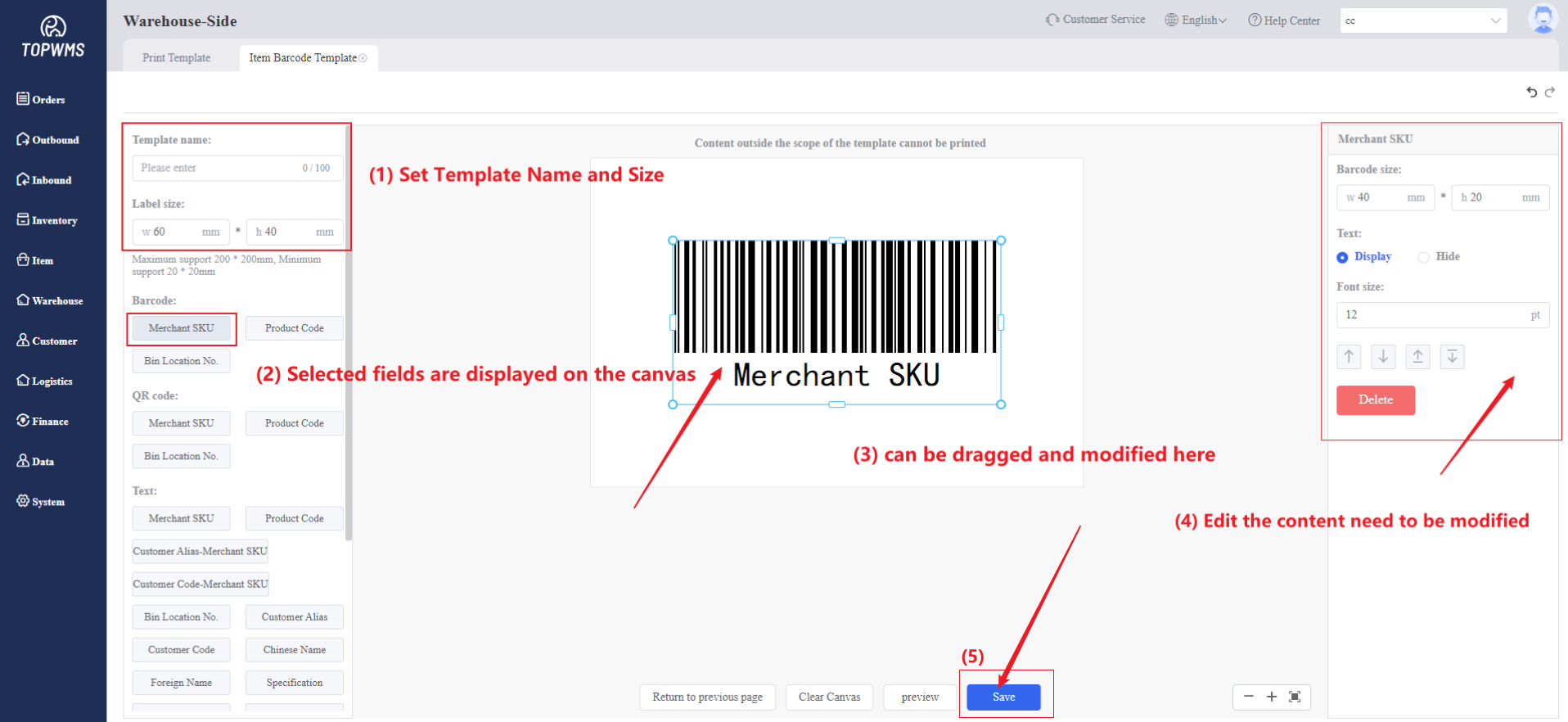
3. Enter the template creation interface, first set the template name and paper size, and then select the content to be displayed on the canvas.
For example, such as Merchant SKU will be displayed according to the actual code printing by the system;
The selected information will be displayed in the canvas, and the position and display length can be adjusted according to actual needs. Click the field in the canvas to edit the font size, spacing, etc. on the right side of the page.
After creating it, click [Save]. When you print it later, it will be printed according to the created template.