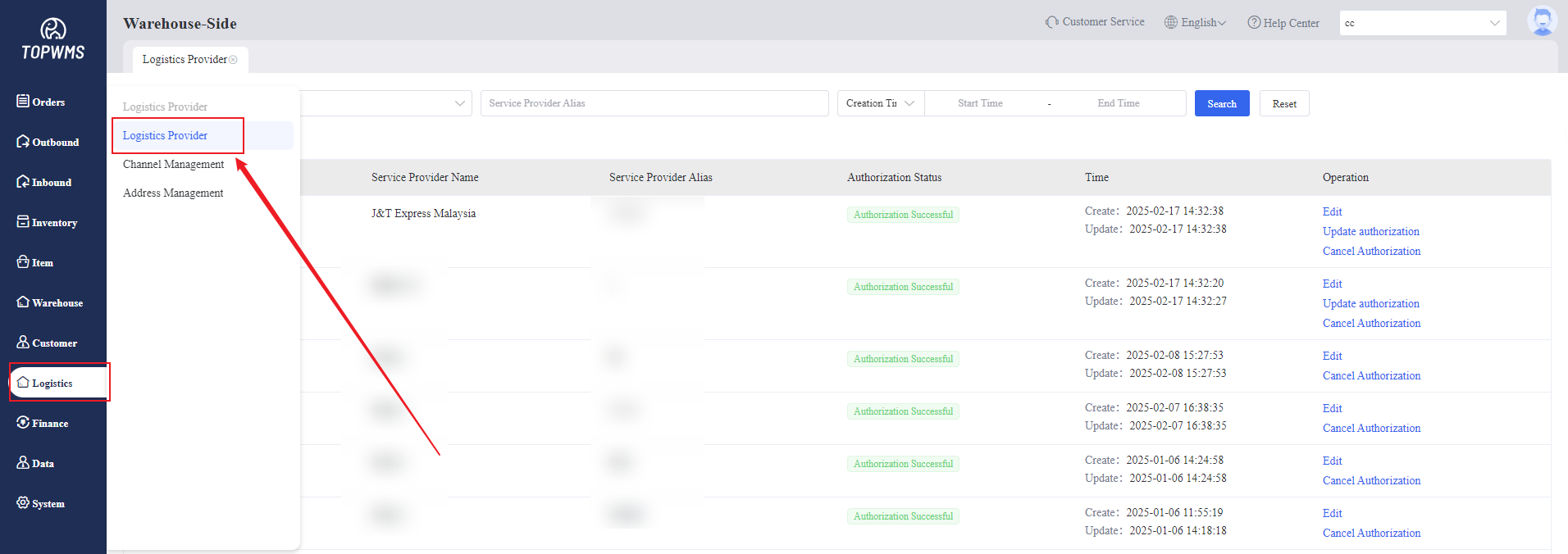
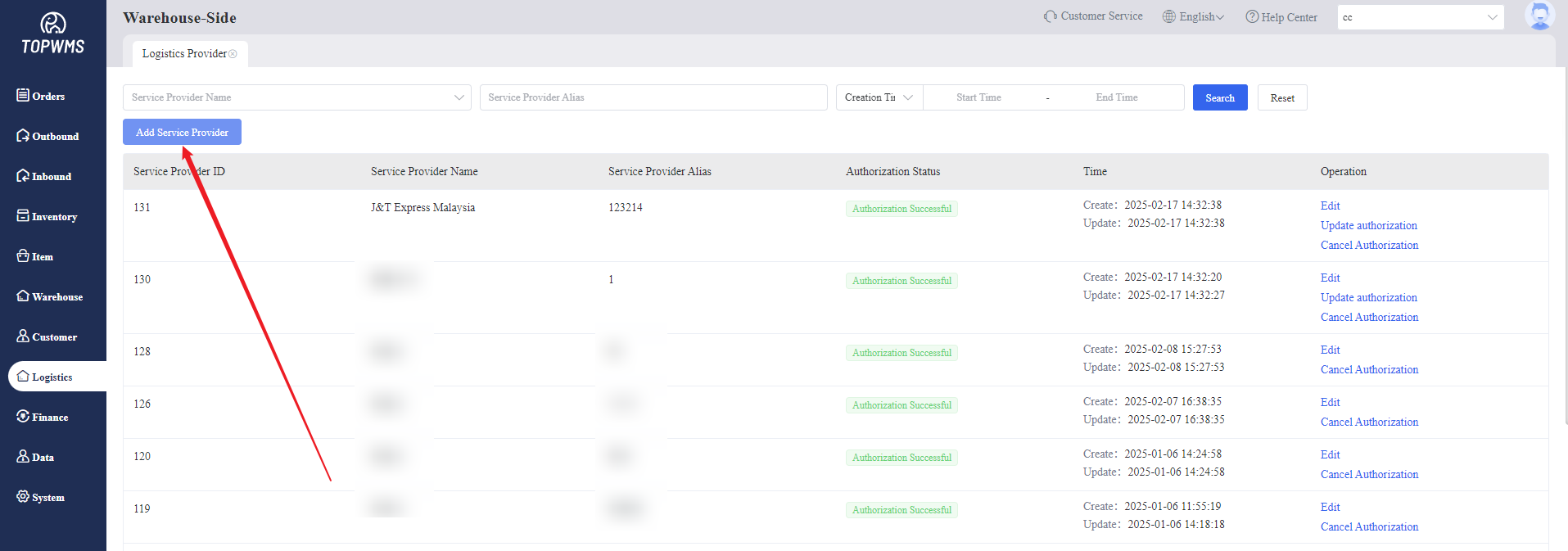
1. Click [Logistics] > [Logistics Service Provider] > [Add Service Provider]
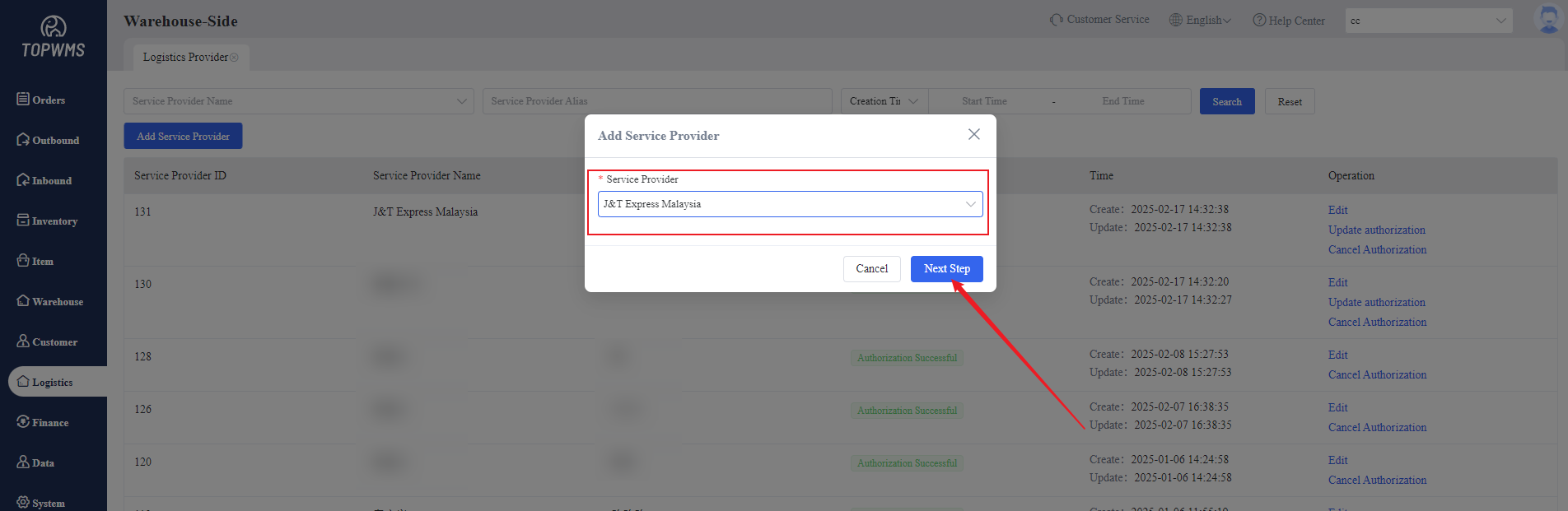
2. Select Service Provider in the pop-up window
Currently supports two modes: WMS Cooperation Logistics Provider and Custom Logistics Provider
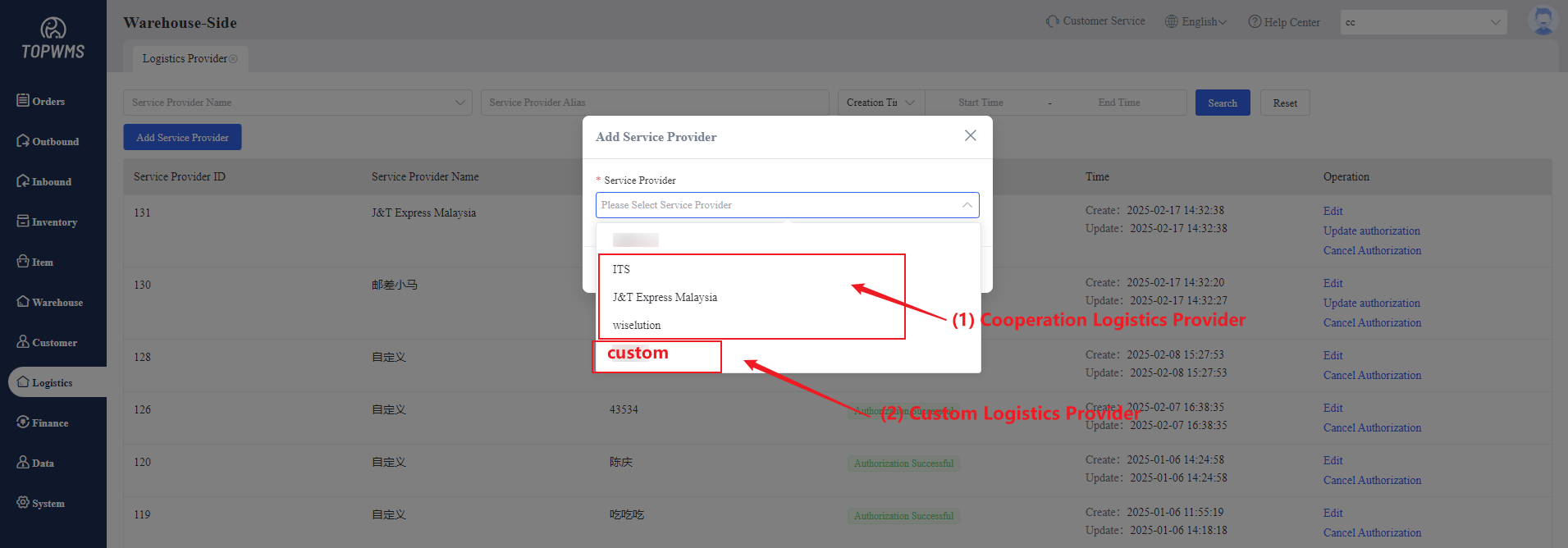
(1) Cooperation Logistics Provider
After selecting logistics, you need to fill in the authorization content according to different logistics providers.
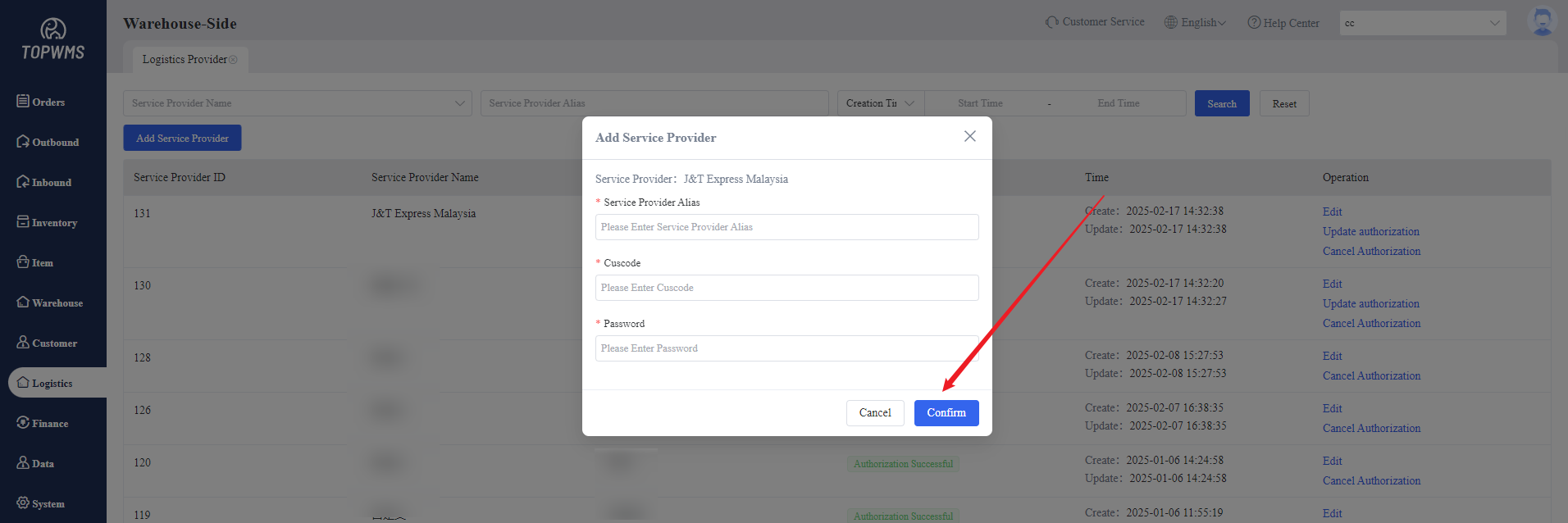
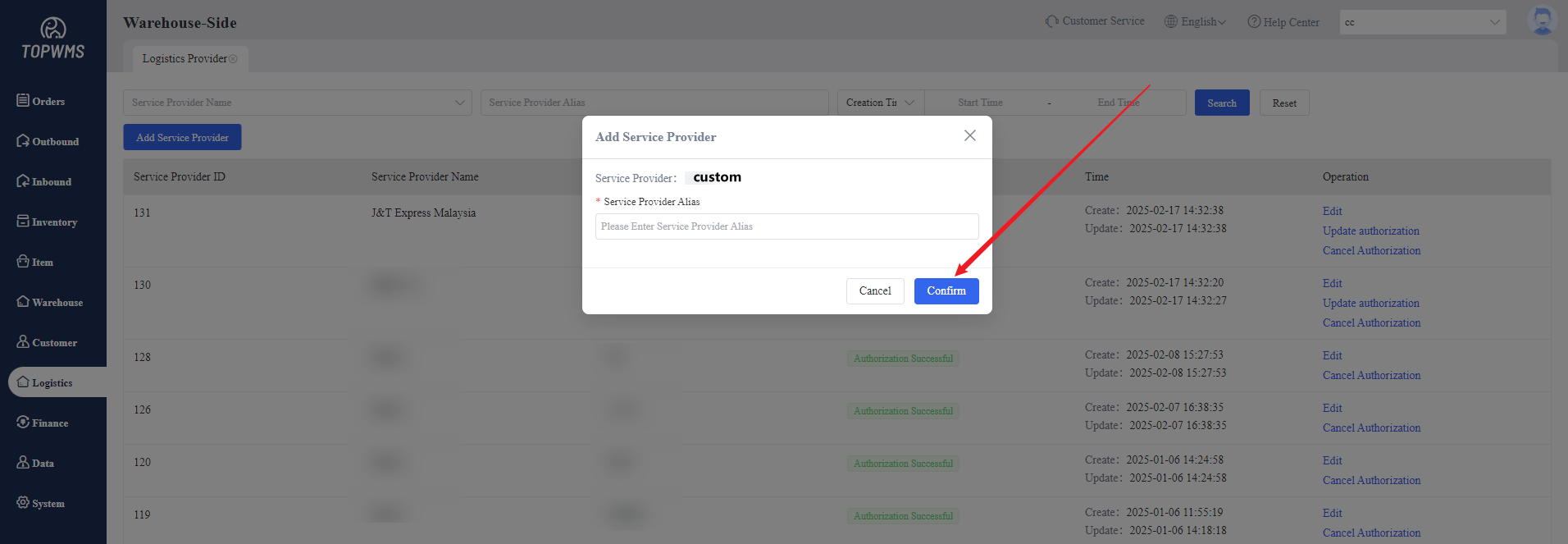
(2) Cooperation Logistics Provider
Customize the name of the logistics service provider and click [Confirm] to generate it.
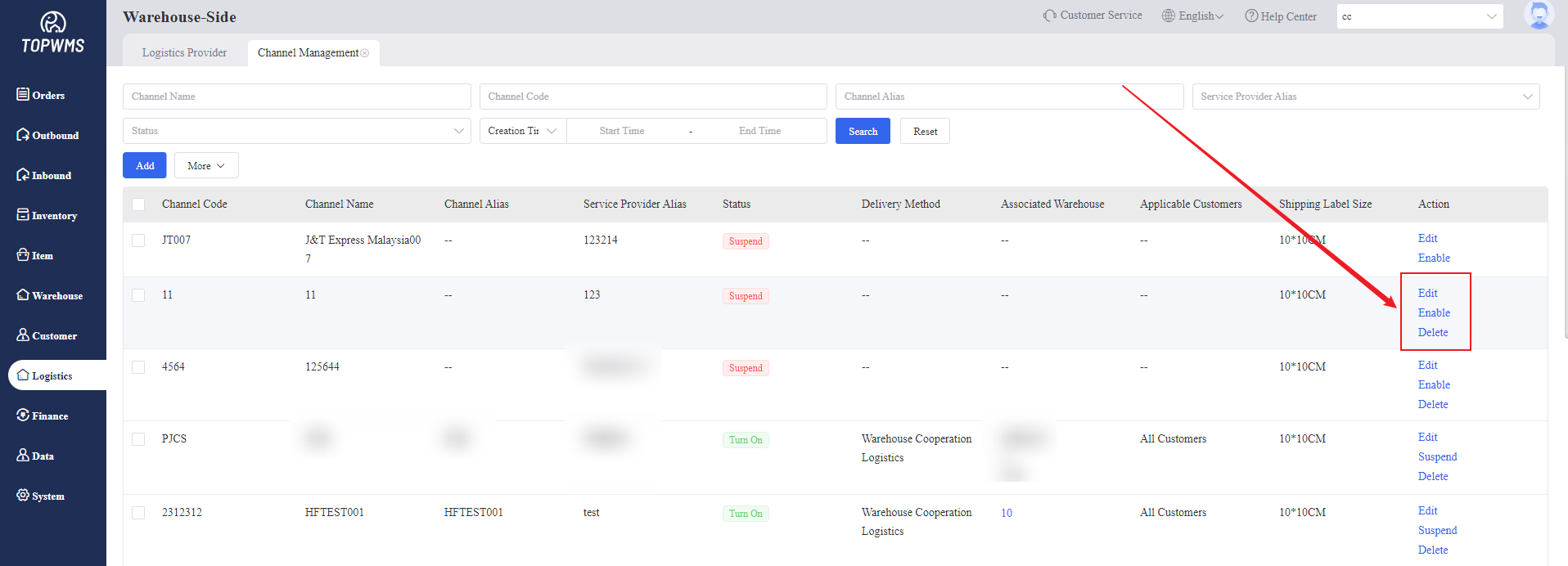
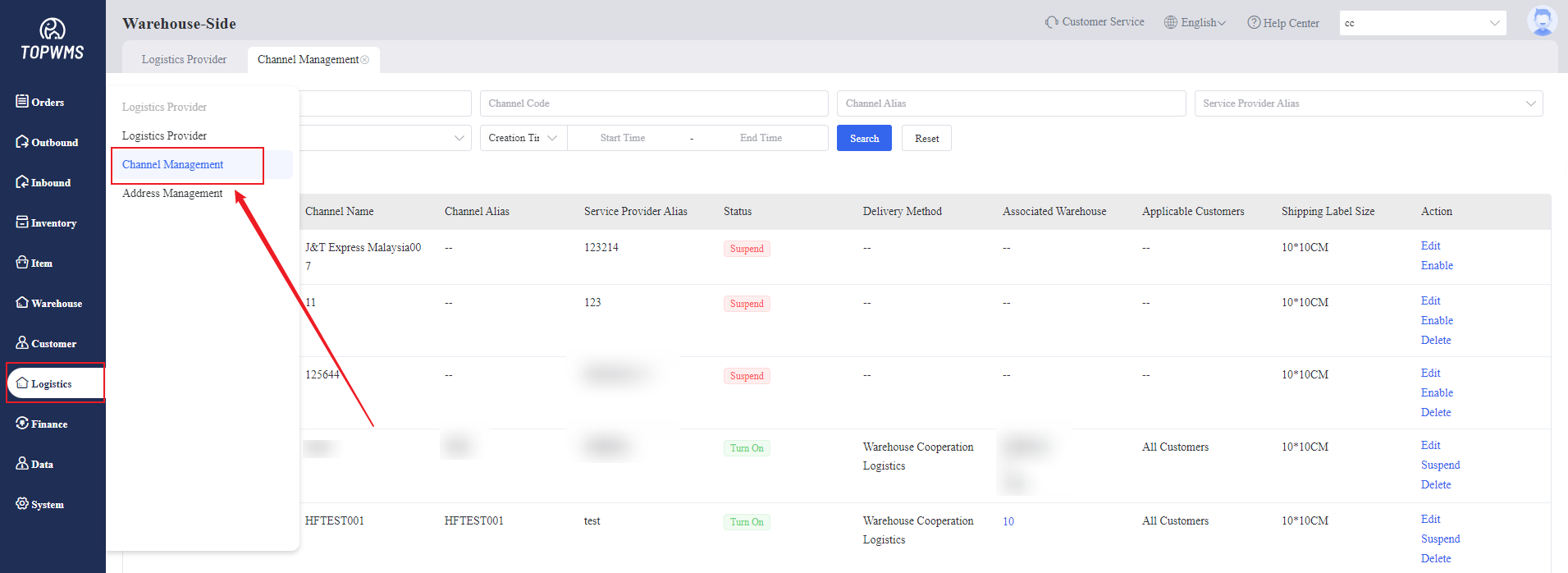
(3) Then click [Logistics] > [Channel Management]
Select Logistics Provider set > Customize Channel Code and Channel Name > Click [Confirm]
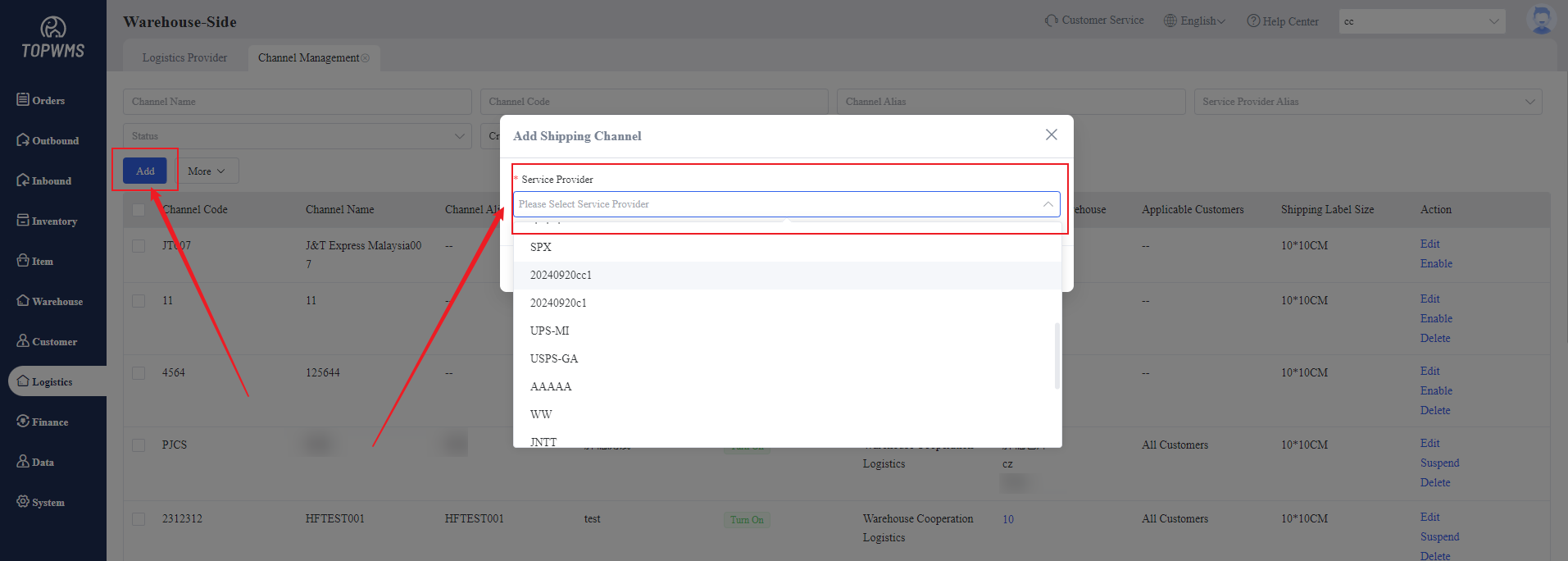
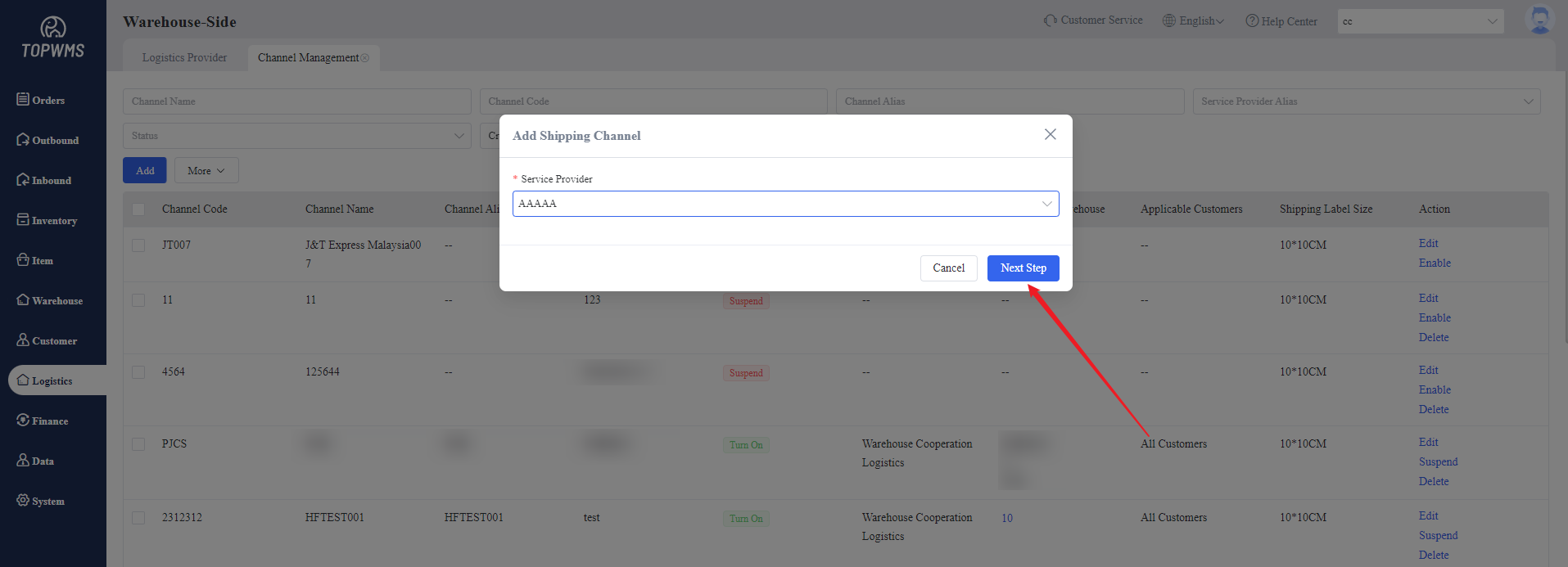
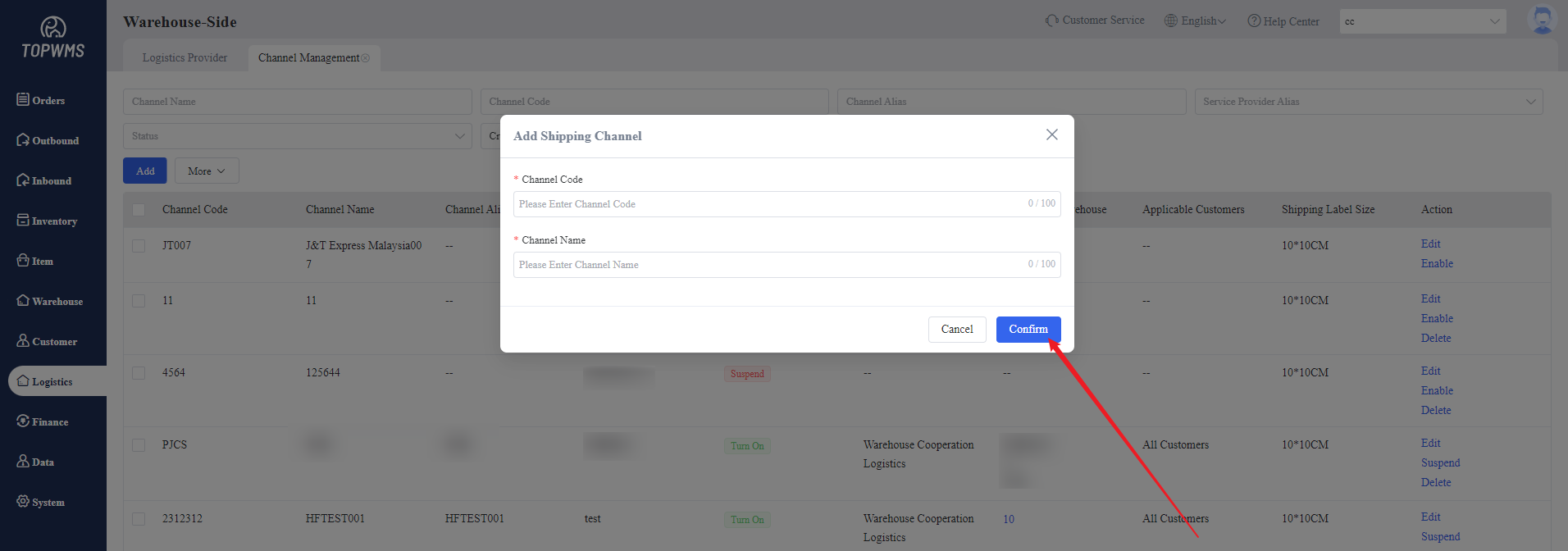
(4) After creating shipping channel, click [Edit]
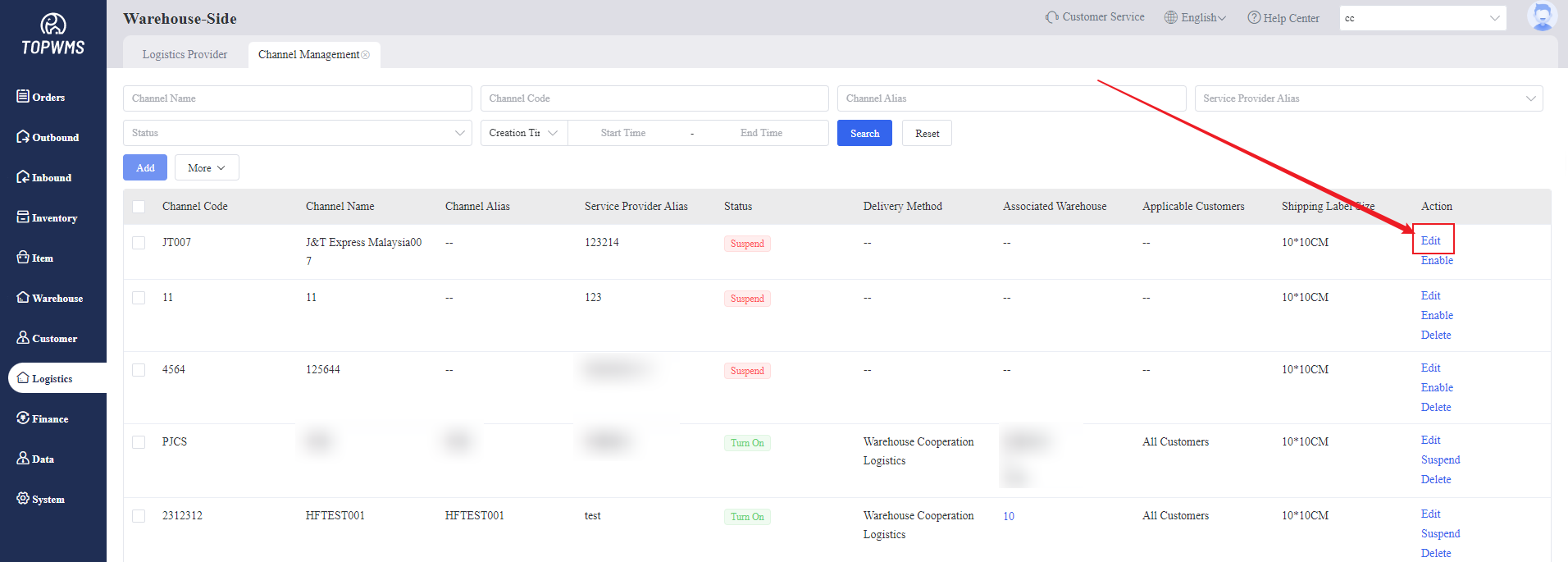
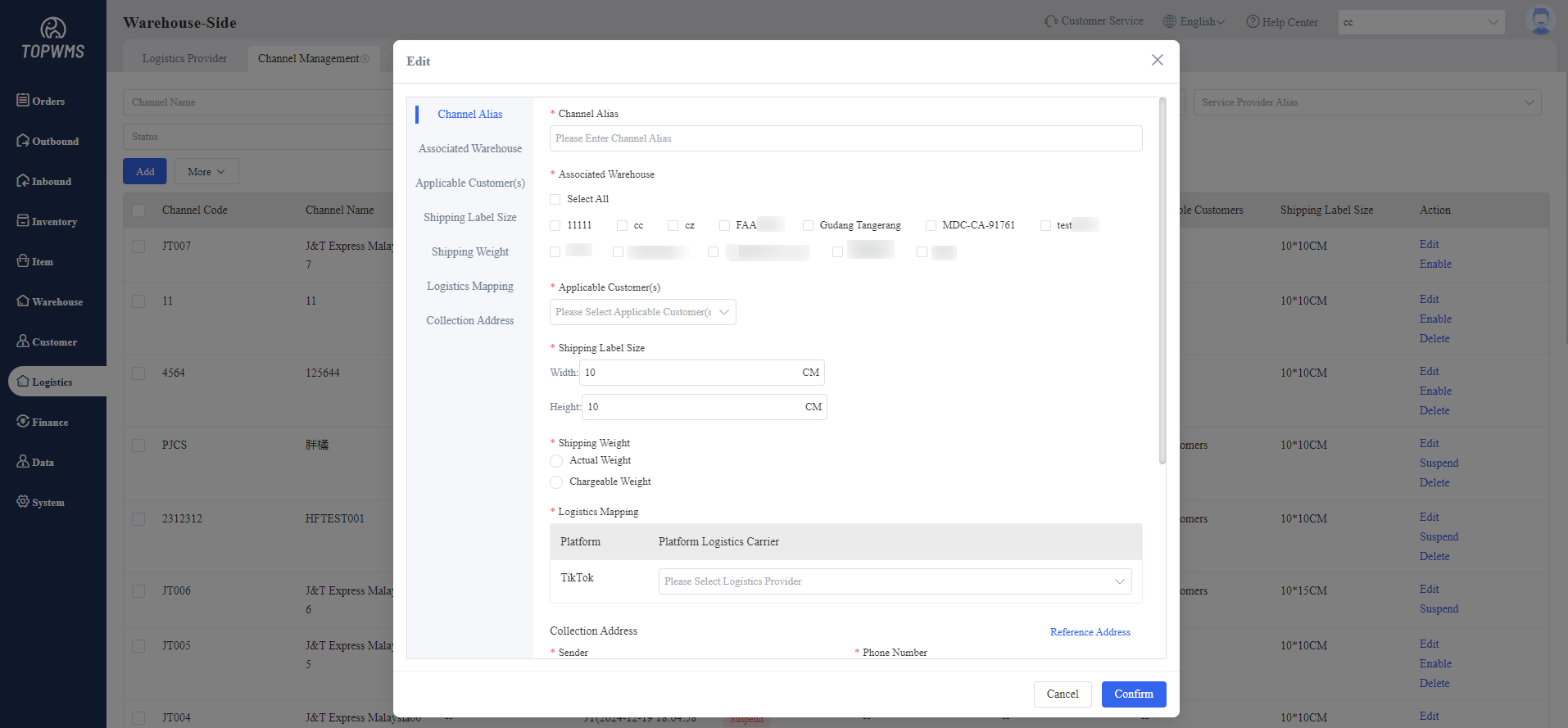
Filling in the information of shipping channel in the pop-up window
① Channel Alias: The name of the channel that sellers can see
② Associated Warehouse(s): Set warehouses that can use this channel
③ Applicable Customer(s): Set customers who can use this channel
④ Shipping Label Size: Set the size of shipping label based on the actual situation
⑤ Shipping Label Source:
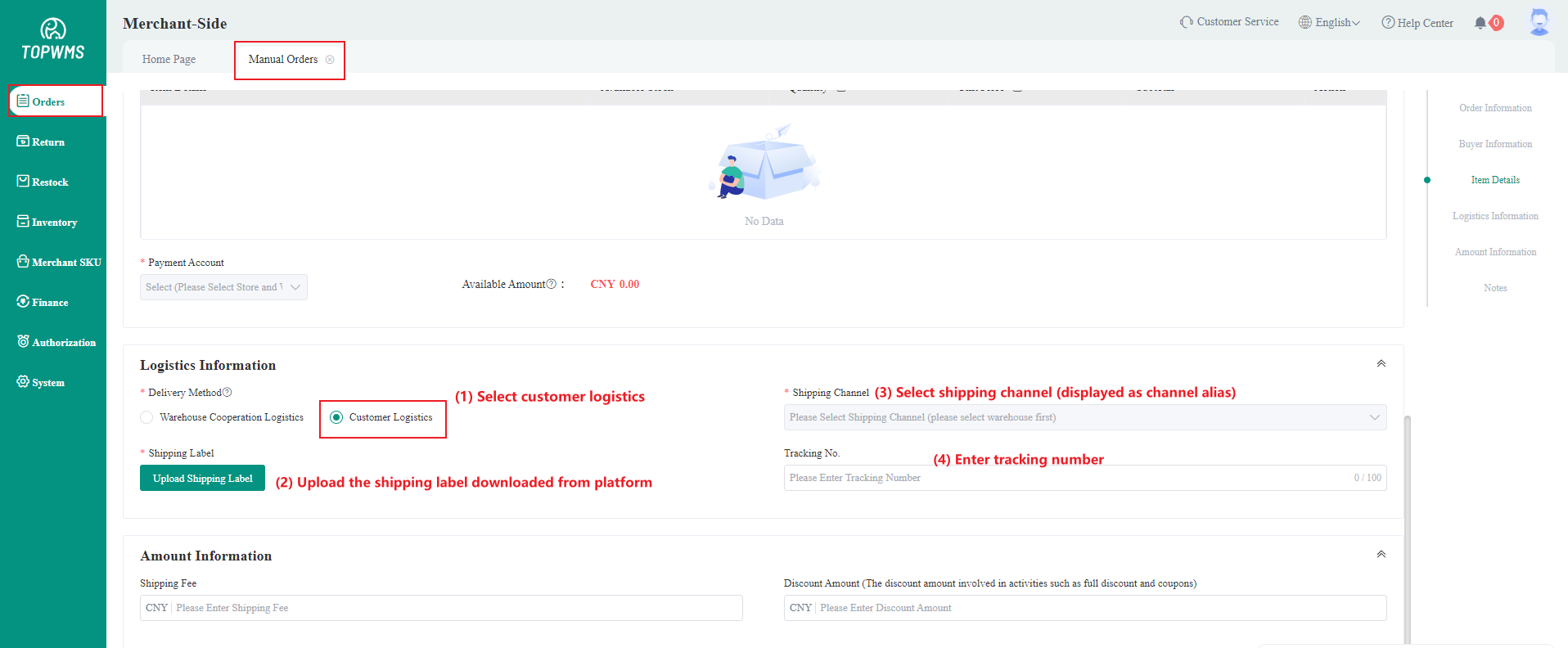
Sellers Uploaded: The merchant-side provides the shipping label and uploads it when creating a manual order.
When the merchant-side creates a manual order, the delivery method must be selected as customer logistics.
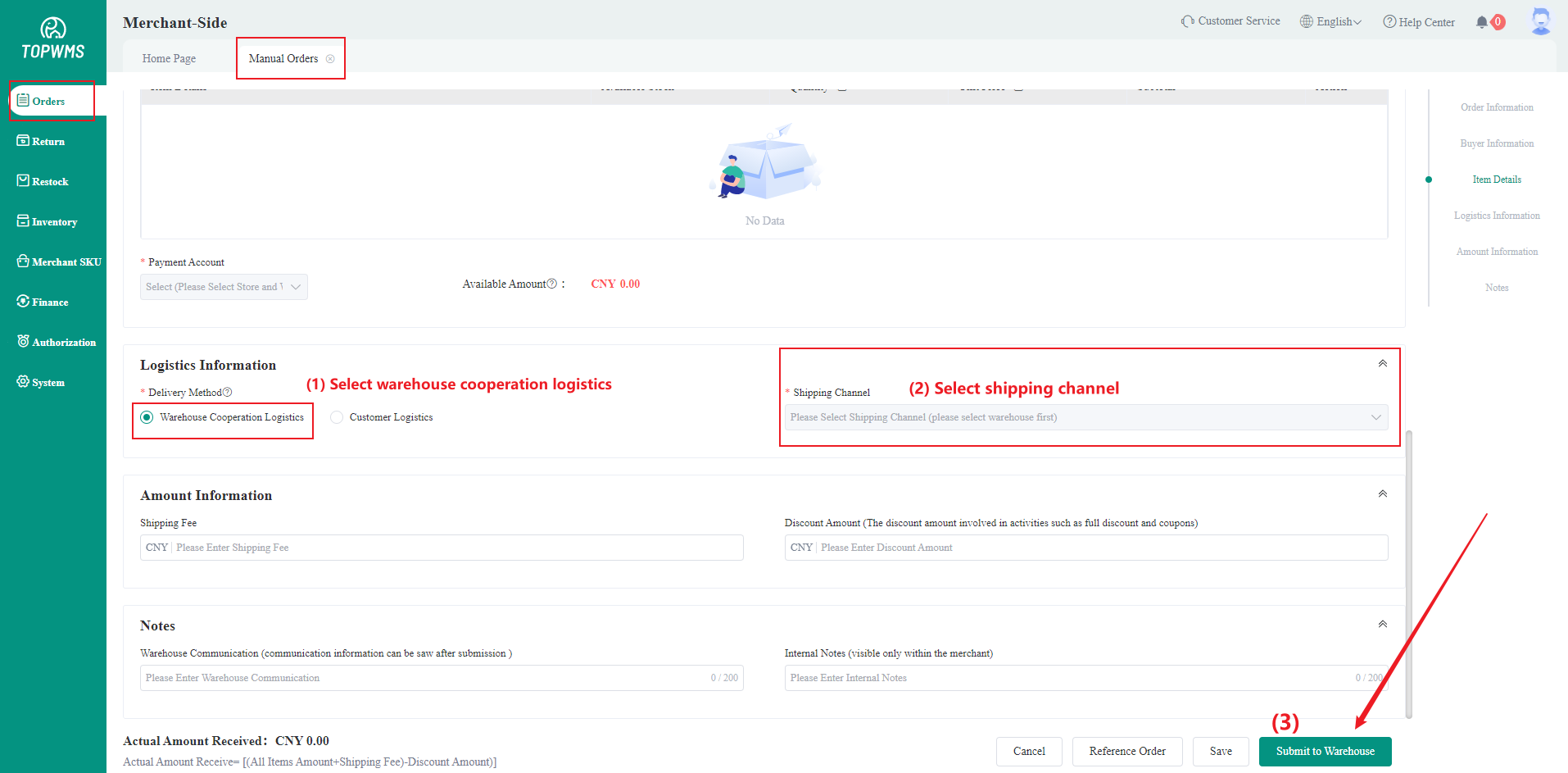
From Logistics Provider: There are channels for authorized logistics providers such as ITS and J&T. When the merchant submits a manual order, the shipping label from the logistics provider will be automatically applied for by system.
When the merchant-side creates a manual order, the delivery method must be selected as warehouse cooperation logistics and select the corresponding channel.
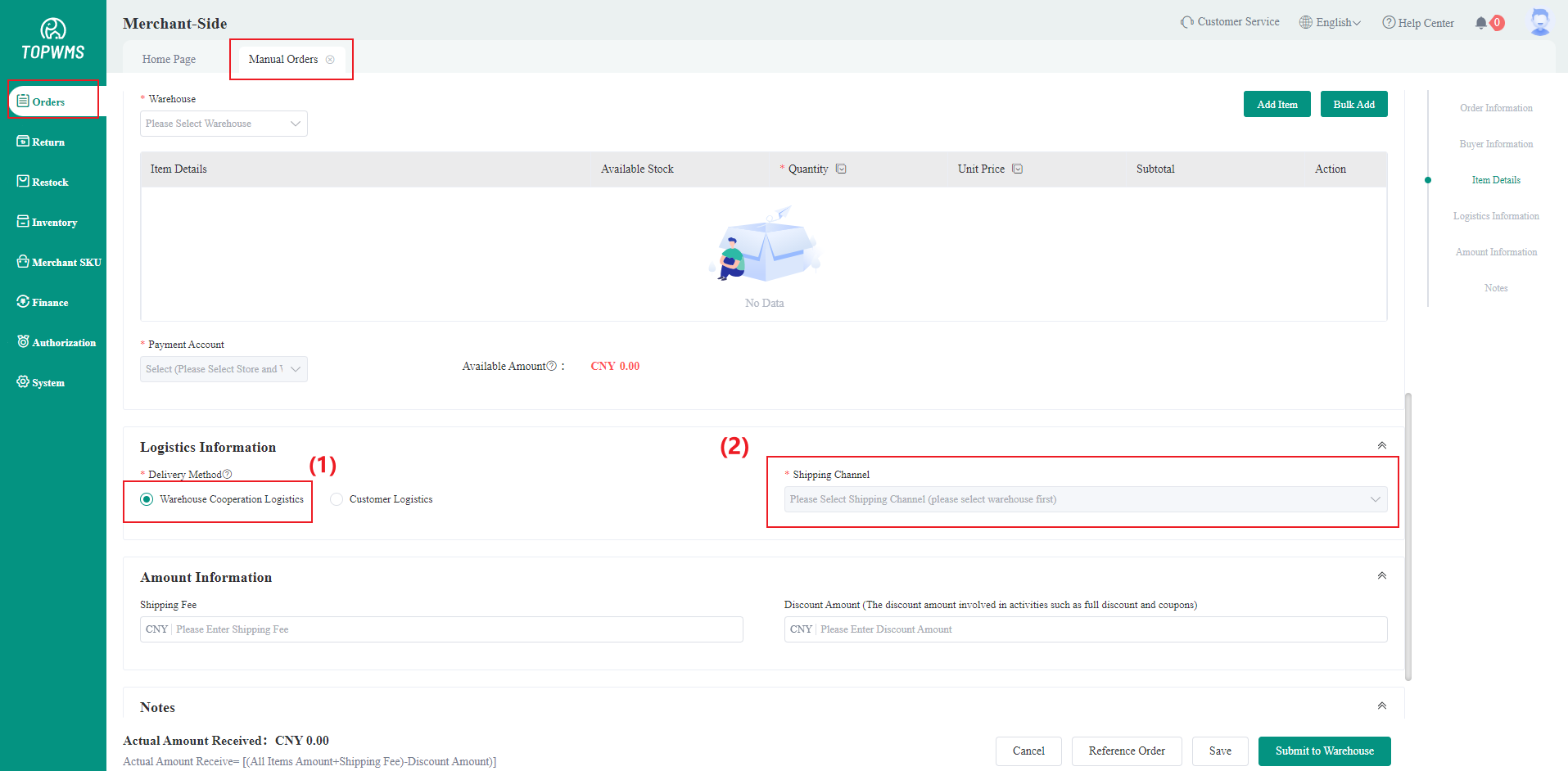
System Generated: Applicable for custom logistics service provider and the shipping label source is generated by the system.When printing shipping label, it will have an internal number to help the warehouse identify the package. When the logistics company receives the package, official shipping label will be attached.
When the merchant-side creates a manual order, the delivery method must be selected as warehouse cooperation logistics and select the corresponding channel.
⑥ Shipping Weight: Set the shipping weight of this logistics channel. If the package is overweight or underweight, this channel cannot be selected.
⑦ Logistics Mapping: For the US region, fill in according to the actual situation; for the Southeast Asia, choose one
⑧ Collection Address: Fill in the warehouse address, referencing address directly is supported
(5) After setting the channel information, click [Enable] to use the channel. It can be selected in merchant-side when creating manual orders and also can be deactivated if not needed.