I. Introduction
1. Set the bin location recommendation rules in advance. When items are stocked-out(sale), stocked-in(restock), stocked-in(return), etc., the system will recommend bins according to the set rules. The warehouse can choose whether to place the bin according to the actual situation.
II. Tutorial Details
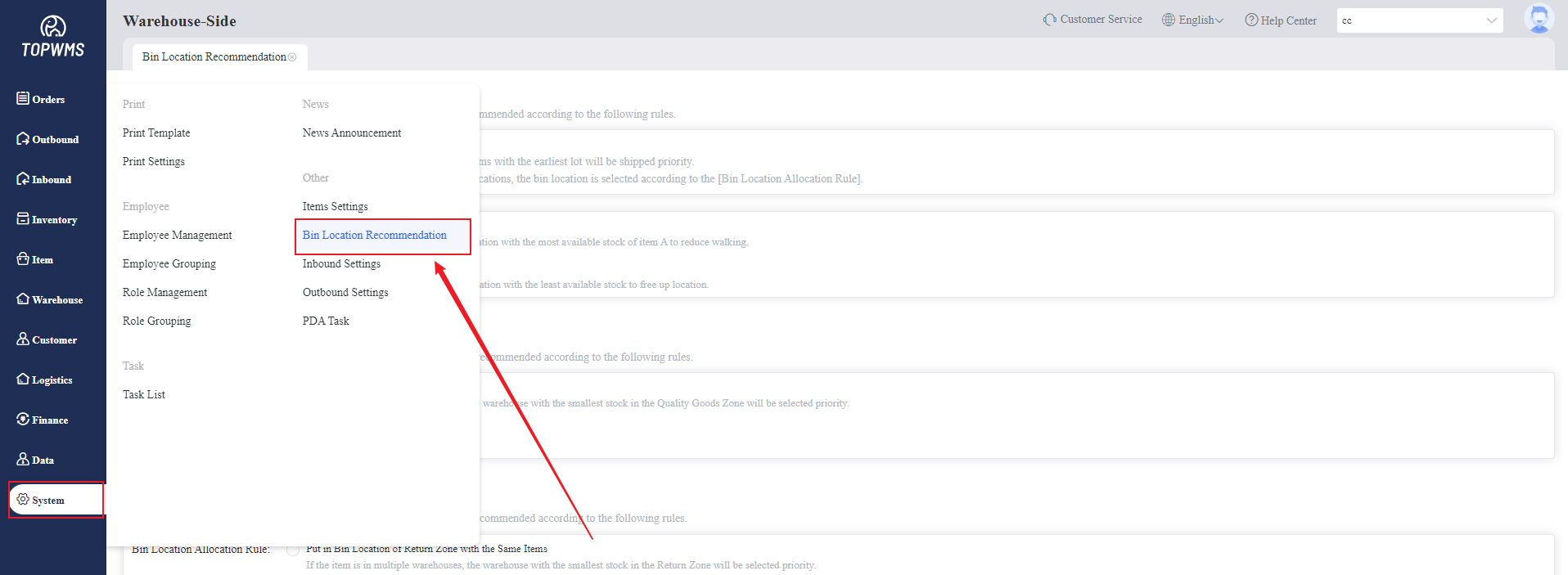
1. Click [System] > [Bin Location Recommendation]
2. Setting the bin location rules in this page
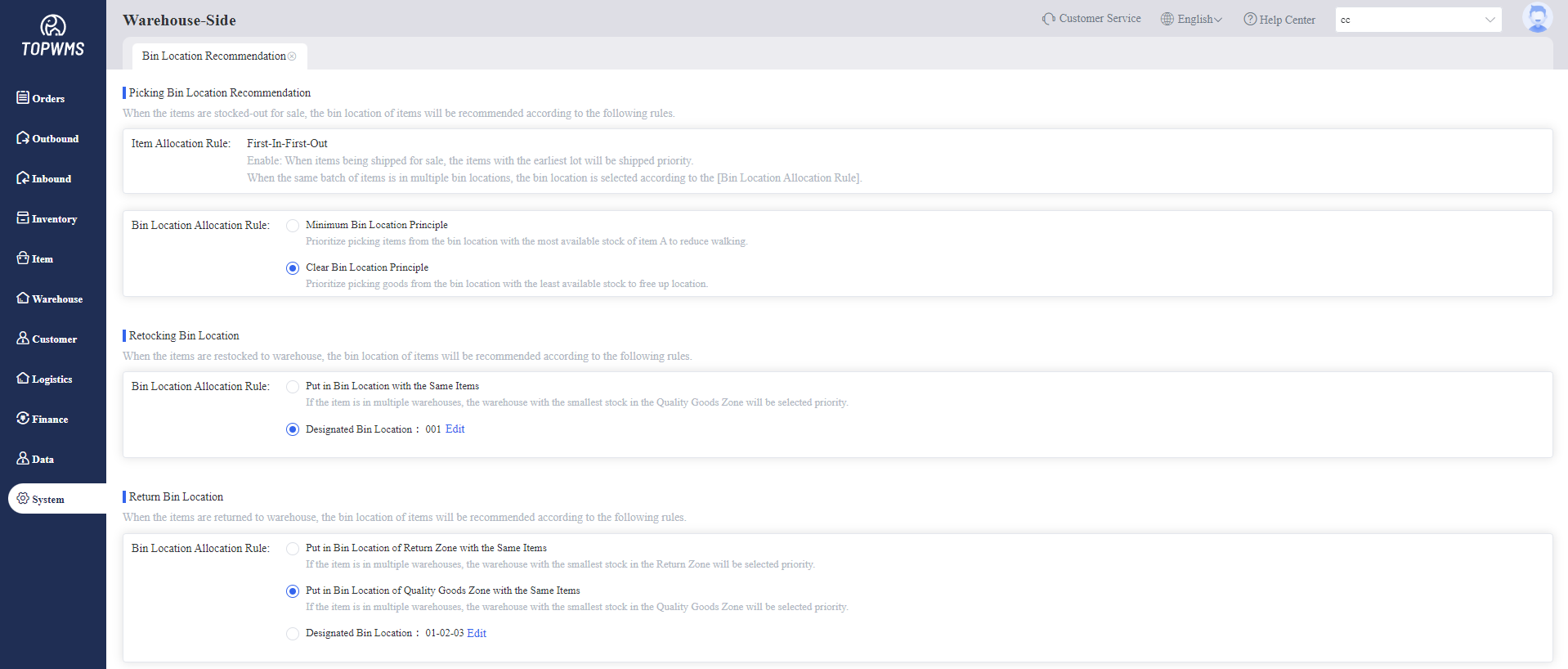
(1) Picking Bin Recommendation
① When items being stocked-out for sale, the items with the earliest lot will be shipped priority by default. When the same batch of items is in multiple bins, the bin is selected according to the [Bin Allocation Rule].
② Bin Allocation Rule:
Minimum Bin Principle: Prioritize picking items from the bin with the most available stock of item A to reduce walking.
Clear Bin Principle: Prioritize picking items from the bin with the least available stock to free up location.
(2) Restocking Bin Recommendation
① When items are being stocked-in for restocking, they can be placed in the bins with the same items, or in the designated bins.
(3) Return Bin Recommendation
① When items are being returned to warehouse, they can be placed in the bins in return zone/quality goods zone with the same items, or in the designated bins.